
How to claim your XP
Who can use thisMembers and Super Admins
Permission you need
View Milestone
Set by your workspace admin. If you cannot do this, ask them for access.This article is written for Member and Super Admin. Use the role switch at the top to change what the menus show.
Doing something earns XP, but it only counts toward your total and level once you claim it. This keeps your total honest: you see what you earned, then choose to take it.
-
Tap the yellow Ready to claim bar on the Overview, or open the Challenges tab. The Ready to Claim list is at the top.
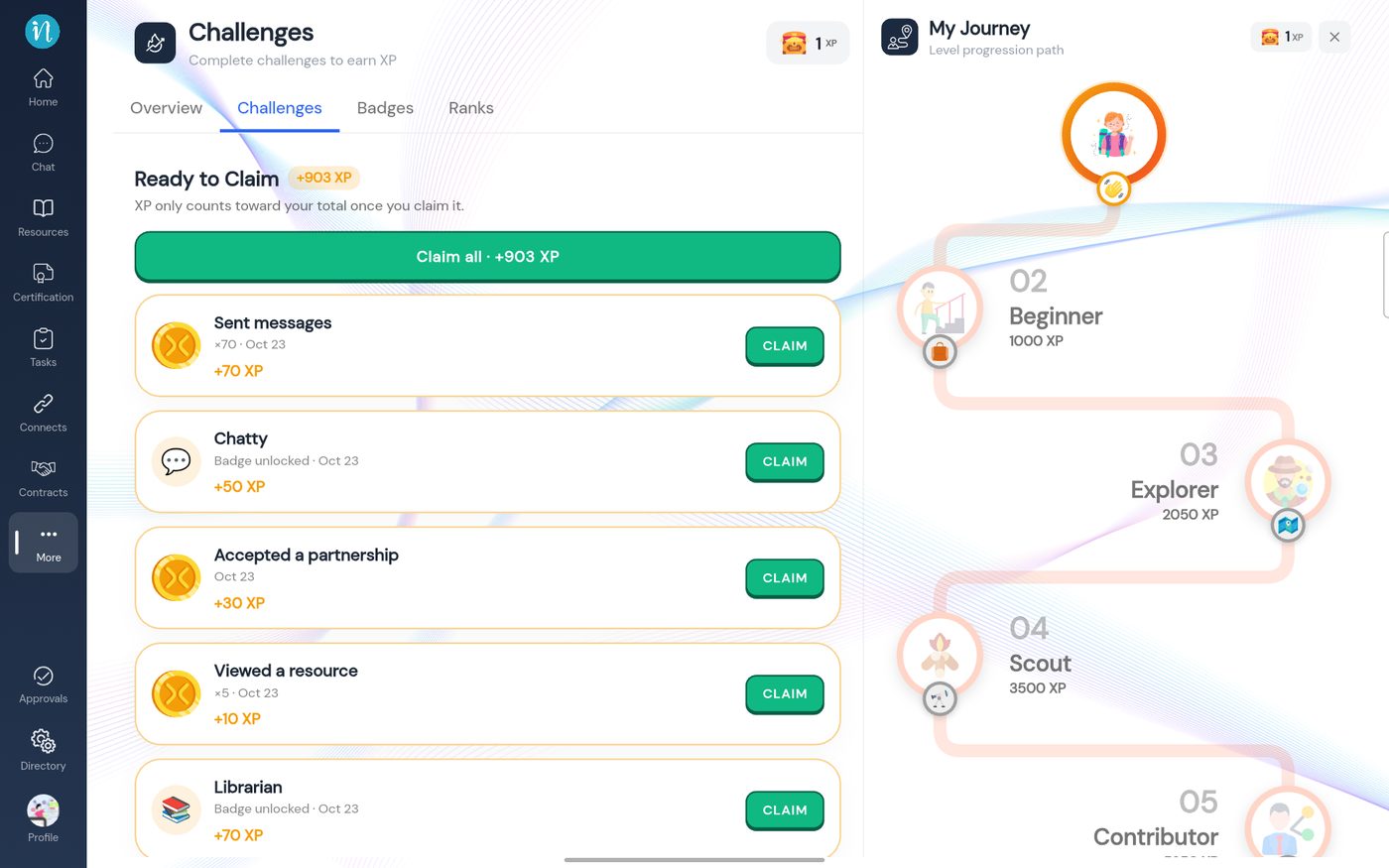
Ready to Claim -
Tap CLAIM on a row. The XP is added and a message confirms it.
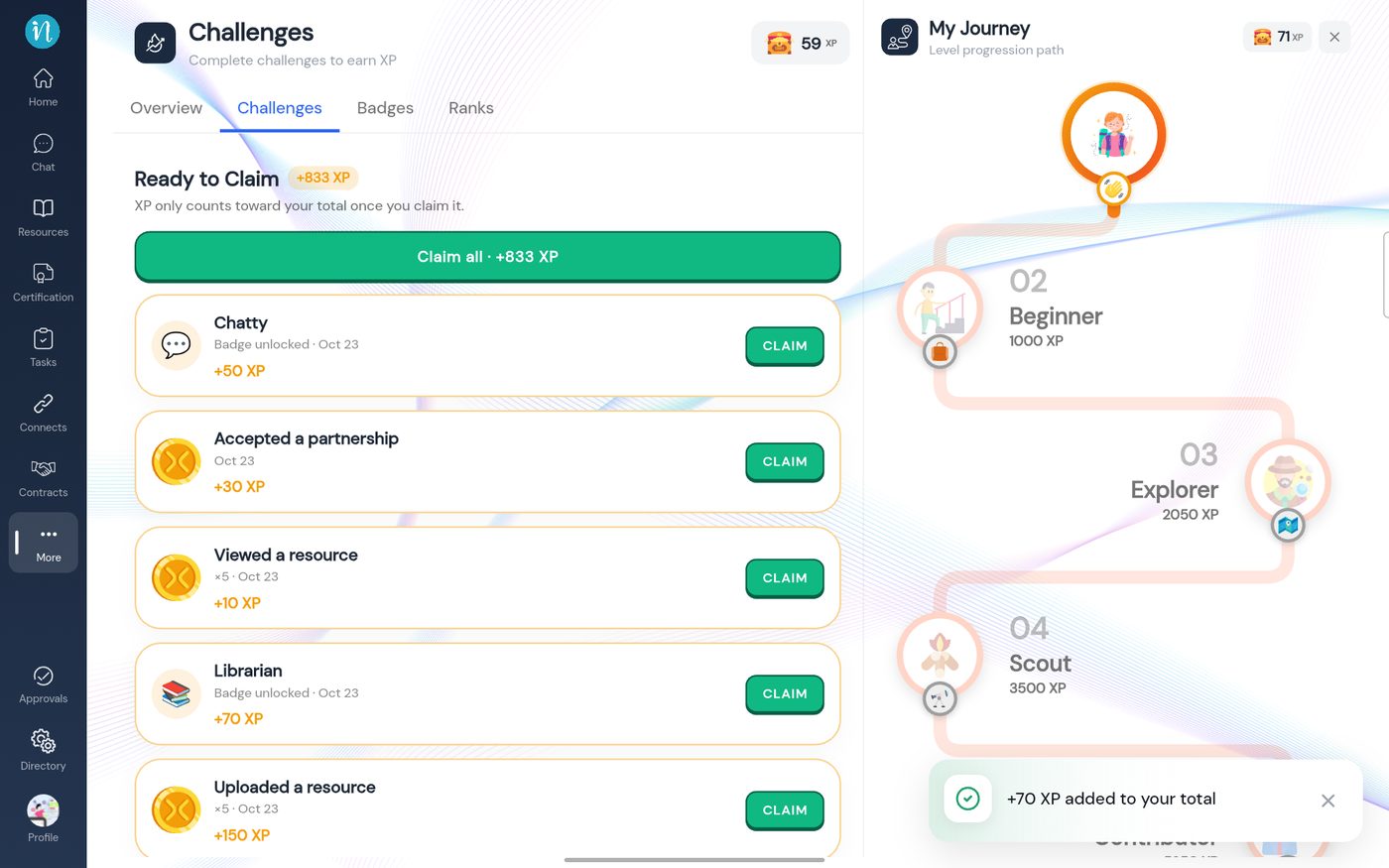
XP added -
Back on the Overview, your level and progress have moved.
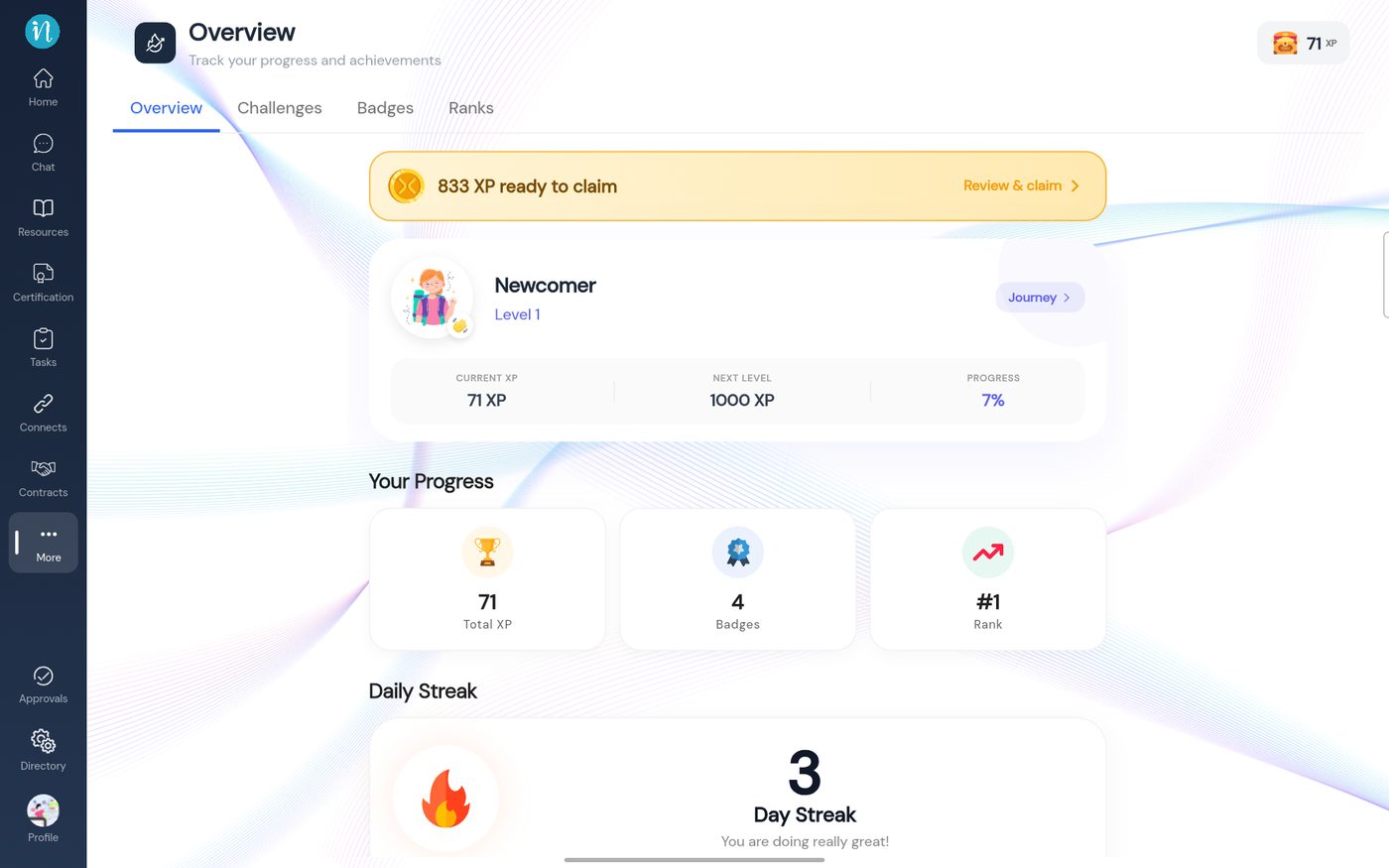
Overview after claiming
Good to know
- Claiming twice does nothing. If you tap again on something already claimed, it adds nothing.
- Badges unlock immediately, but the XP that comes with them waits to be claimed like any other.
- XP you earn from others' likes and comments also waits to be claimed.
- Daily limits apply. Some activities have a daily cap, so repeating them a lot in one day stops adding XP.
Last updated 2026-10-23