
How to read the Overview
Who can use thisMembers and Super Admins
Permission you need
View Milestone
Set by your workspace admin. If you cannot do this, ask them for access.This article is written for Member and Super Admin. Use the role switch at the top to change what the menus show.
The Overview tab is your summary: where you stand, what is waiting, and how consistent you have been.
-
Look at the top of the Overview.
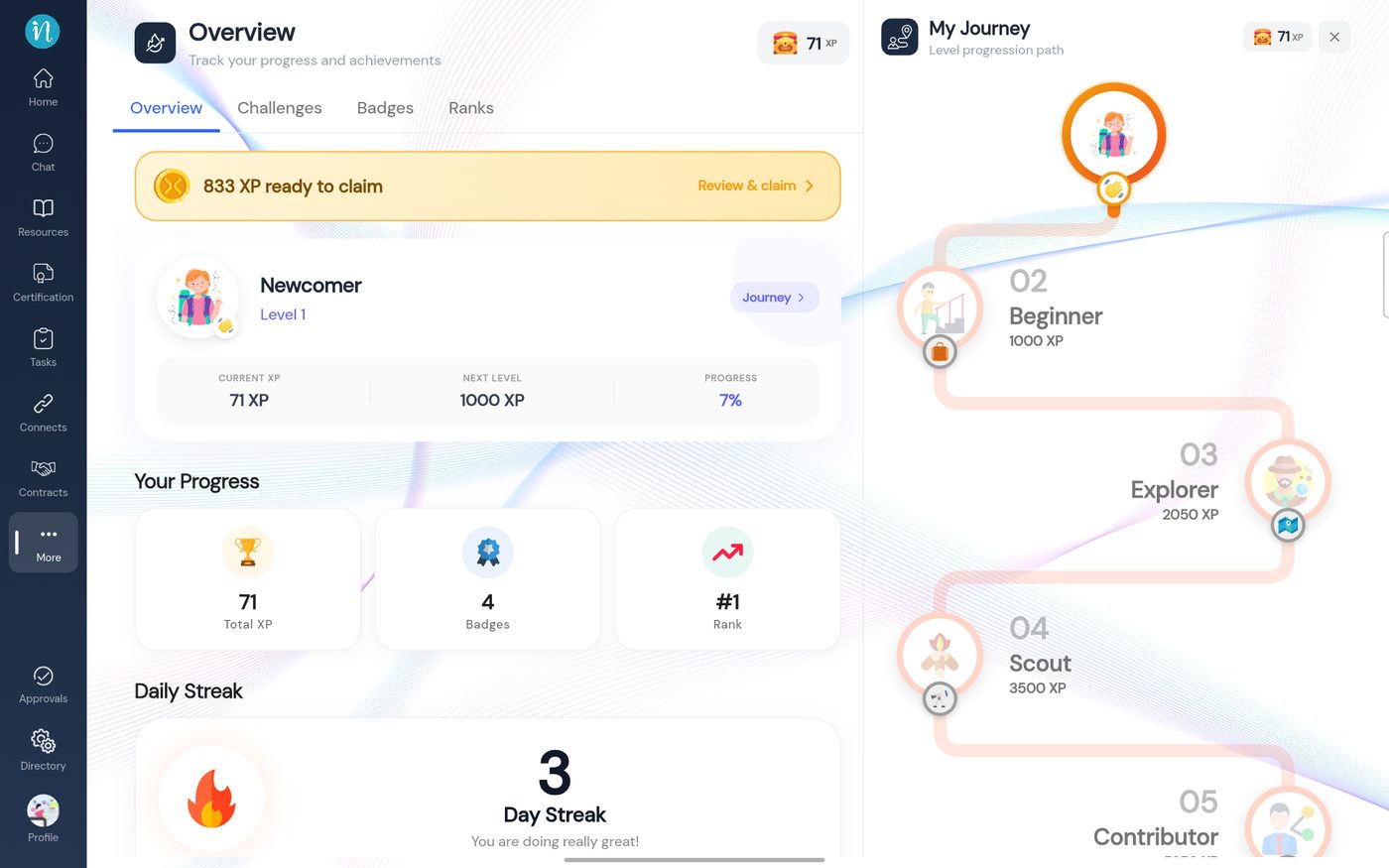
Level, progress and streak -
Scroll down for your streak and your Professional Persona.
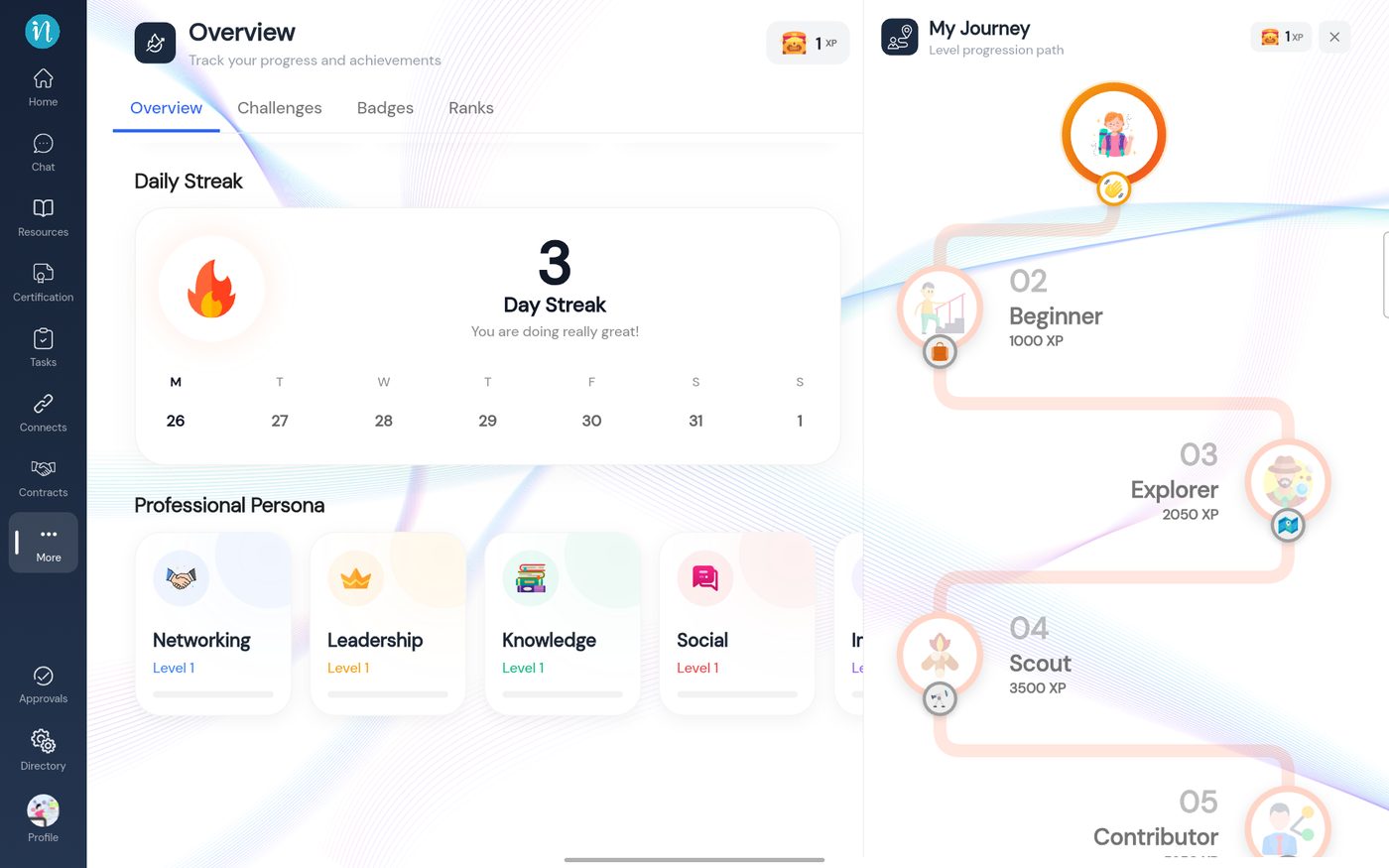
Daily Streak and Professional Persona
What counts toward each area
- Networking – connections, partnerships, conversations.
- Leadership – tasks and groups.
- Knowledge – resources, courses and certifications.
- Social – posts, comments and shares.
- Impact – files and resources shared or saved.
- Presence – messages and calls.
Last updated 2026-10-23