
What Milestone is and how XP works
Who can use thisMembers and Super Admins
Permission you need
View Milestone
Set by your workspace admin. If you cannot do this, ask them for access.This article is written for Member and Super Admin. Use the role switch at the top to change what the menus show.
Milestone is where your everyday work in inLynk turns into points, levels and badges. You earn XP (experience points) by doing real things: posting, finishing tasks, uploading resources, learning, messaging and connecting. XP is counted per workspace, so your progress in one workspace is separate from another.
The four ideas
- XP – points you earn for an activity. Each activity has its own value.
- Level – the more XP you have, the higher you go, from Newcomer at level 1 up through Beginner, Explorer, Scout, Contributor and beyond.
- Badges – one-off awards for reaching a goal, such as a number of posts or calls.
- Challenges – daily, weekly and monthly goals with an XP reward.
You claim your XP
Nothing is added to your total on its own. When you do something, the XP waits in Ready to Claim, and it only counts once you tap Claim. Badges unlock straight away, but their XP also waits to be claimed. See Claim your XP.
-
Open Milestone. It is under More in the left sidebar.
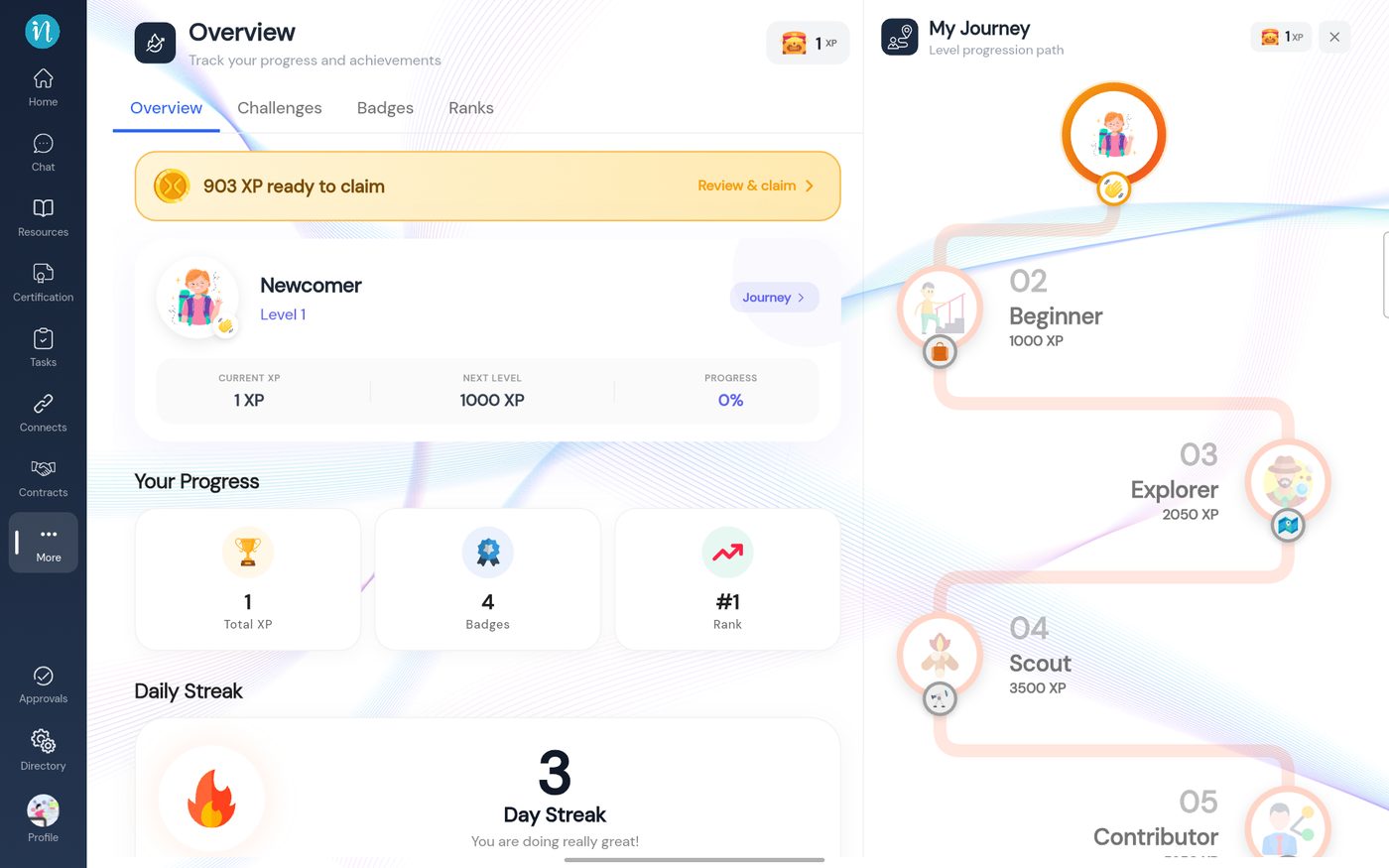
The Milestone Overview
Last updated 2026-10-23