Schedule meetings
How to schedule a meeting
Who can use thisSuper Admins, and any role given this permission
Permissions you needView and join meetingsSchedule and start meetings
Set by your workspace admin. If you cannot do this, ask them for access. This article is written for Super Admin. Use the role switch at the top to change what the menus show.
Scheduling puts a meeting on the calendar for a date and time you choose.
Before you start: you need the Create permission for Meetings. Admins and Super Admins have it by default.
-
On Meetings, tap Schedule. The Schedule Meeting form opens.
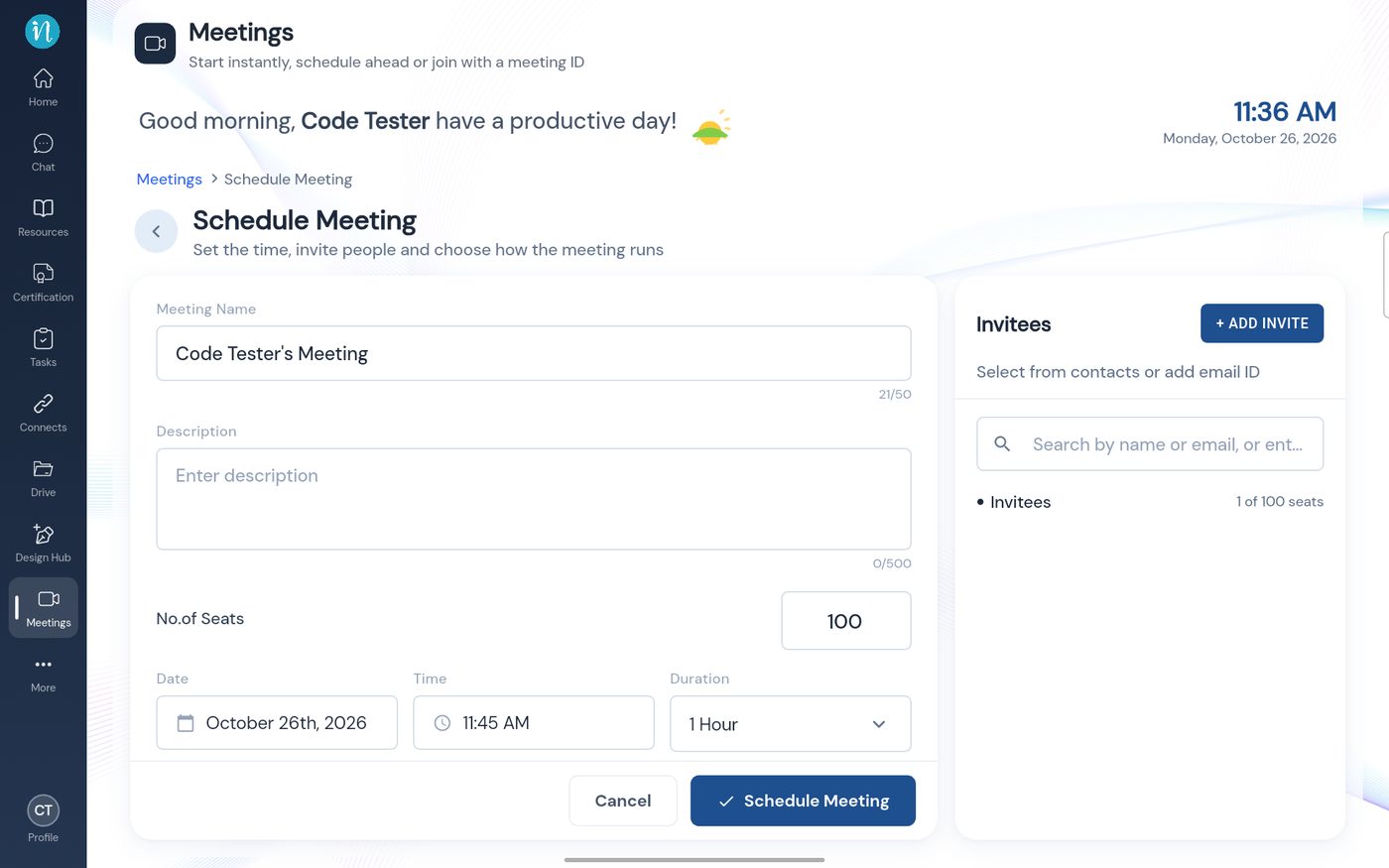 The Schedule Meeting form
-
Type a name and a description.
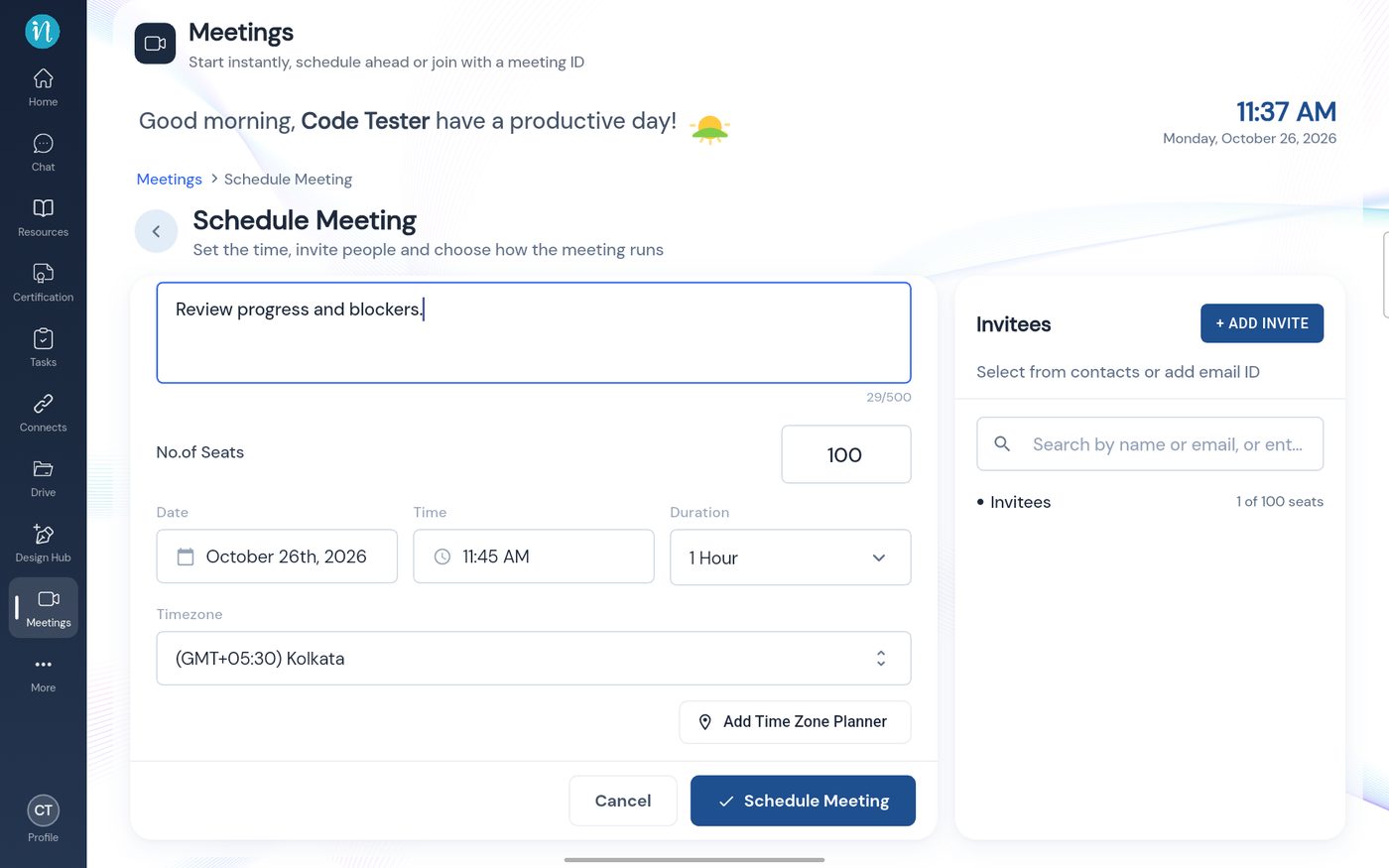 Name and description filled in
-
Tap Date and pick a day from the calendar.
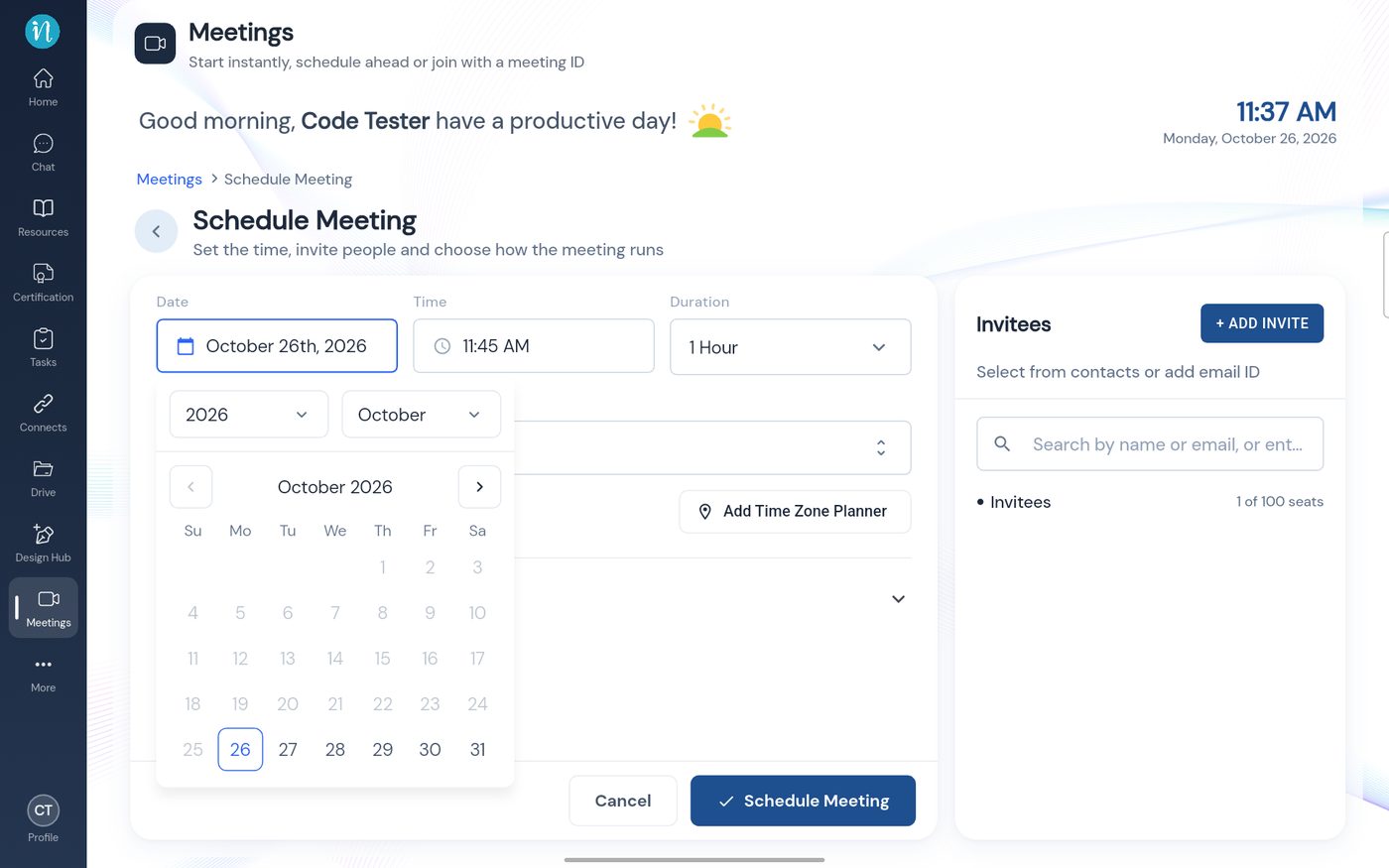 Choosing a date
-
Tap Time and set the hour, minutes and AM or PM, then tap Done.
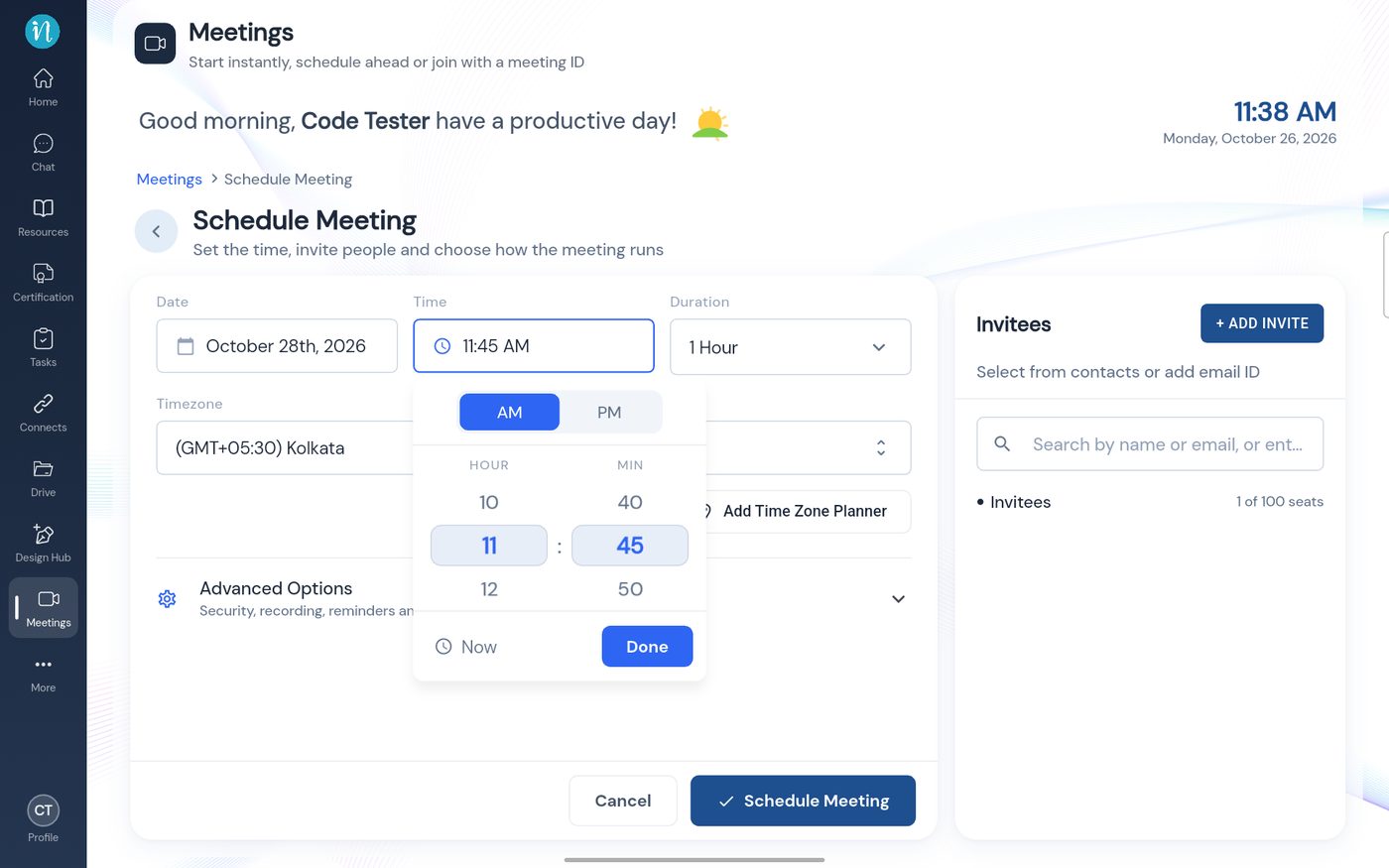 Choosing a time
-
Choose a Duration, check the Timezone, then tap Schedule Meeting.
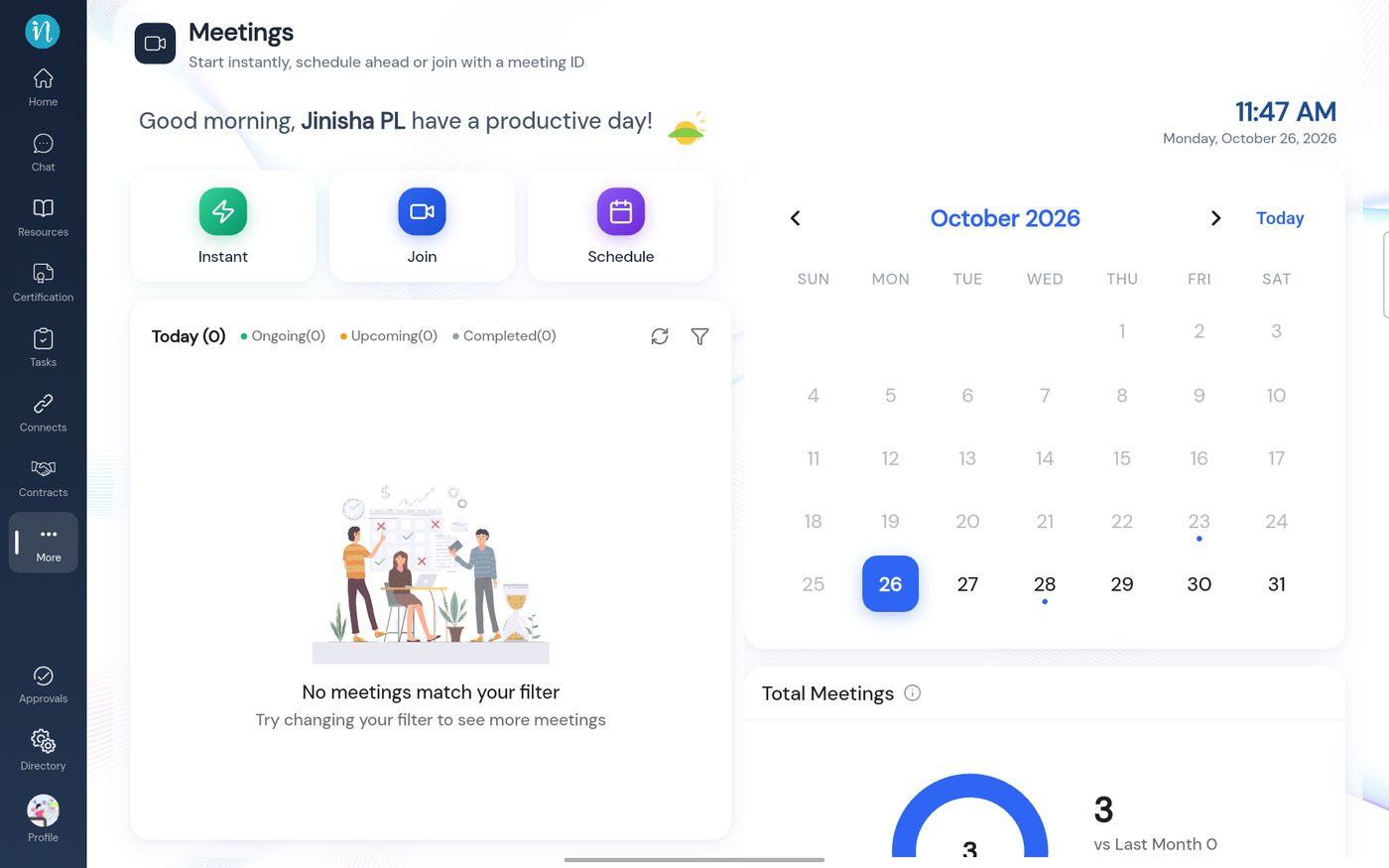 The meeting is now on the calendar
If the time is in the past
The Time box turns red and says Choose a time in the future. Pick a later time or date.
-
This is how the warning looks.
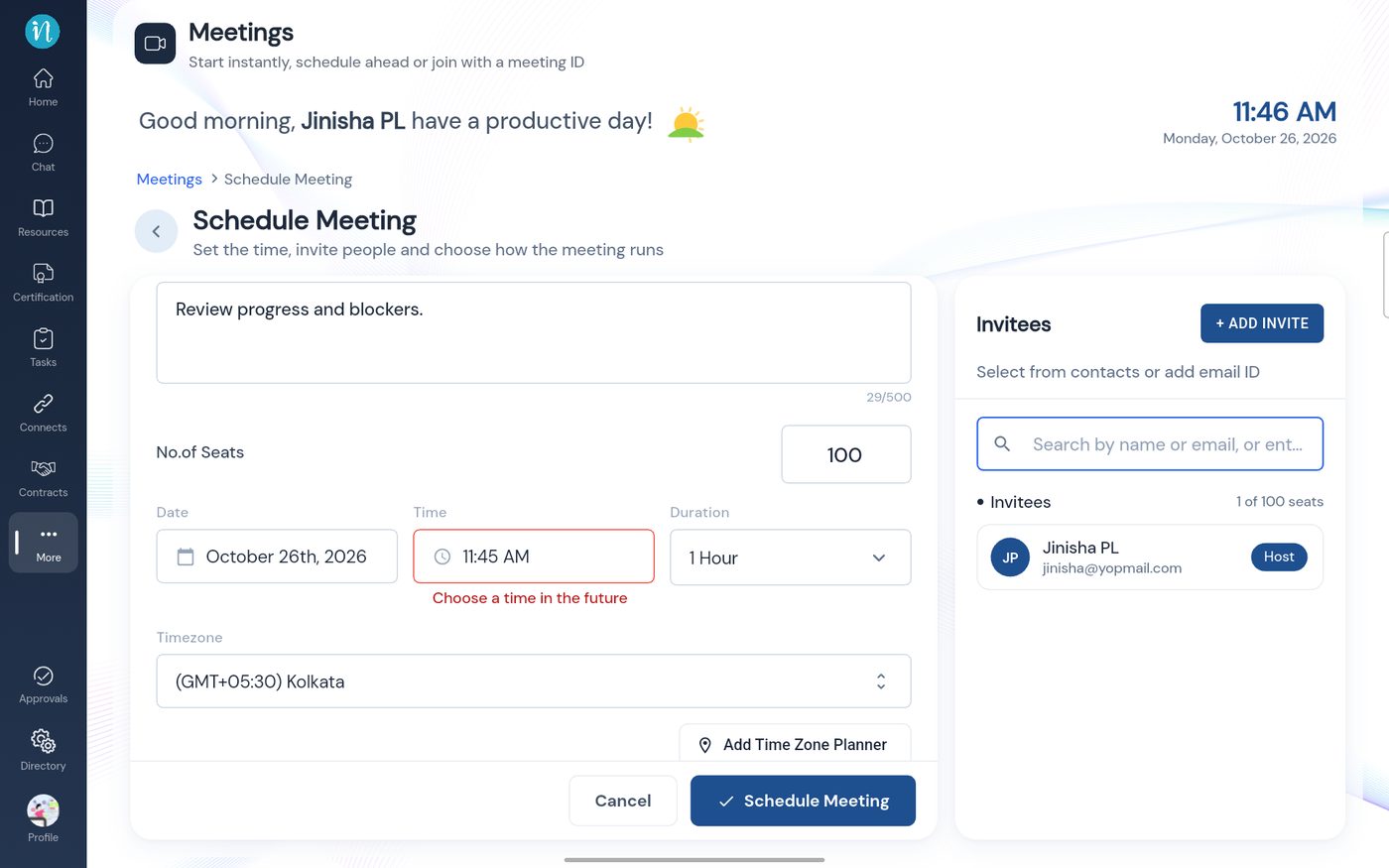 Choose a time in the future
Inviting people
The Invitees panel has a search box and + Add Invite, to pick people from your contacts or type an email address. You are always the Host.
Last updated 2026-10-23
