Create your account
How to create an account
Who can use thisMembers and Super Admins
This article is written for Member and Super Admin. Use the role switch at the top to change what the menus show.
You create an account with your name, an email address and a password. You can also choose to sign up with a phone number, which is optional.
-
On the sign-in page, tap Create an account.
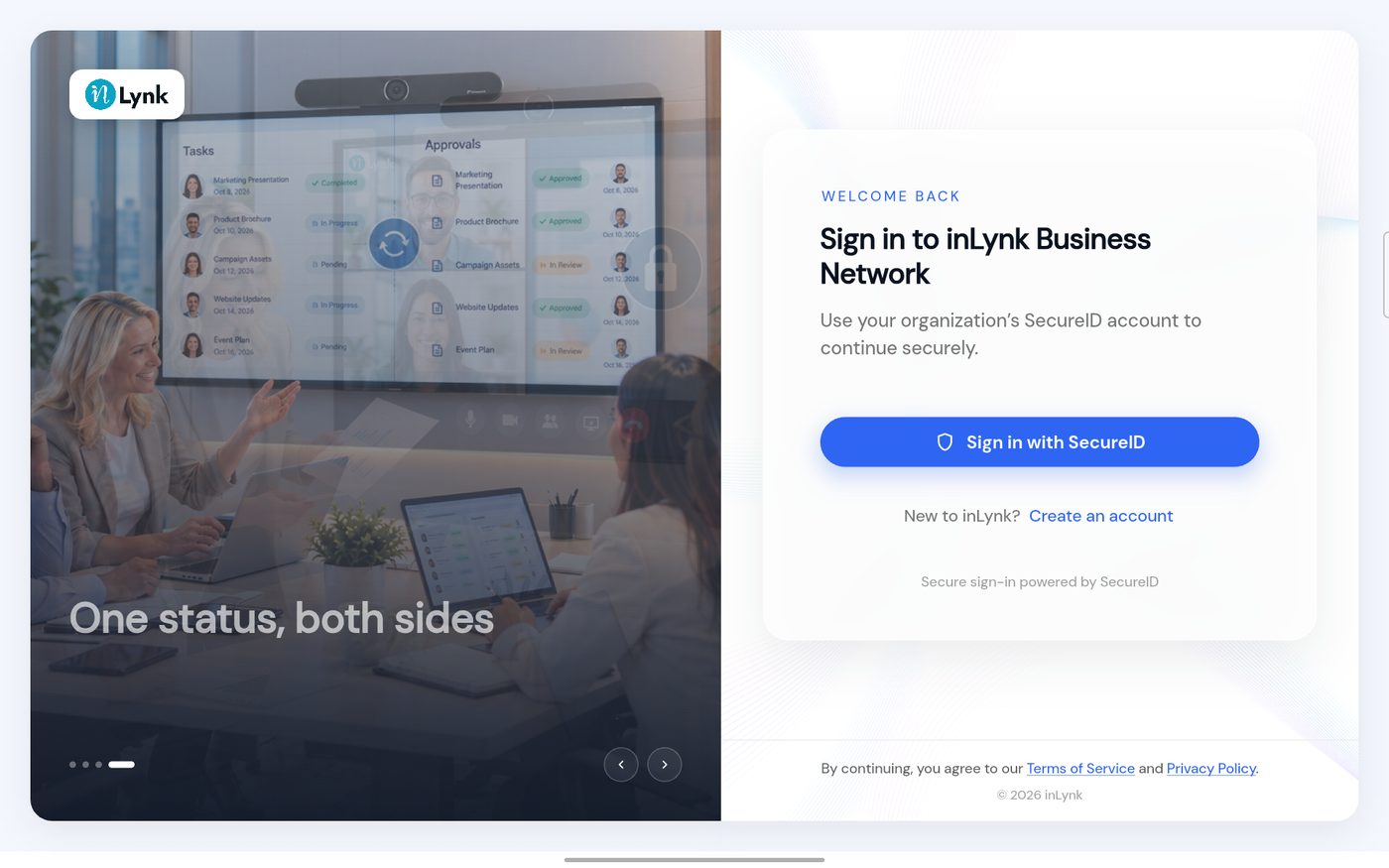 The sign-in page
-
The Join inLynk Business Network form opens.
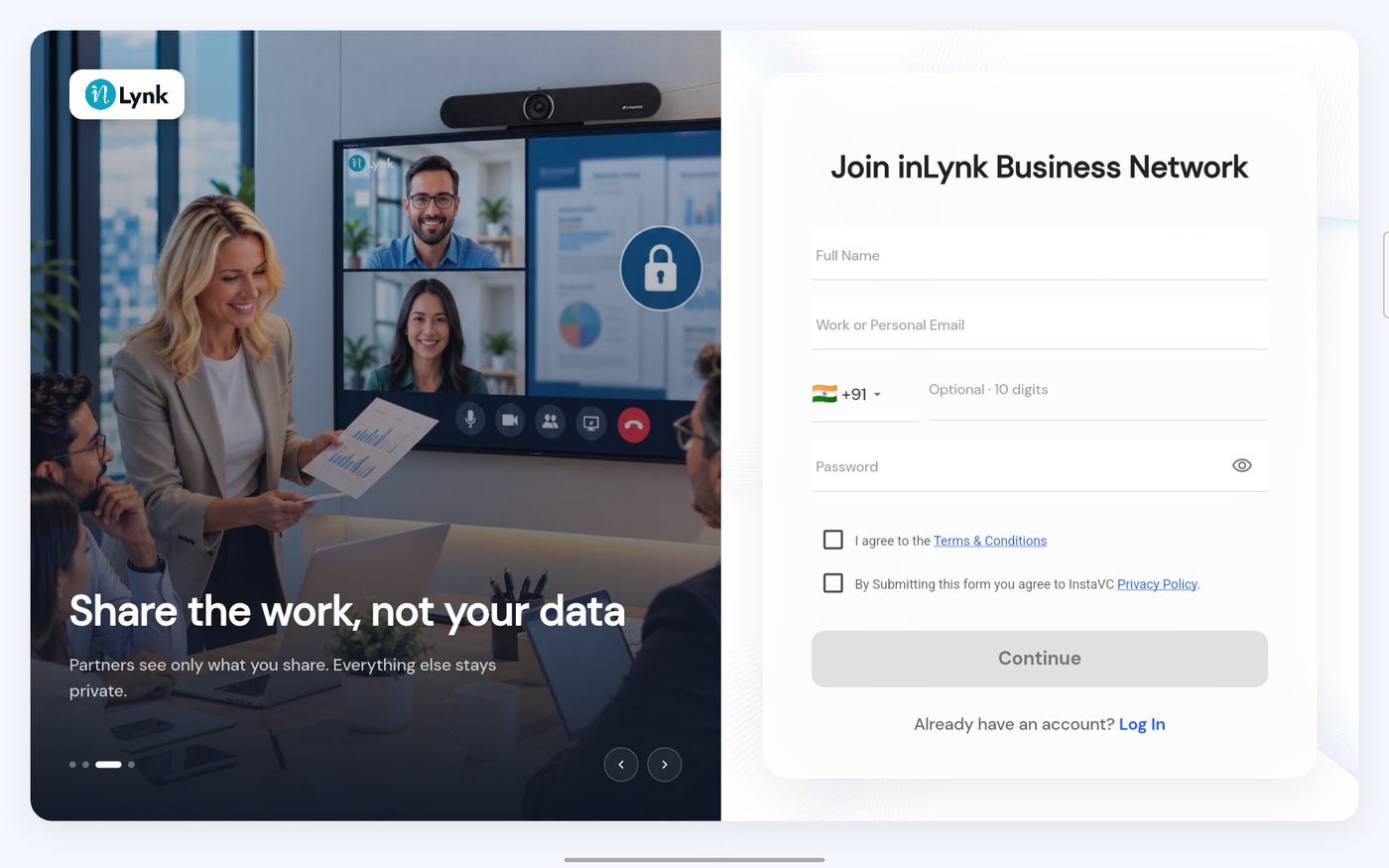 The sign-up form
-
Fill in your name and email. If the email is not valid, the box turns red.
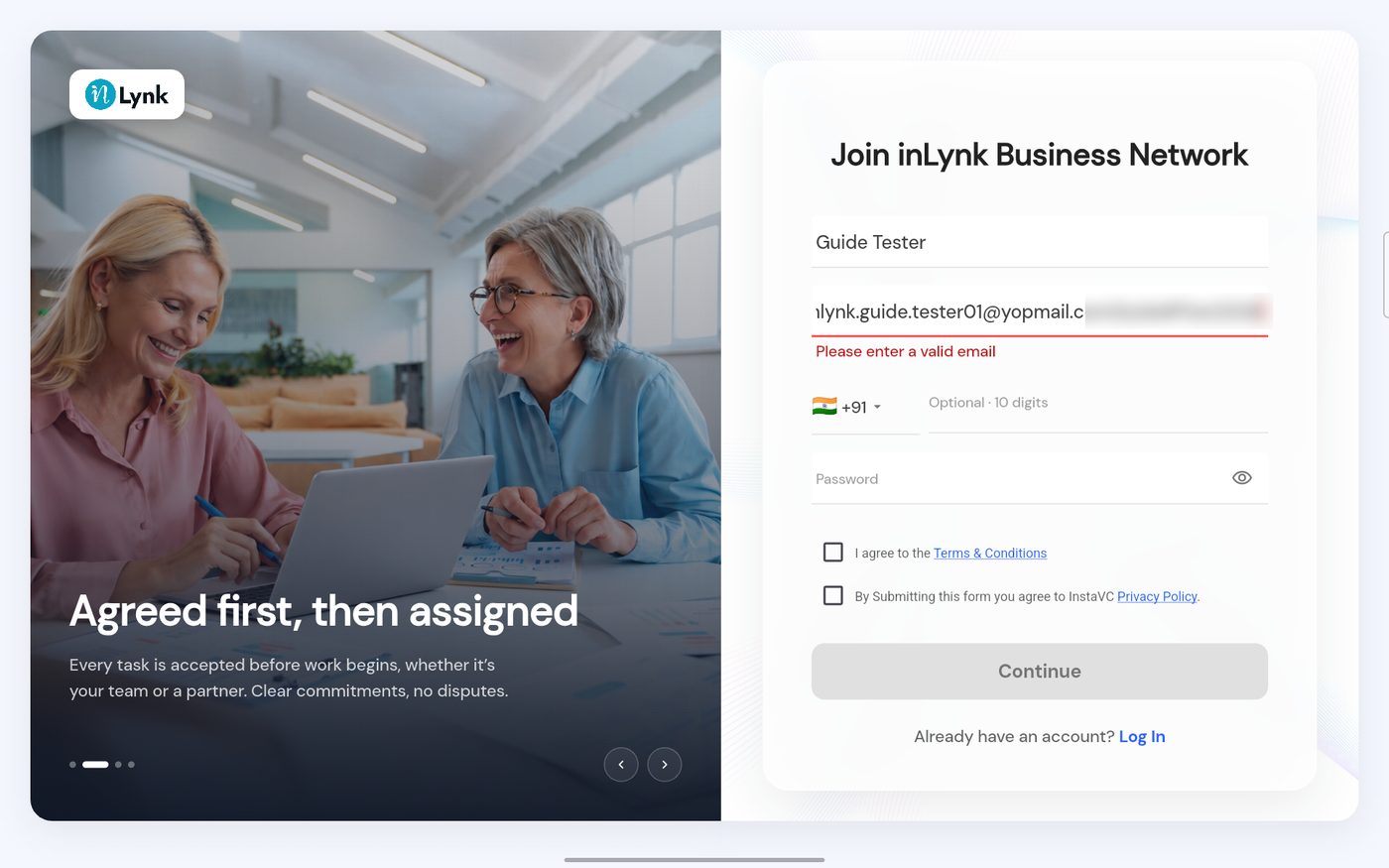 An invalid email
-
Choose a password. A bar shows how strong it is.
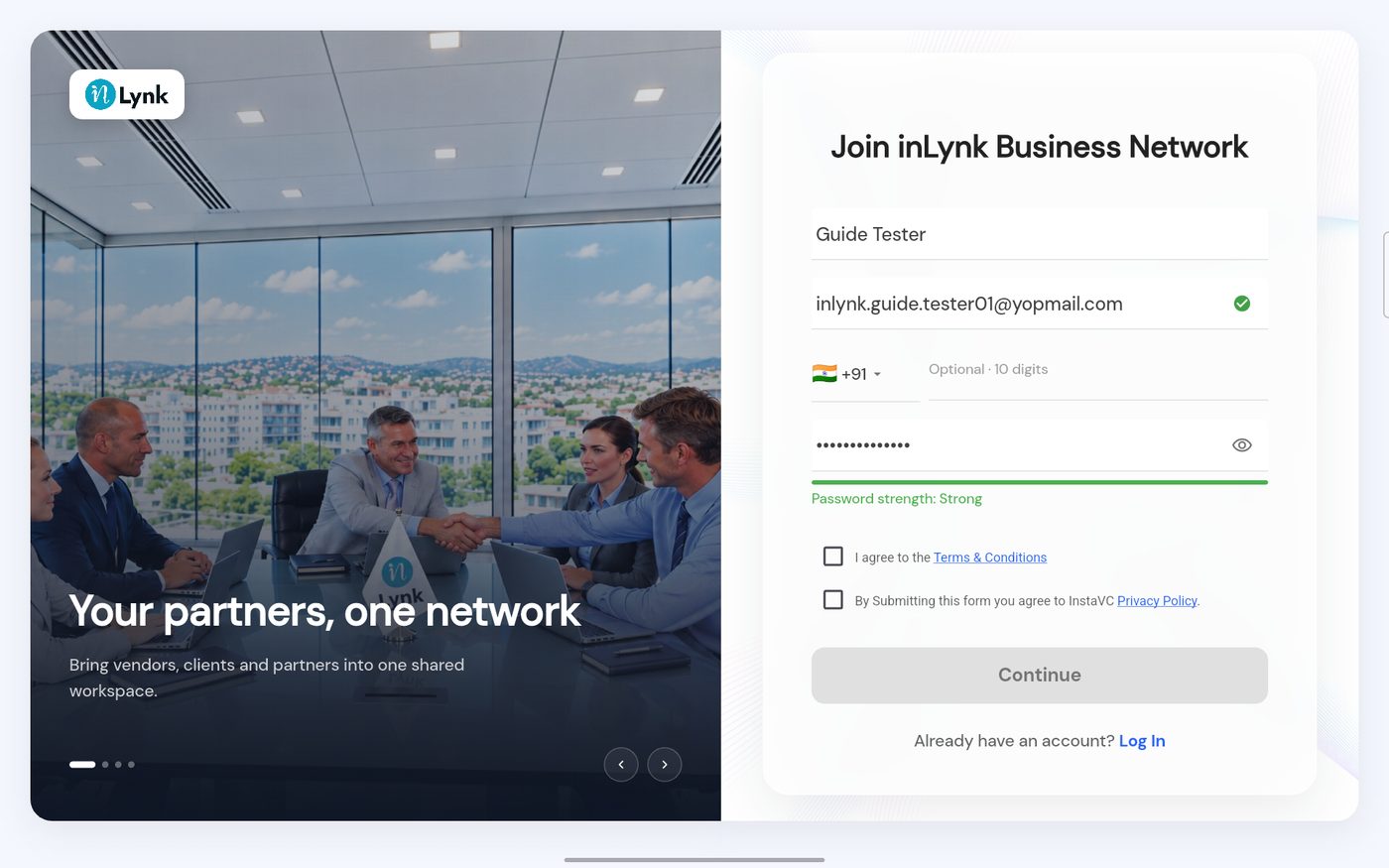 A strong password
-
Tick both boxes. Continue turns blue.
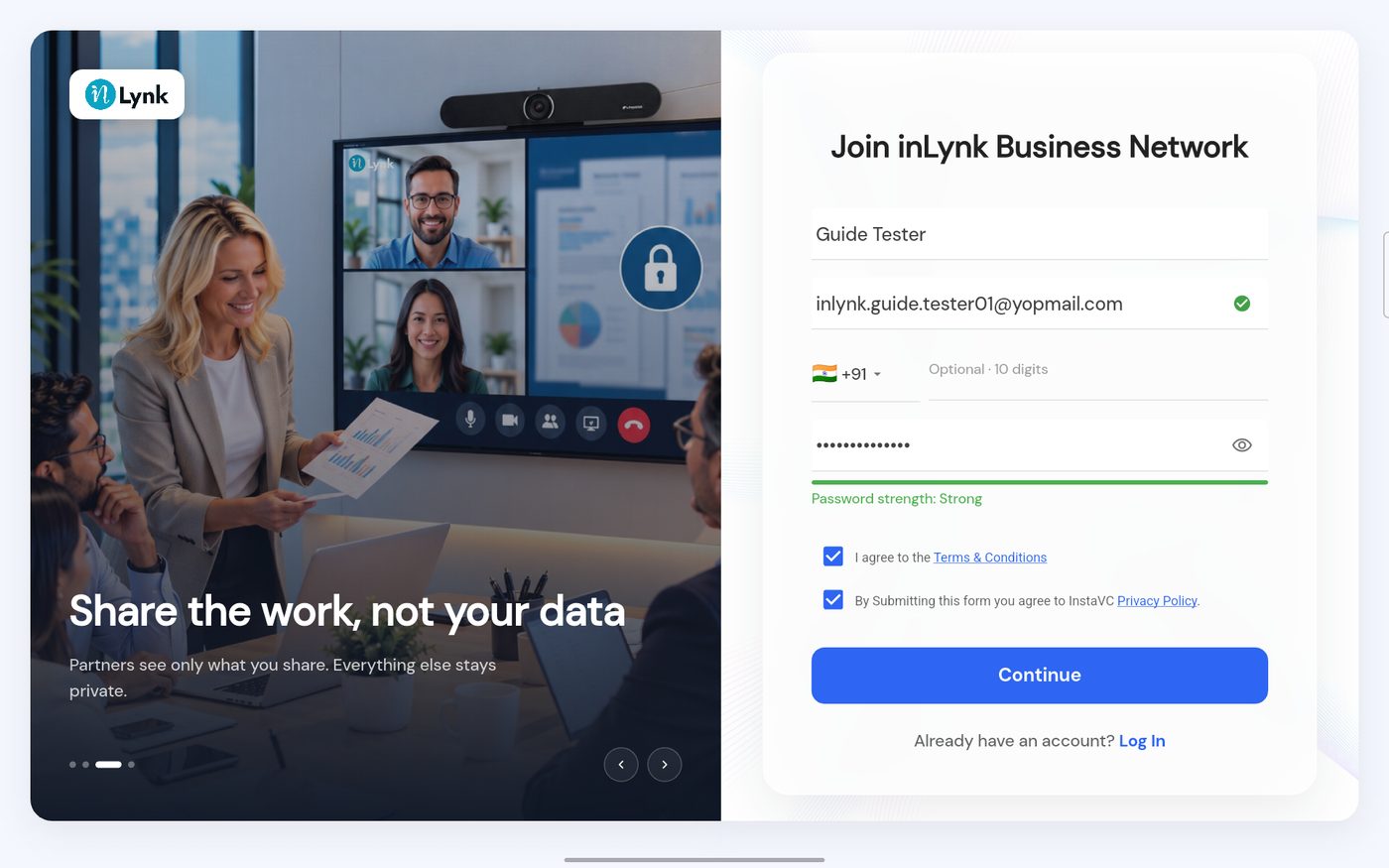 Ready to continue
Last updated 2026-10-23
