This article is written for Member and Super Admin. Use the role switch at the top to change what the menus show.
These four modules are how your workspace talks and shares what it knows.
News feed
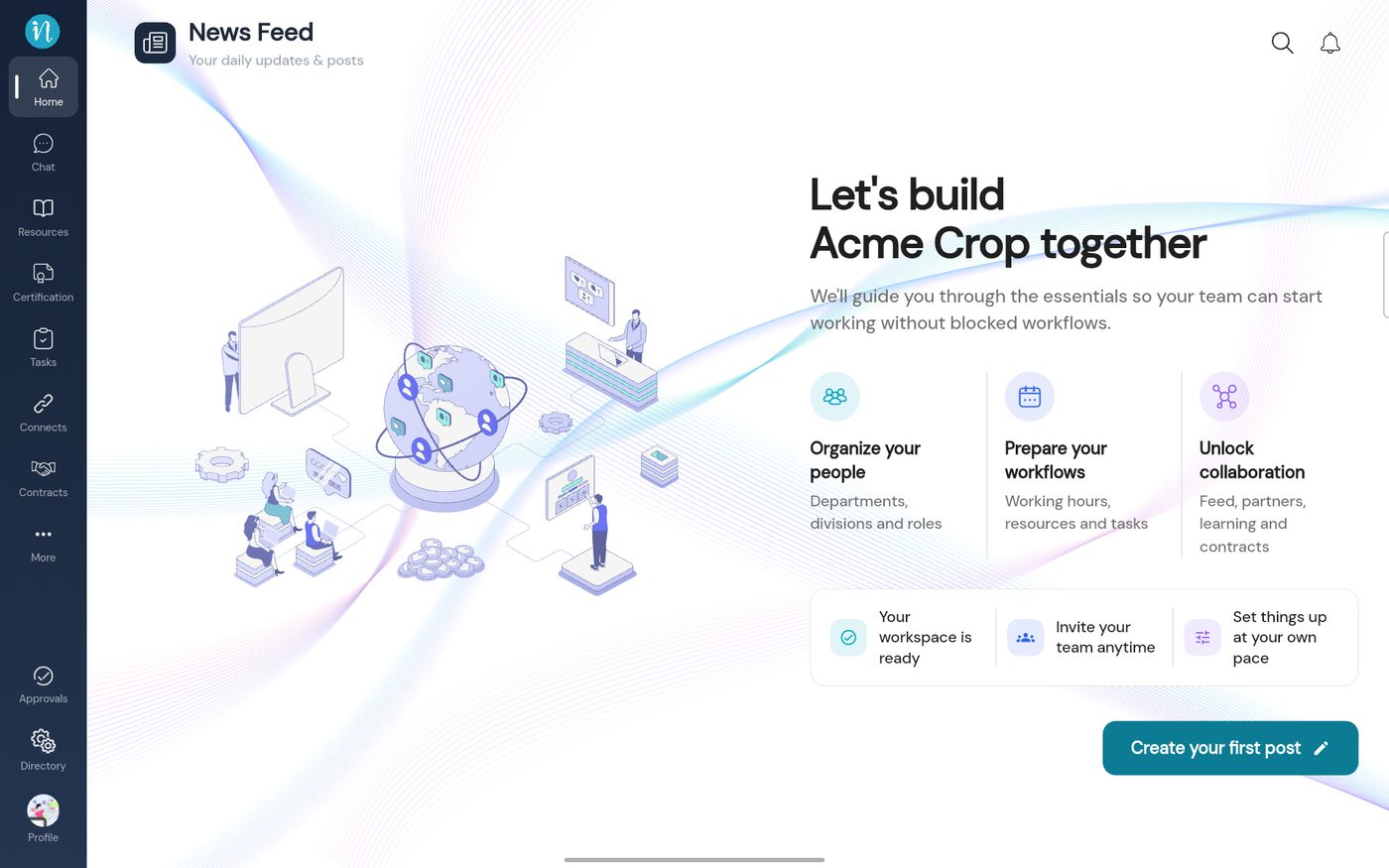
The News Feed is your workspace's home page: posts, sharing and updates. A brand-new workspace greets you with a short welcome instead of posts.
The News Feed in a new workspace On this screen
Page title – News Feed , with Your daily updates & posts under it.Welcome – Let's build together , with three starting points: Organize your people , Prepare your workflows and Unlock collaboration .Create your first post – the button at the bottom right, for people allowed to post.Search and bell – top right: search the posts, and open your notifications. Learn more: the full News feed guide , The Home page and Notifications .
Chat
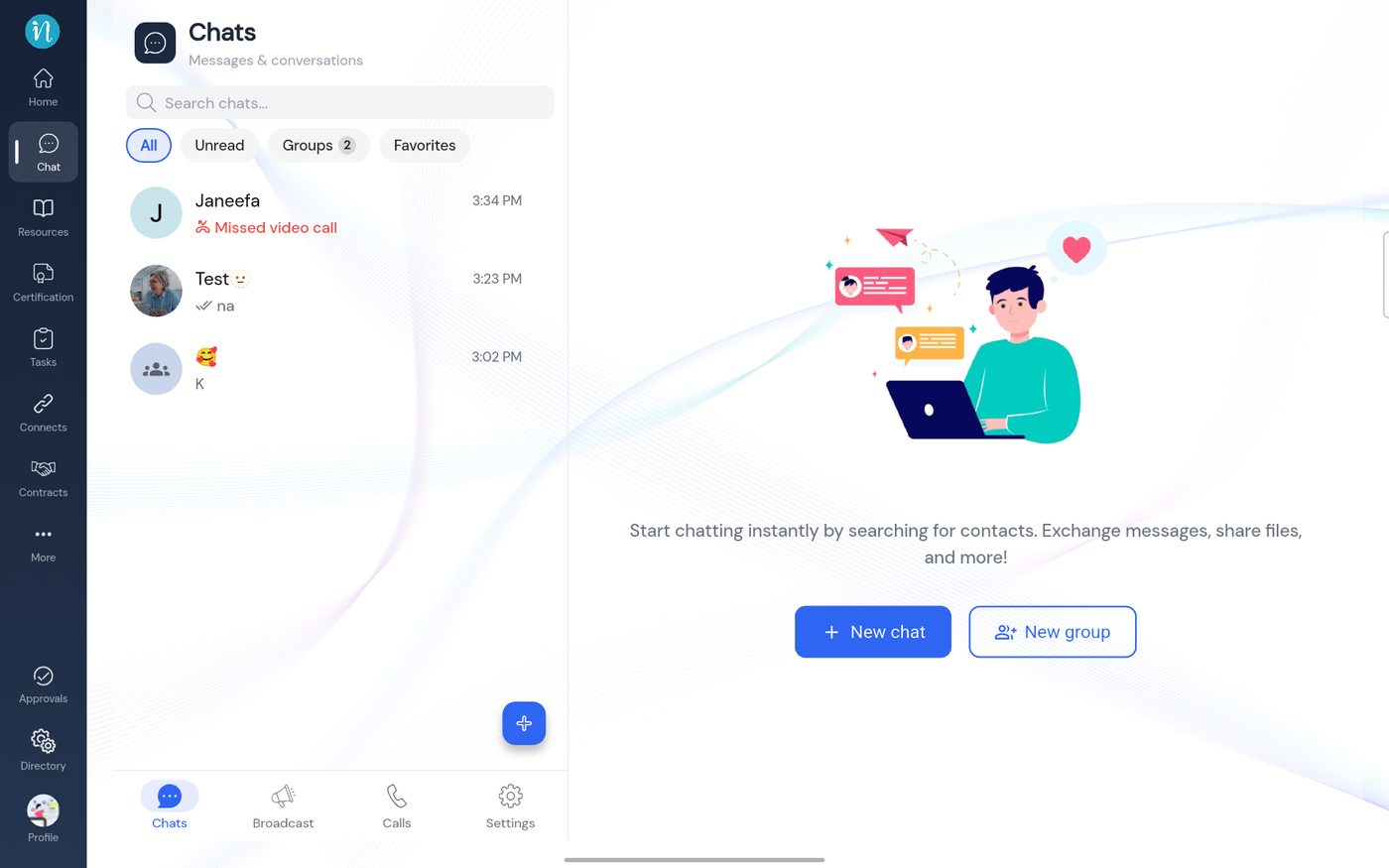
Chat is for messages and conversations: one-to-one, in groups, and by call. It has four tabs along the bottom.
Chat: the Chats tab On this screen
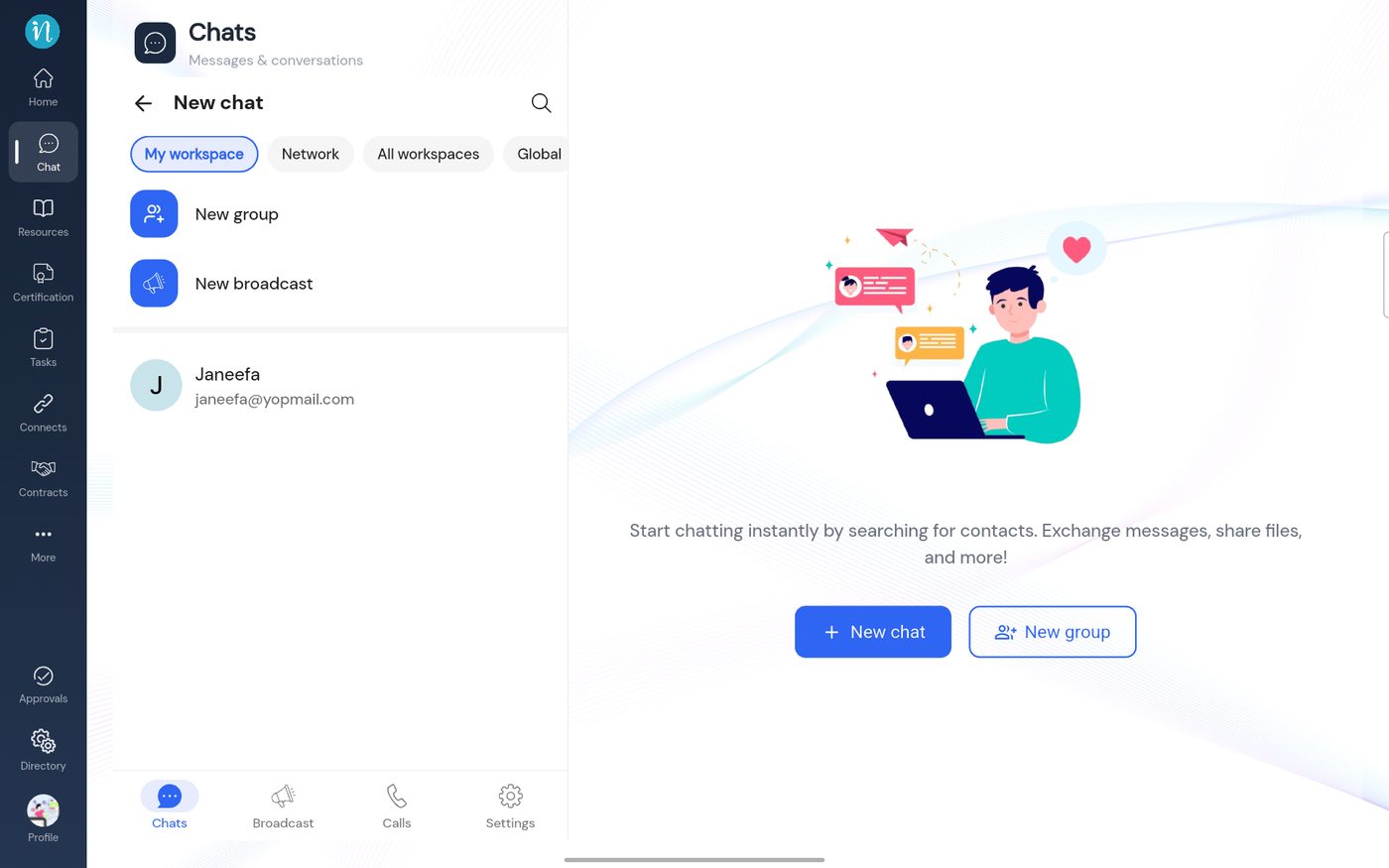
Search chats – at the top of the list.Filters – All , Unread , Groups (with a count) and Favorites .Conversation list – each row has the person or group, the latest message and the time. A missed call shows in red (Missed video call ).Right-hand side – Start chatting instantly by searching for contacts. Exchange messages, share files, and more! , with New chat and New group buttons.Blue + button – starts a new conversation from the list.Bottom tabs – Chats , Broadcast , Calls and Settings . Chat: starting a new chat On this screen
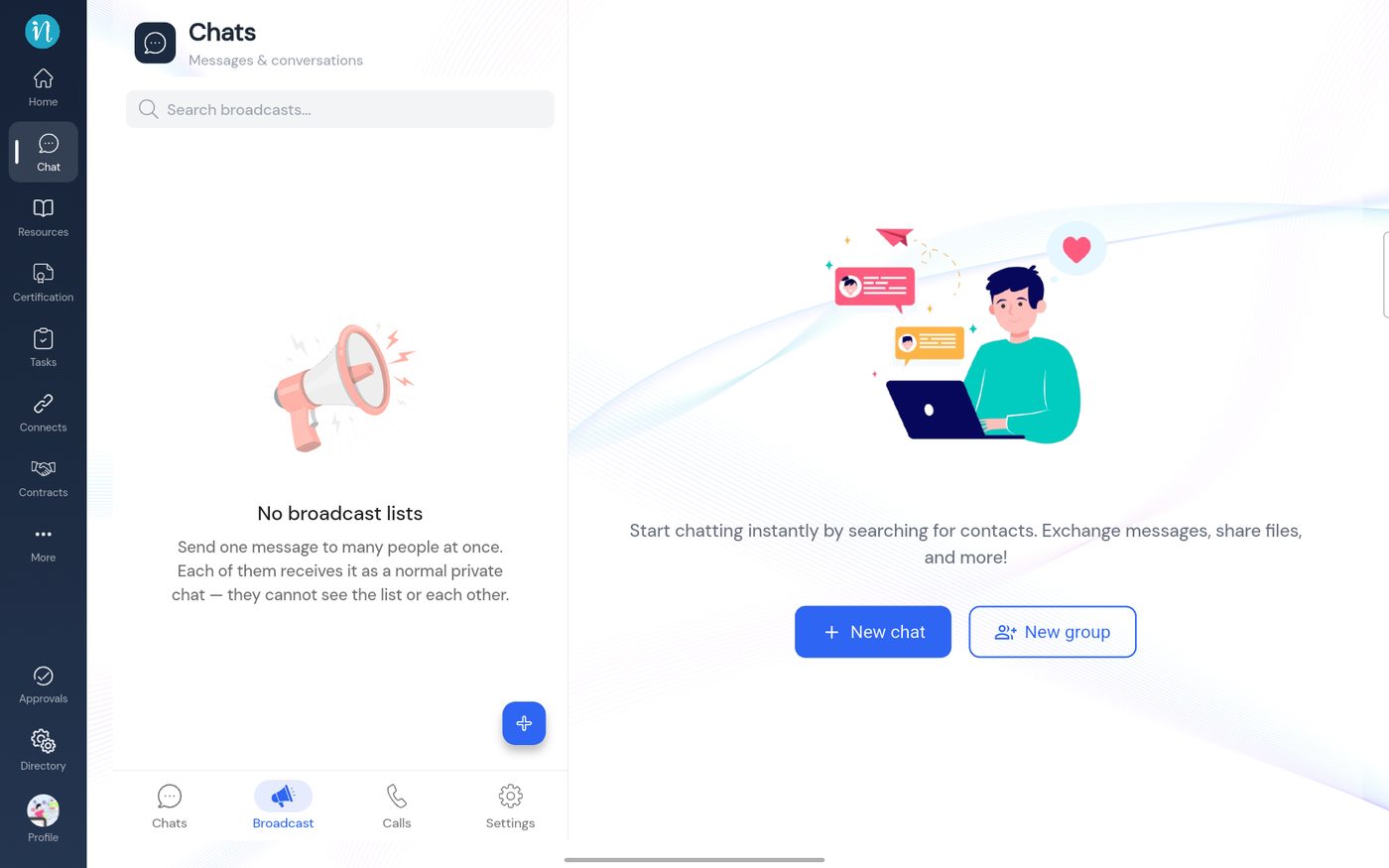
Who you can reach – the chips My workspace , Network , All workspaces and Global widen or narrow the list of contacts.New group and New broadcast – at the top of the list.Contacts – each with a name and email. Tap one to open a chat.Search – the magnifier at the top right finds a person fast. Chat: the Broadcast tab On this screen
What it is – Send one message to many people at once. Each of them receives it as a normal private chat — they cannot see the list or each other. No broadcast lists – shown until you create your first list with the blue + button.Search broadcasts – at the top, once you have some. Chat: the Calls tab On this screen
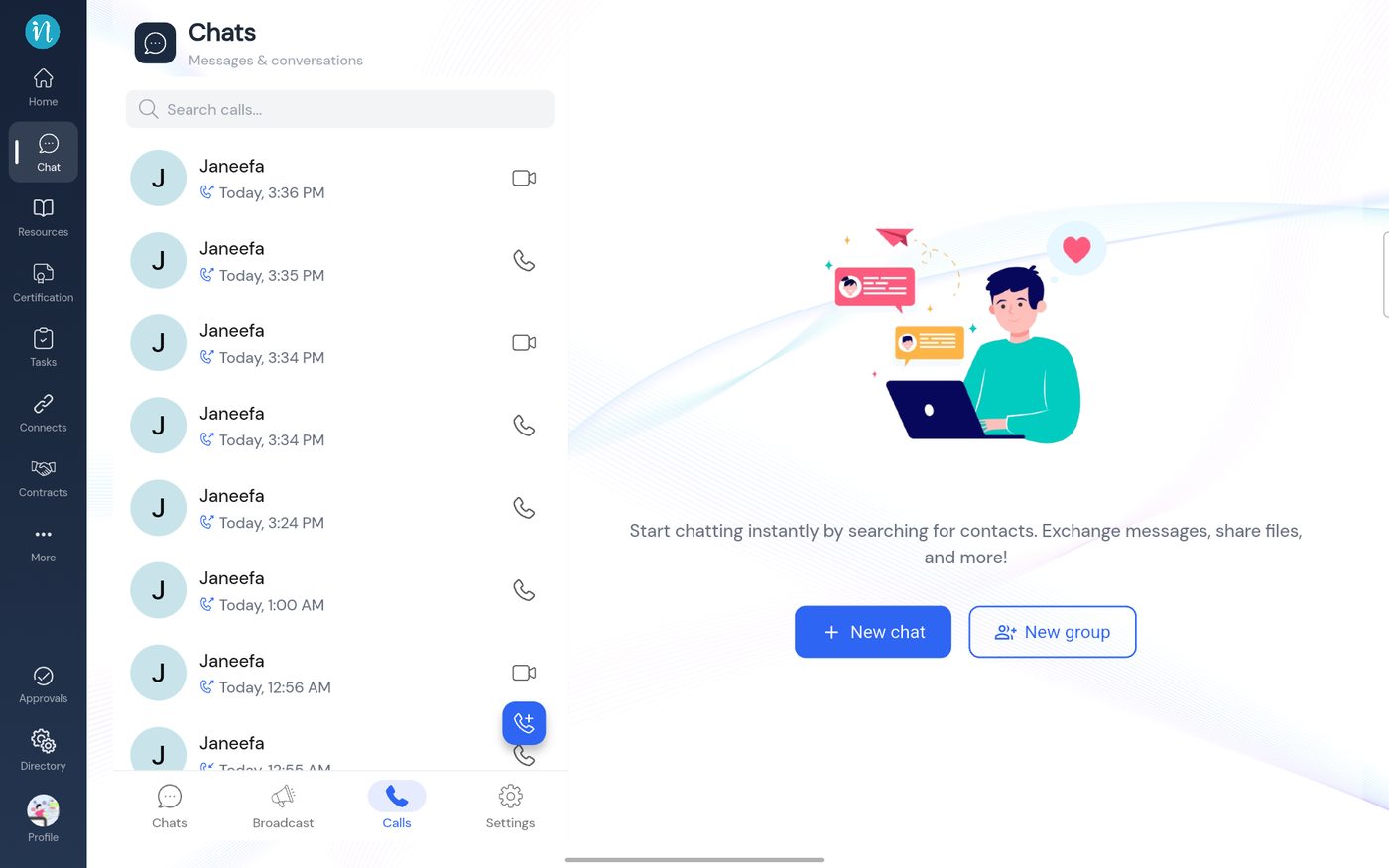
Call history – each row shows the person, when the call happened and whether it was a voice or video call (the icon on the right).Search calls – at the top of the list.Blue call button – starts a new call. Chat: Settings On this screen
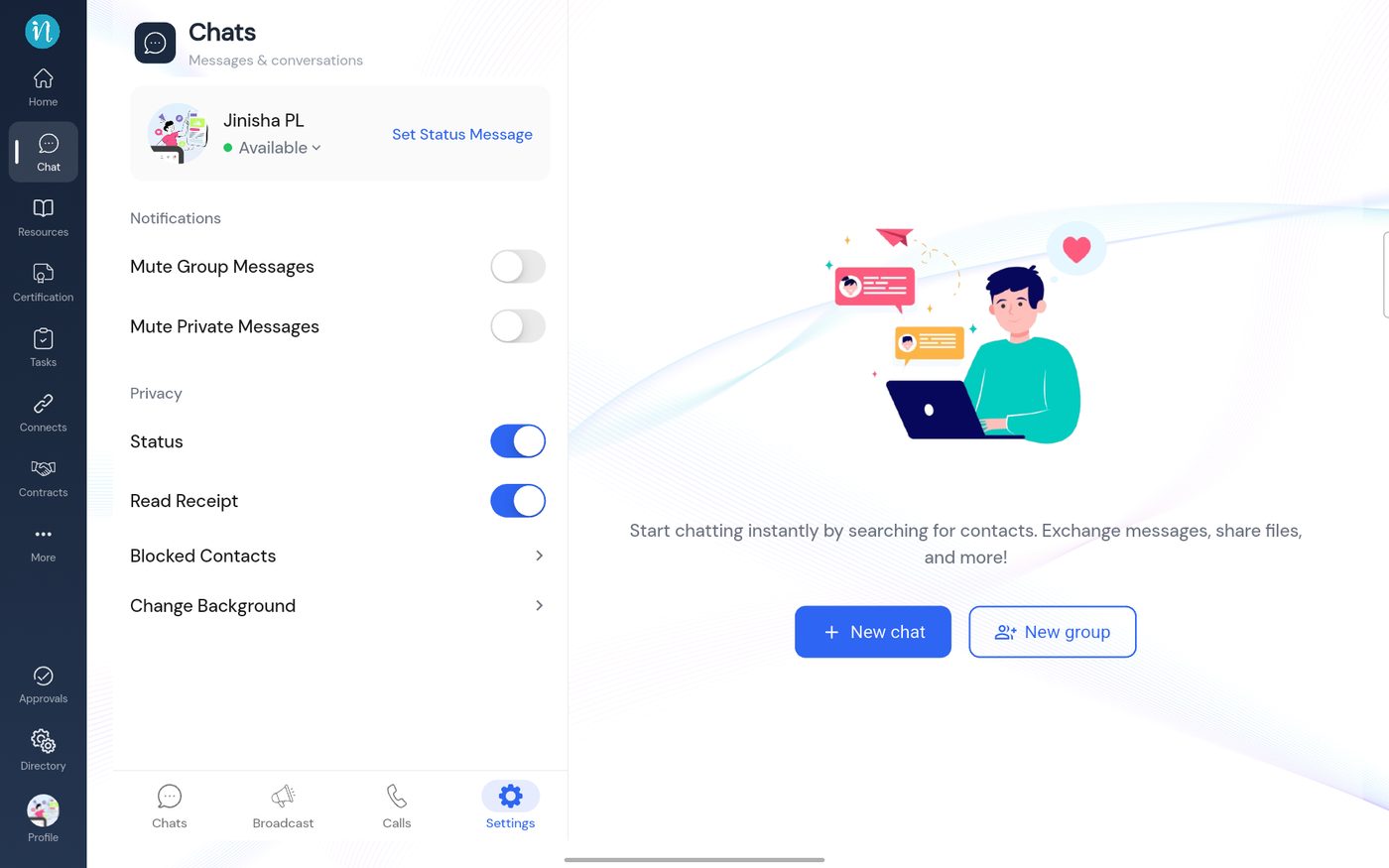
You – your name, your availability (Available ) and Set Status Message .Notifications – switches to Mute Group Messages and Mute Private Messages .Privacy – switches for Status and Read Receipt .Blocked Contacts and Change Background – further options, each opening its own screen. Learn more: the full Chat guide .
Resources
Resources is your workspace's library: documents, videos, audio and articles, organised into categories so people can find them. You publish once and everyone with access reads the same current version.
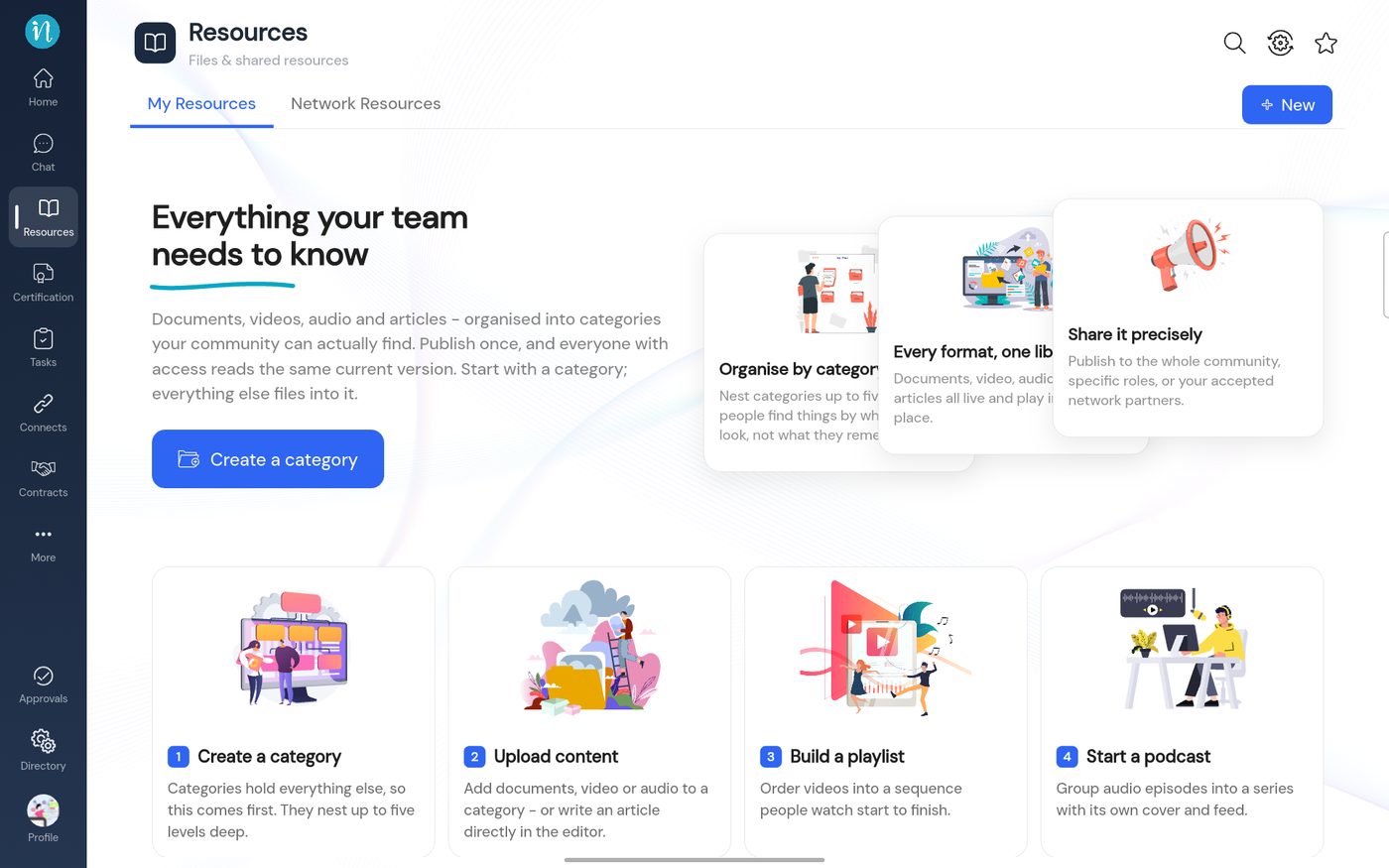
Resources in a new workspace On this screen
Tabs – My Resources and Network Resources (resources shared by your connected partners).Headline – Everything your team needs to know , with a Create a category button.Three ideas – Organise by category , Every format, one library and Share it precisely (to the whole workspace, to specific roles, or to accepted network partners).Four steps – Create a category , Upload content , Build a playlist and Start a podcast .New – the blue button at the top right. Learn more: the full Resources guide .
Drive
Drive is your file space: upload files, organise them into folders, preview them without downloading and share them with colleagues. It has its own full guide: Drive .