
Pin, mute, favourite, clear and block
Who can use thisMembers and Super Admins
This article is written for Member and Super Admin. Use the role switch at the top to change what the menus show.
Two menus manage a chat: one for the whole chat (in its header), and one in the chat list.
The menu in an open chat
-
Open a chat and tap ⋮ at the top right.
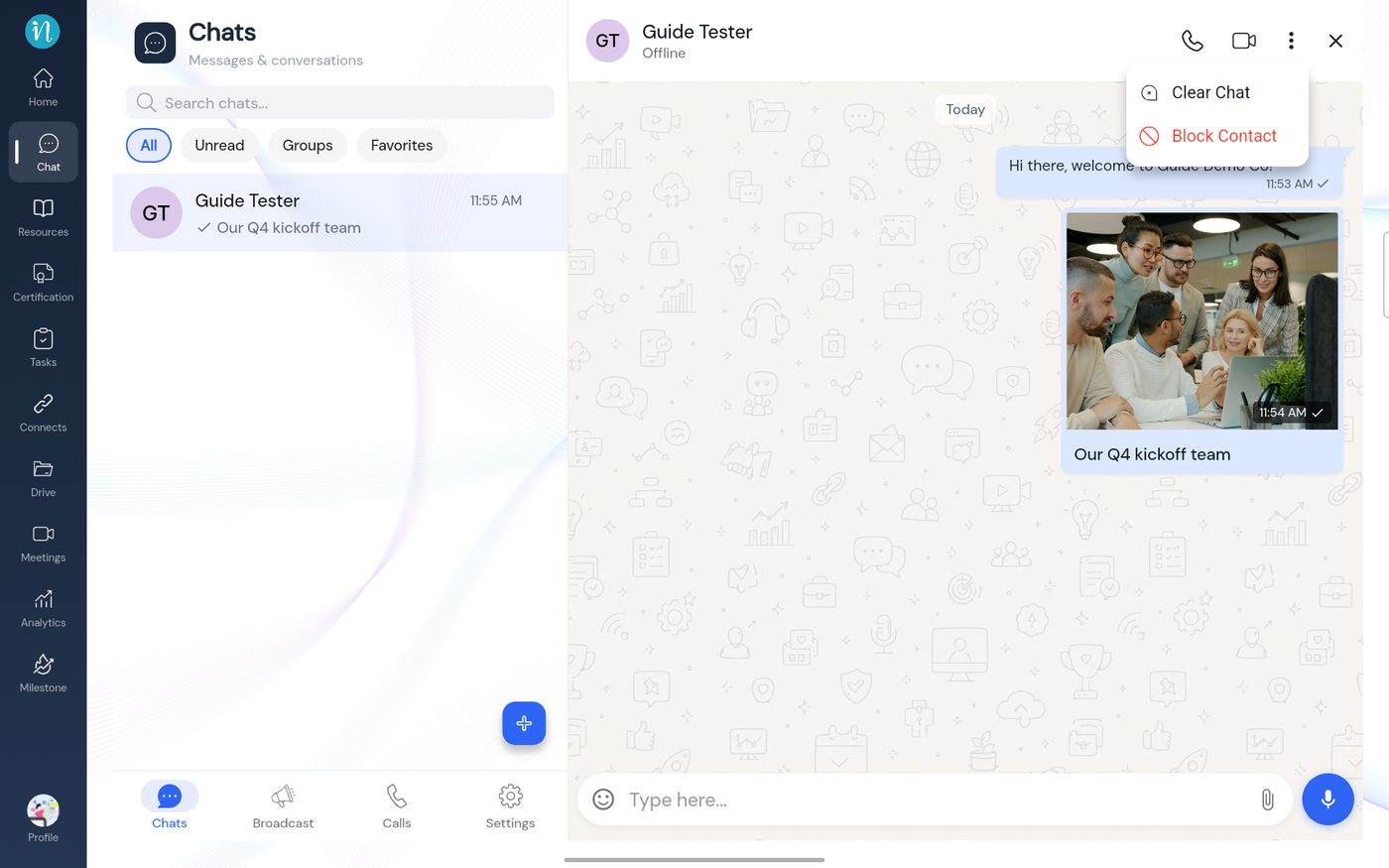
The chat menu
The menu in the chat list
-
Press and hold a chat in the list.
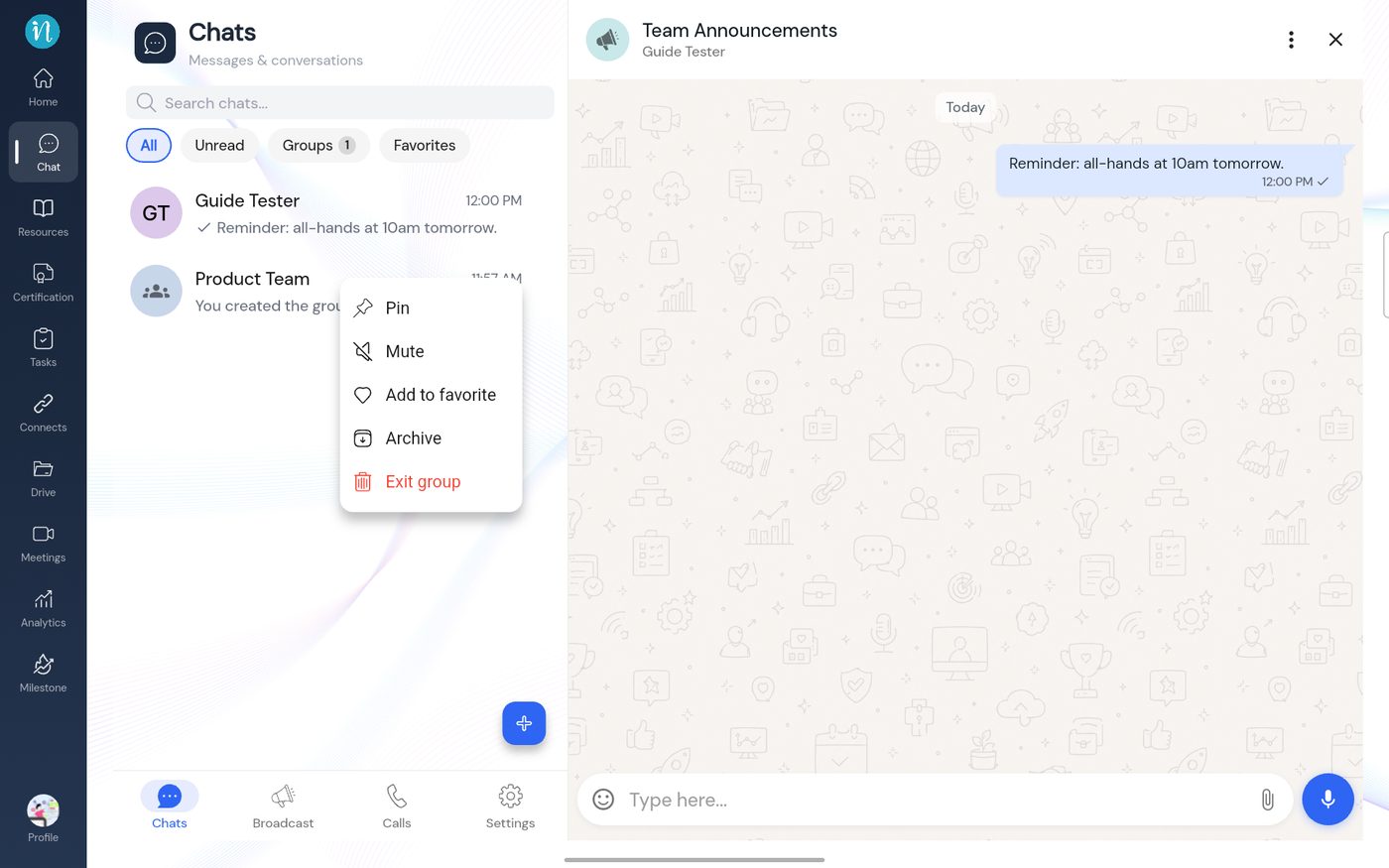
The chat list menu
Not tested: this guide shows these menus, but I did not try Clear Chat, Block Contact, Pin, Mute, Archive, Forward, Select, Add to task, Star or Pin on a message, so it does not describe what each one does afterwards.
There is also a Blocked Contacts entry under Settings; see Chat settings.
Last updated 2026-10-23