Broadcast
How to send a broadcast
Who can use thisMembers and Super Admins
This article is written for Member and Super Admin. Use the role switch at the top to change what the menus show.
A broadcast sends one message to many people at once. Each person gets it as a normal private message, and they cannot see who else received it.
-
Open the Broadcast tab, then tap the blue + button.
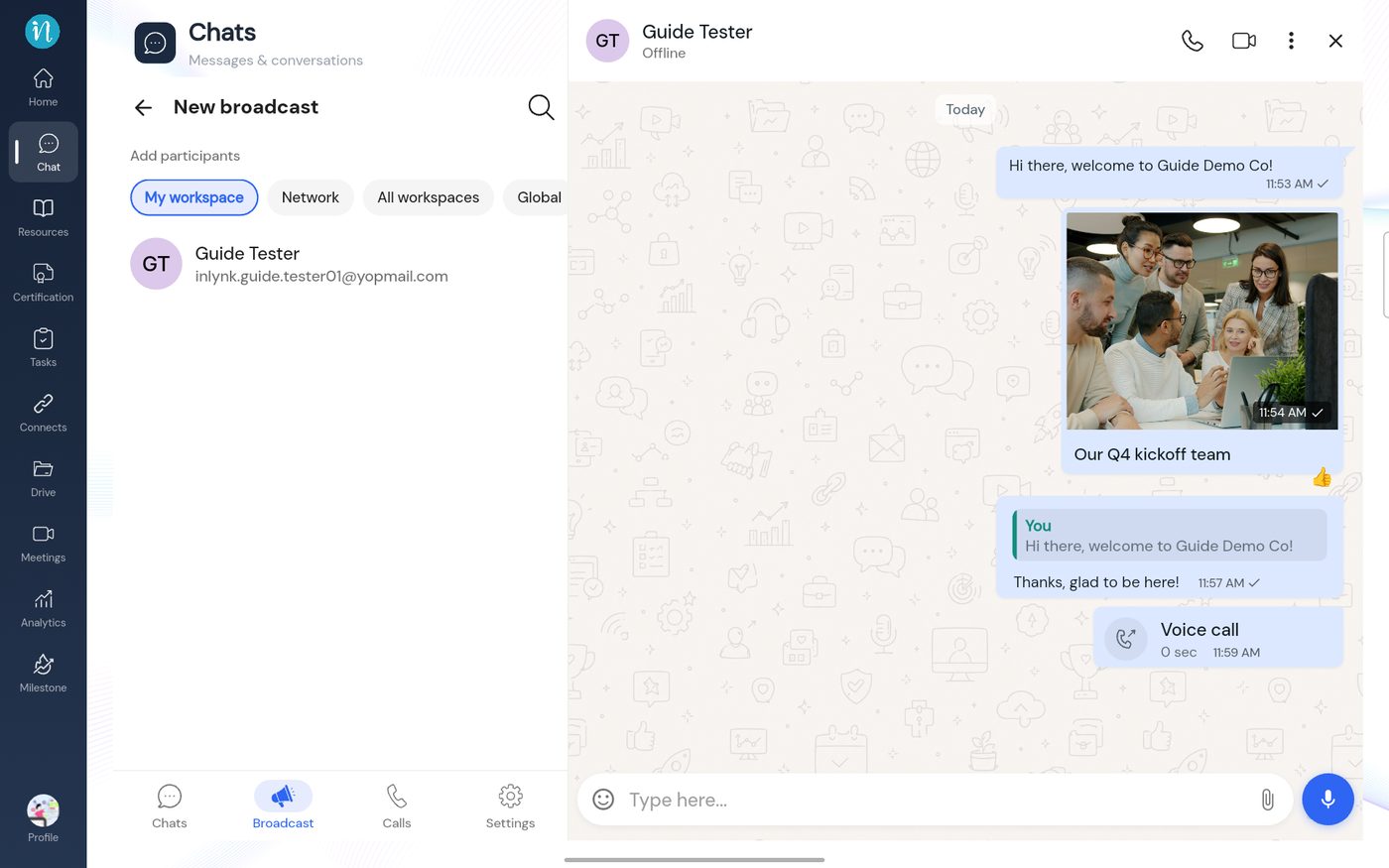 New broadcast
-
Choose the people, tap the blue arrow, and give the broadcast a name.
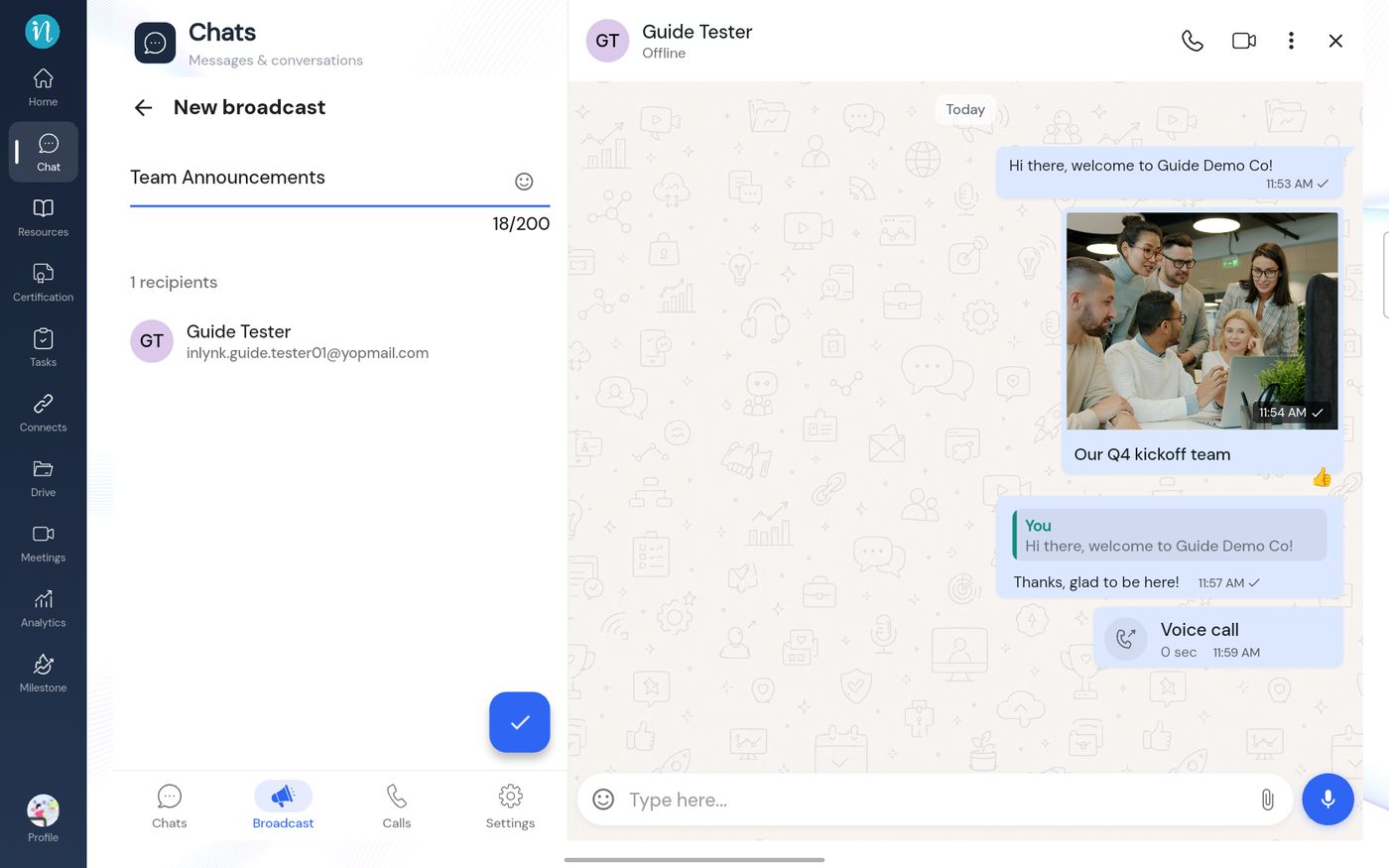 Name the broadcast
-
The broadcast appears in the list.
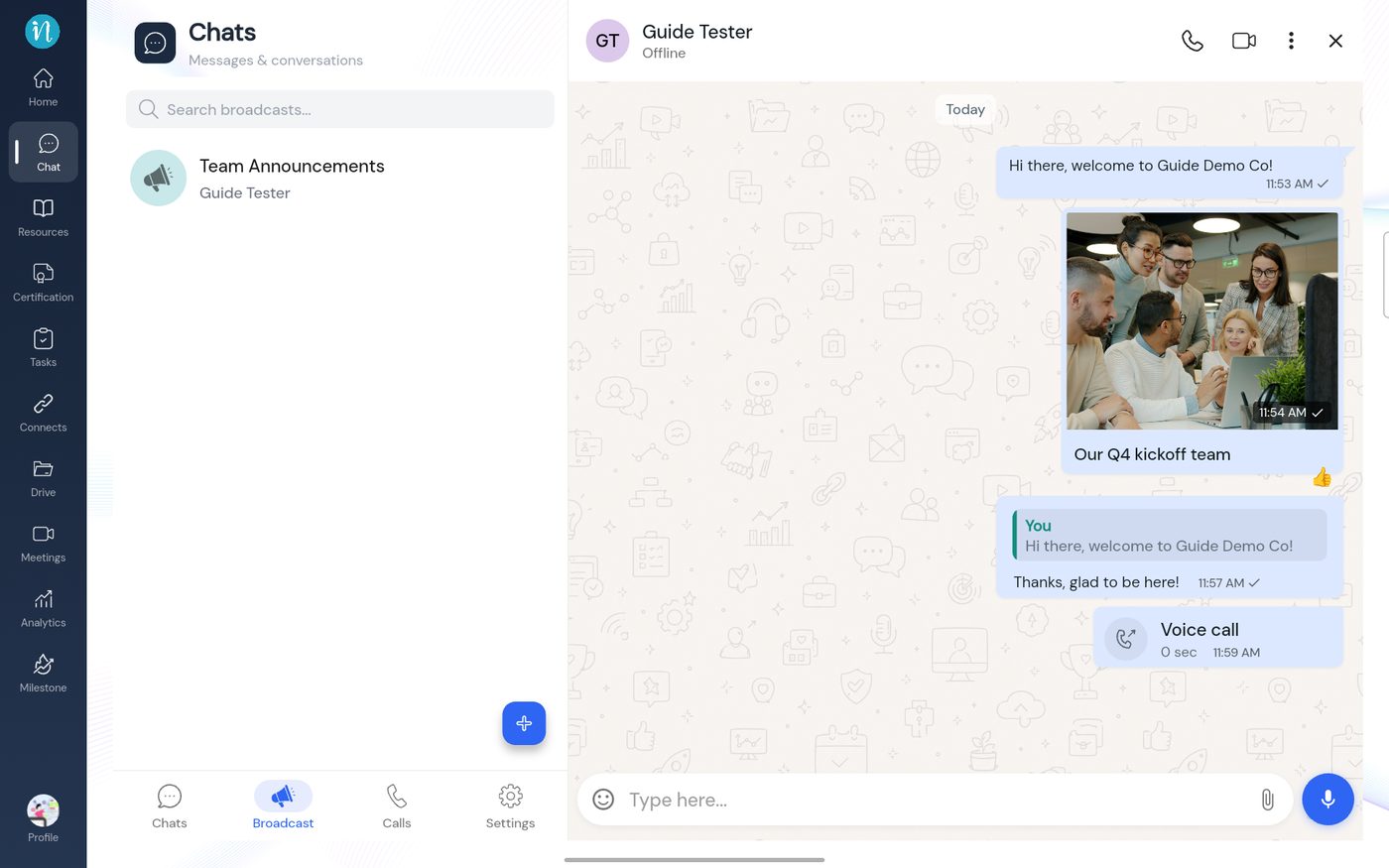 The Broadcast list
-
Open it. It starts empty.
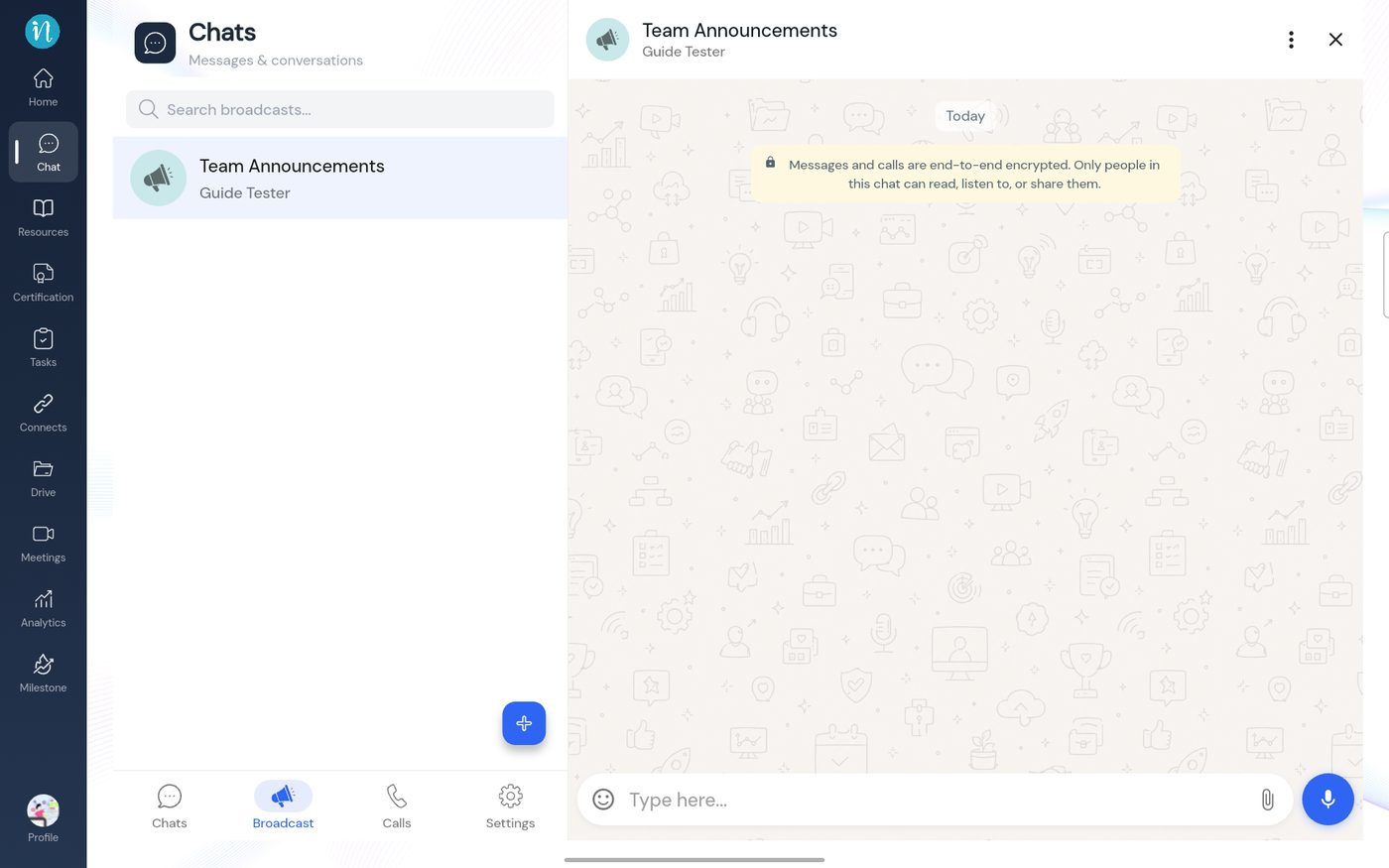 An empty broadcast
-
Type a message and send it.
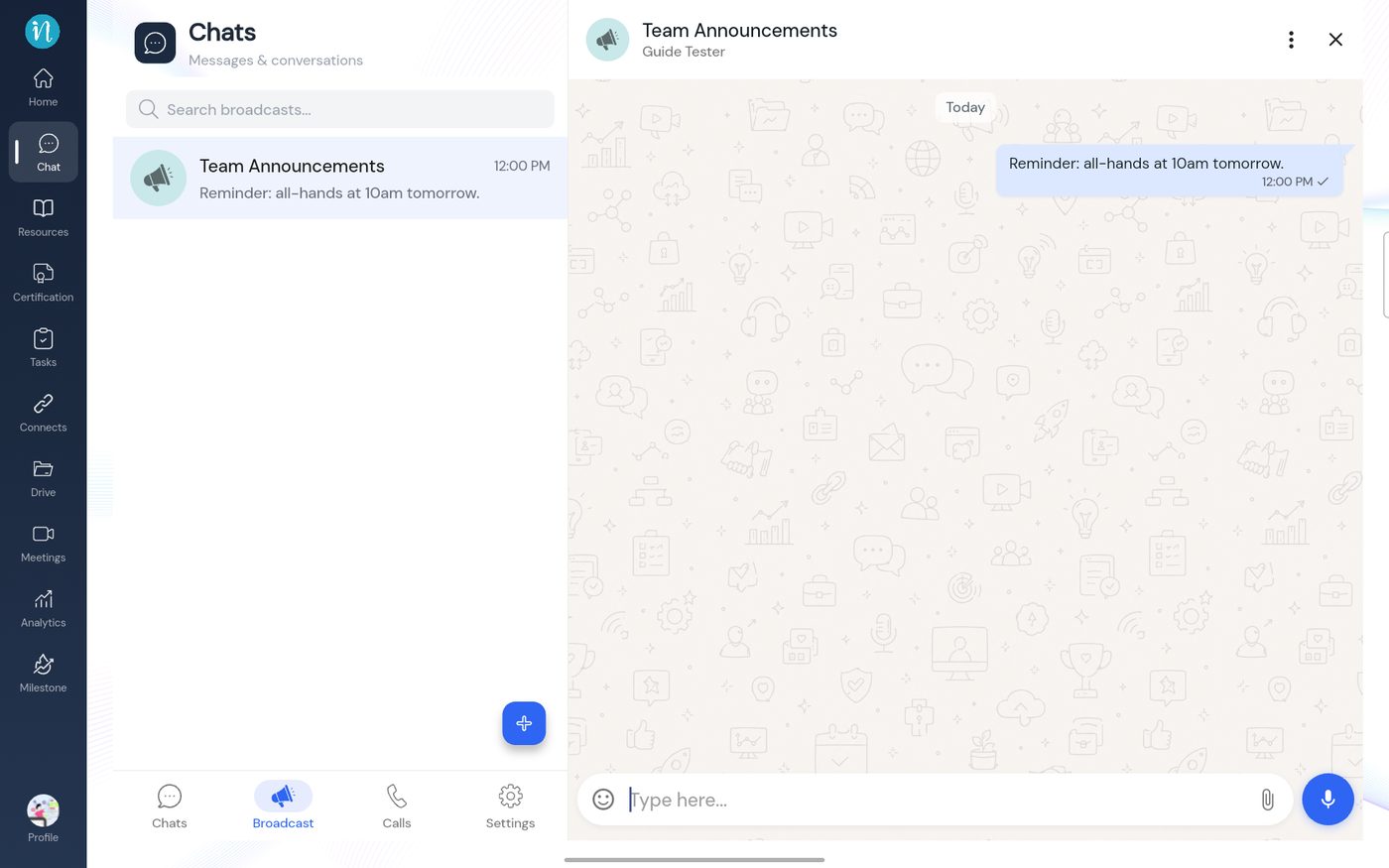 A broadcast sent
-
The other person receives it as an ordinary message in your chat with them.
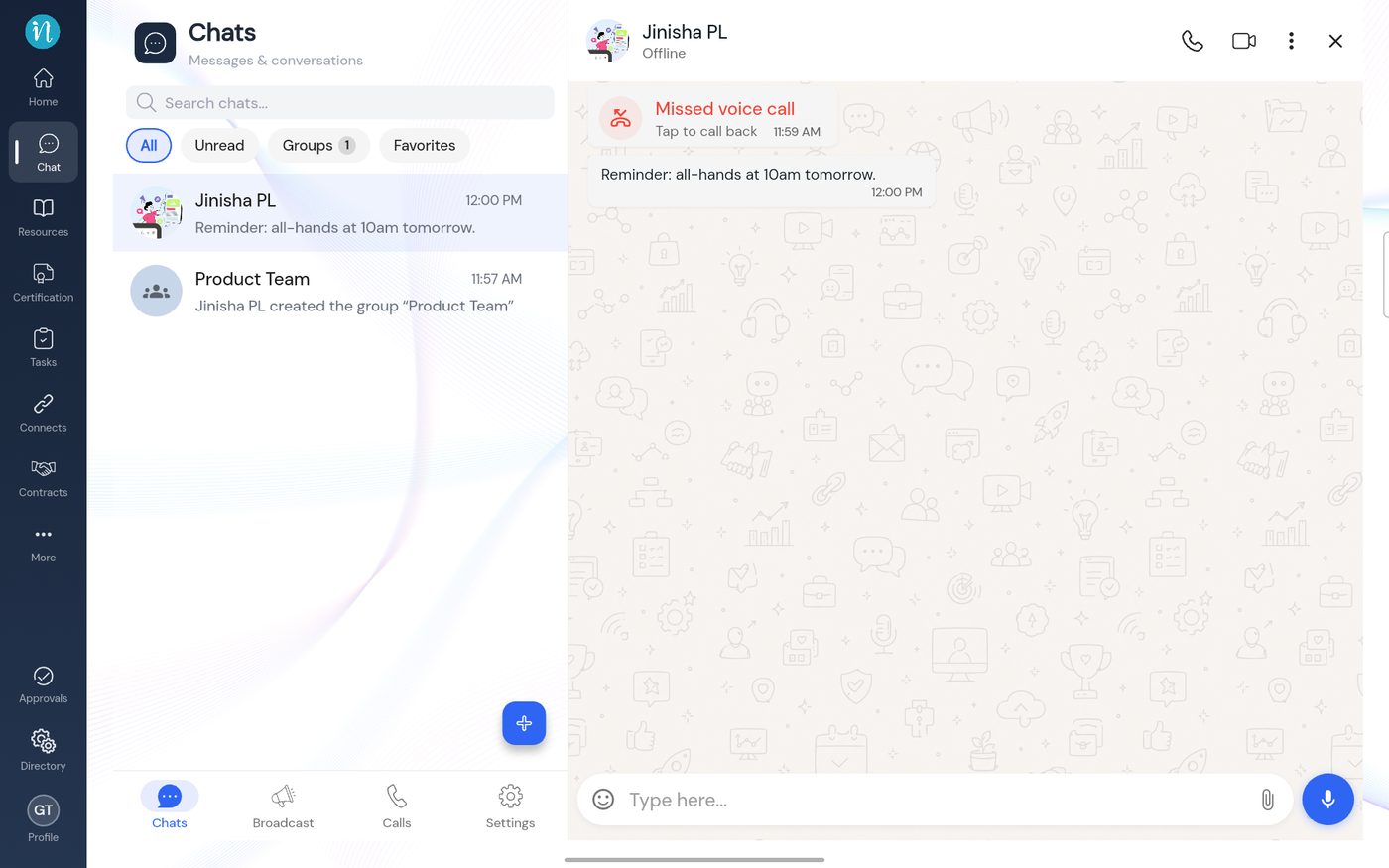 What the recipient sees
Last updated 2026-10-23
