Help center / Modules / Chat / Chat at a glance
Overview
Chat at a glance
Who can use this Members and Super Admins
This article is written for Member and Super Admin. Use the role switch at the top to change what the menus show.
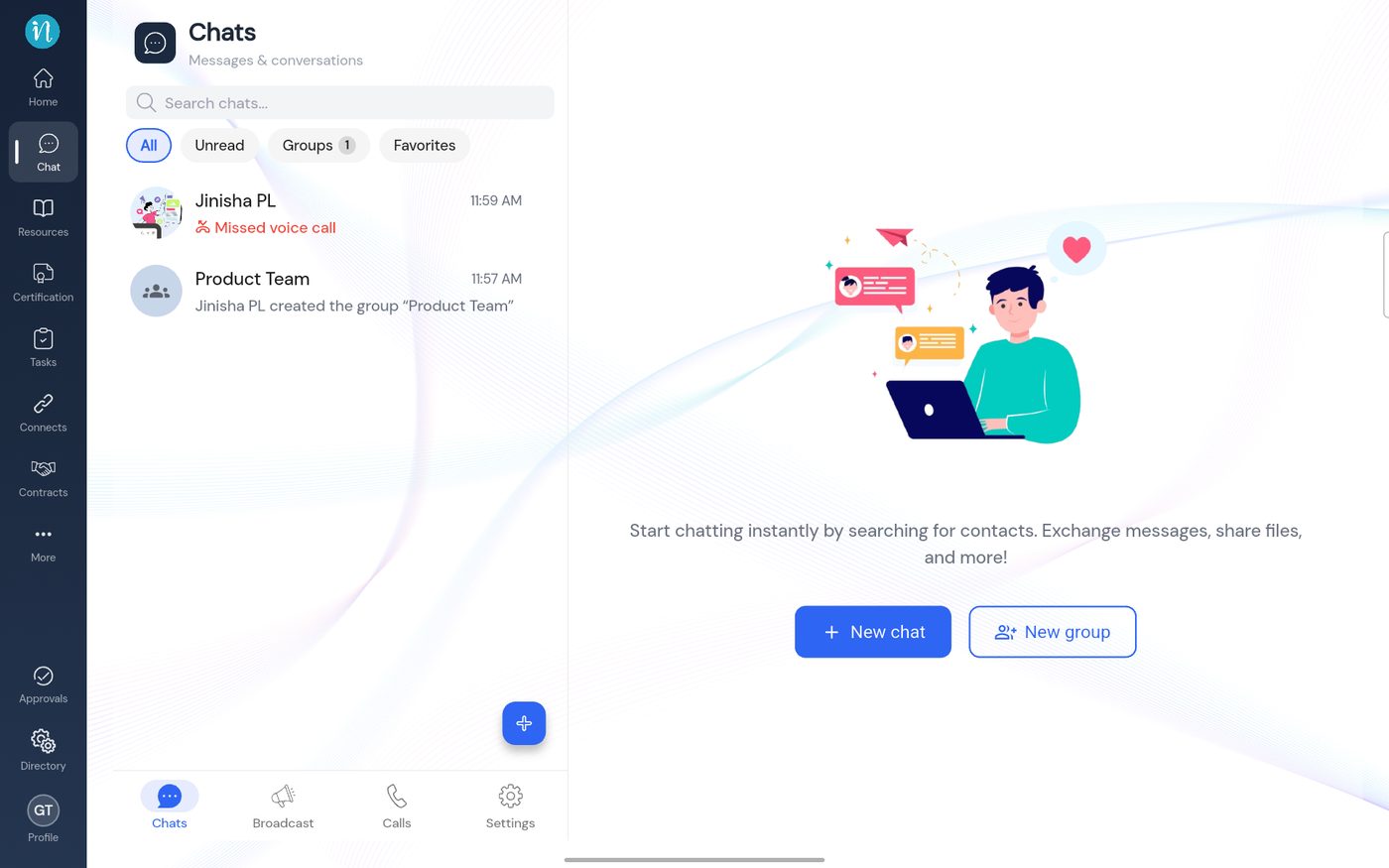
Chat has a list of conversations on the left and the open conversation on the right. Four tabs along the bottom of the list switch between the parts of Chat.
Tap Chat in the sidebar.
The Chat list On this screen
Search chats – at the top of the list.Filters – All , Unread , Groups (with a count) and Favorites .Conversation list – each row shows the person or group, the latest message and the time. A missed call shows in red (Missed voice call ).Blue + button – starts a new conversation.Bottom tabs – Chats , Broadcast , Calls and Settings .
Tap a conversation to open it.
An open conversation On this screen
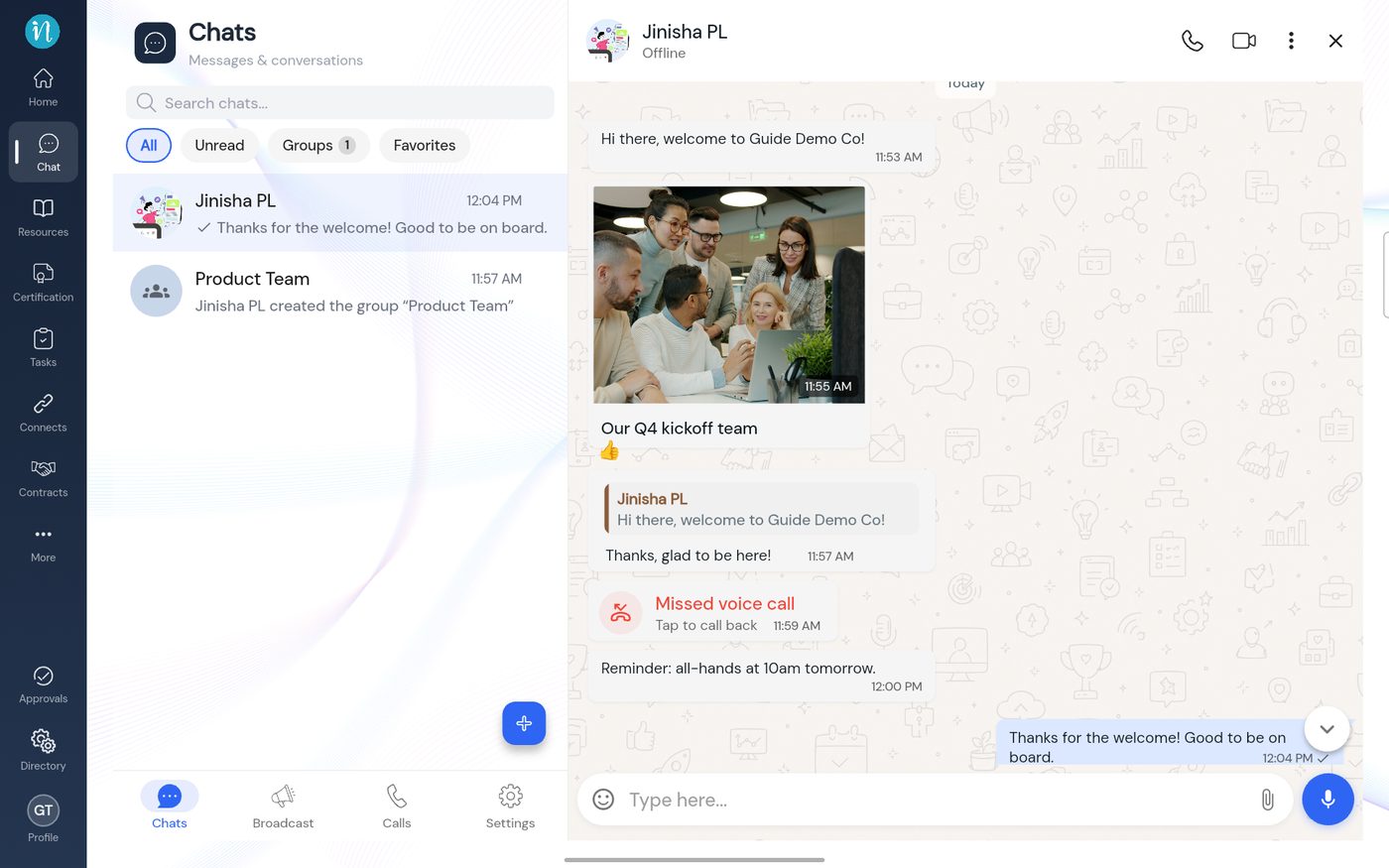
Header – the person's name and whether they are Offline or online, with buttons for a voice call , a video call , a ⋮ menu and × to close.Messages – yours on the right in blue, theirs on the left in white, each with the time.Photos – shown as a picture with its caption underneath, and a reaction (here 👍) under the bubble.Quoted replies – a message that answers another shows the original in a box above it.Call cards – a missed call is a red card with Tap to call back .Box at the bottom – an emoji button, Type here… , a paper-clip to attach files and a microphone.
The four tabs
Last updated 2026-10-23