
Who can see a category: Public or Private
Who can use thisSuper Admins, and any role given this permission
Permission you need
Add resources
Set by your workspace admin. If you cannot do this, ask them for access.This article is written for Super Admin. Use the role switch at the top to change what the menus show.
Every category, playlist and podcast has a Visibility setting. It decides who can open it.
-
In the New Category panel, scroll to Access.
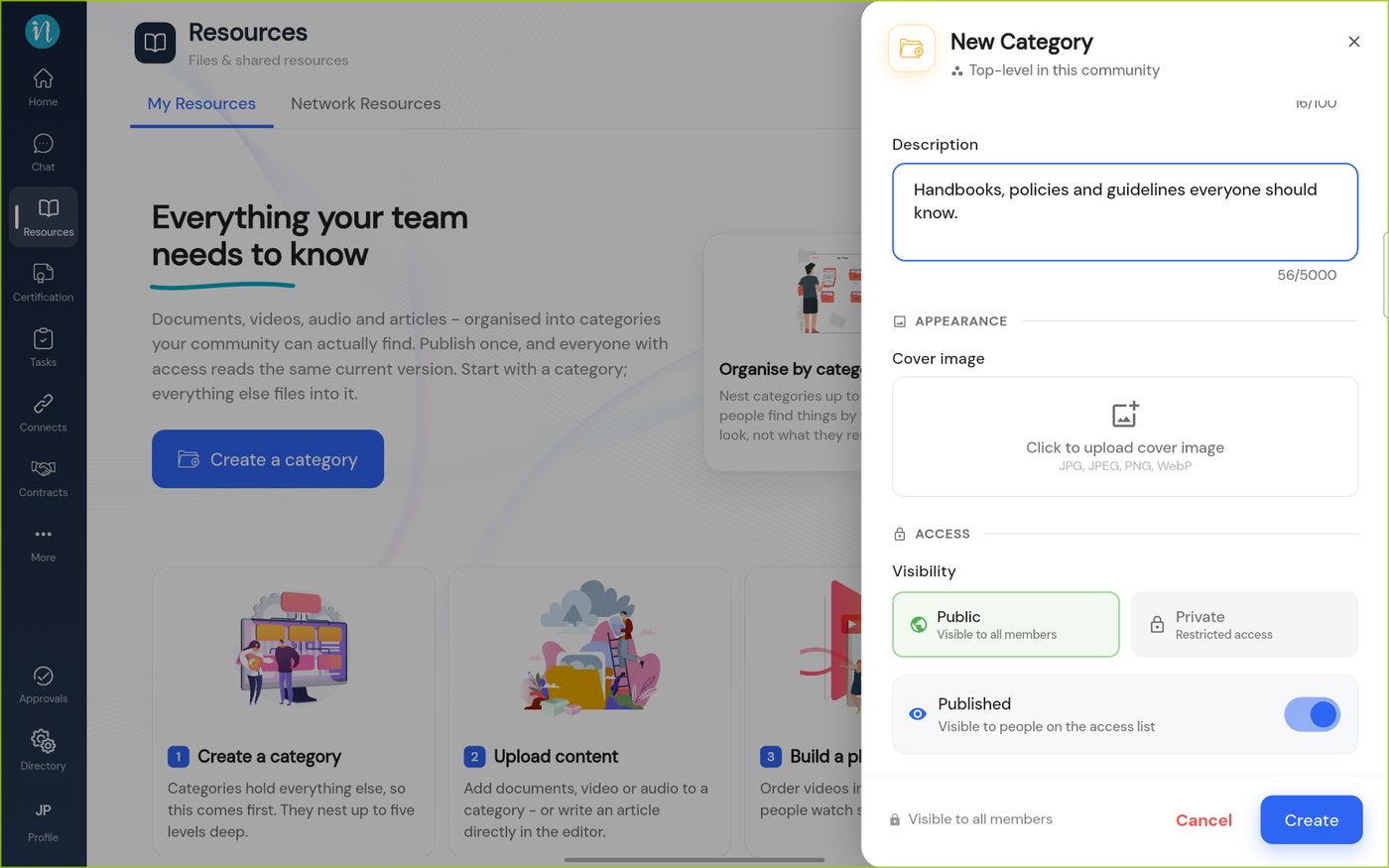
The Access section -
Tap Private to choose exactly who can see it.
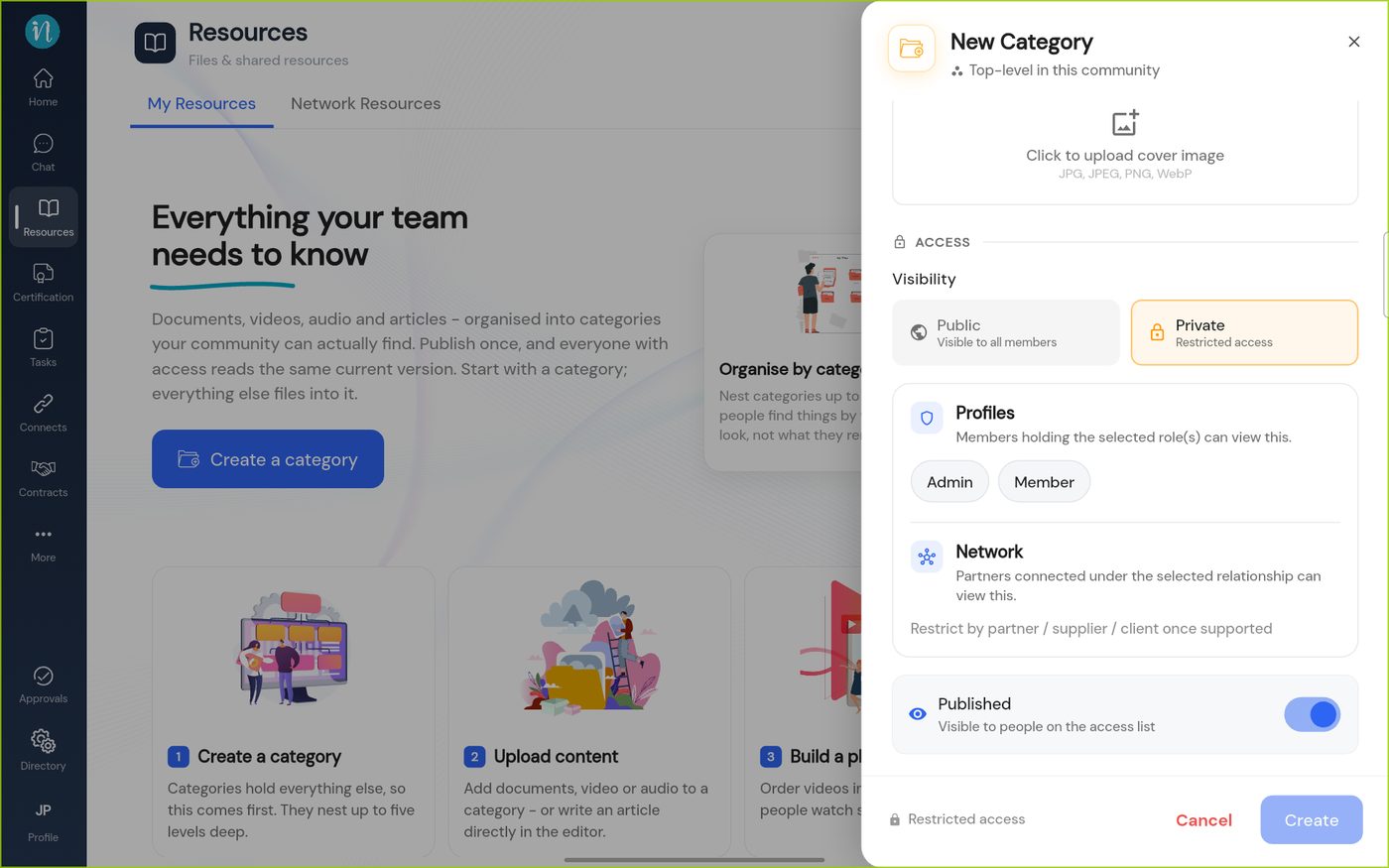
Private access
Good to know
- A new item inherits its category's access. When you upload a document, the form shows a note in a coloured box saying the visibility is inherited from the category you chose, and who can see it.
- Playlists and podcasts have the same Public or Private choice.
- Turn Published off to keep something unpublished. People who are allowed to see other people's drafts can still find it. See What you can do in Resources.
Last updated 2026-10-23