Agree and respond
How to accept a task and schedule your work
Who can use thisMembers and Super Admins
Permission you needView tasks
Set by your workspace admin. If you cannot do this, ask them for access. This article is written for Member and Super Admin. Use the role switch at the top to change what the menus show.
Accepting a task also means saying when you will do it. Accept stays pale until you have blocked enough time.
-
In the proposal, tap Accept. The Schedule your work page opens.
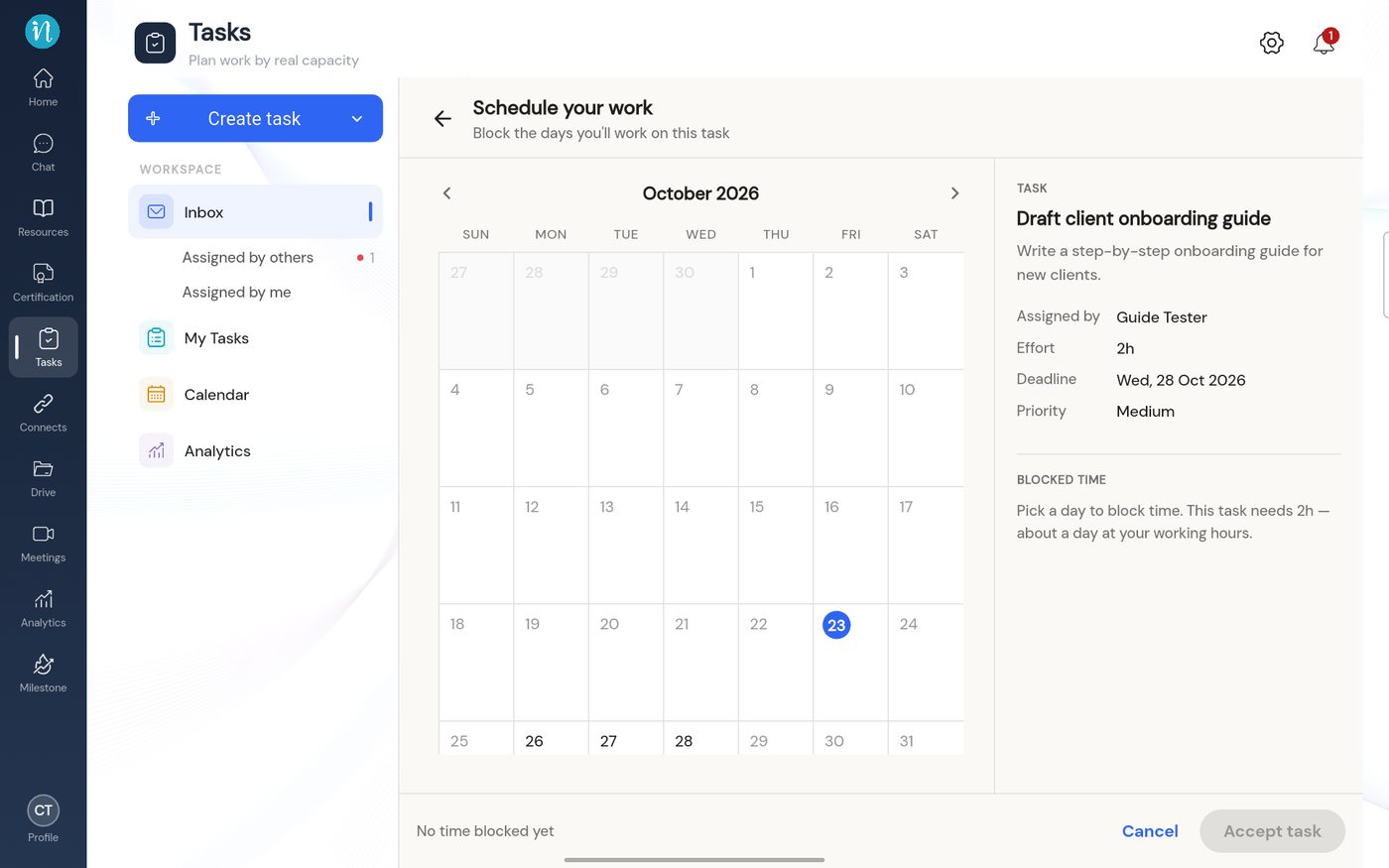 Schedule your work, before you pick a day
-
Tap a day. The app blocks free hours on that day for you.
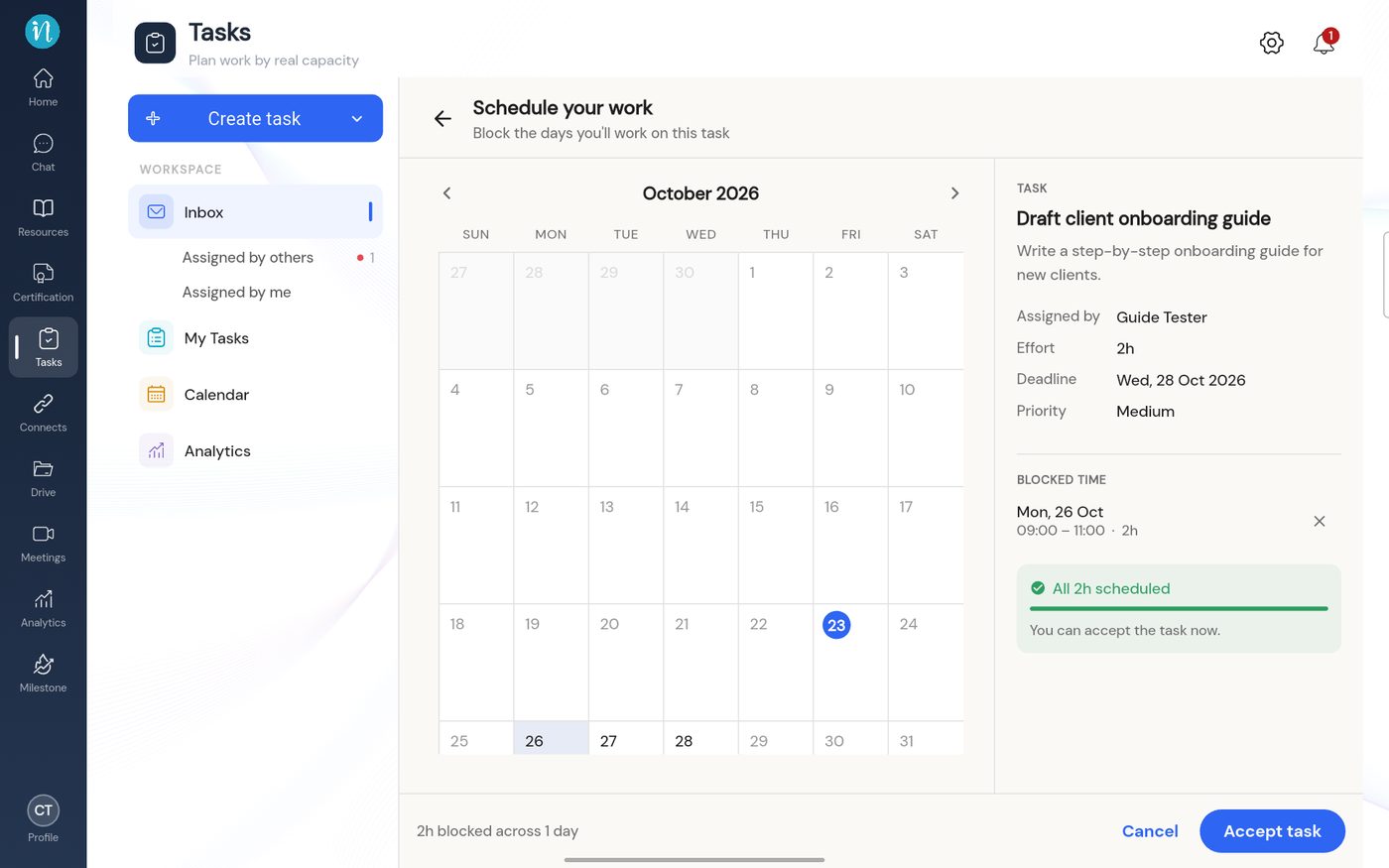 Time blocked and ready to accept
-
Tap Accept task. The task becomes Agreed.
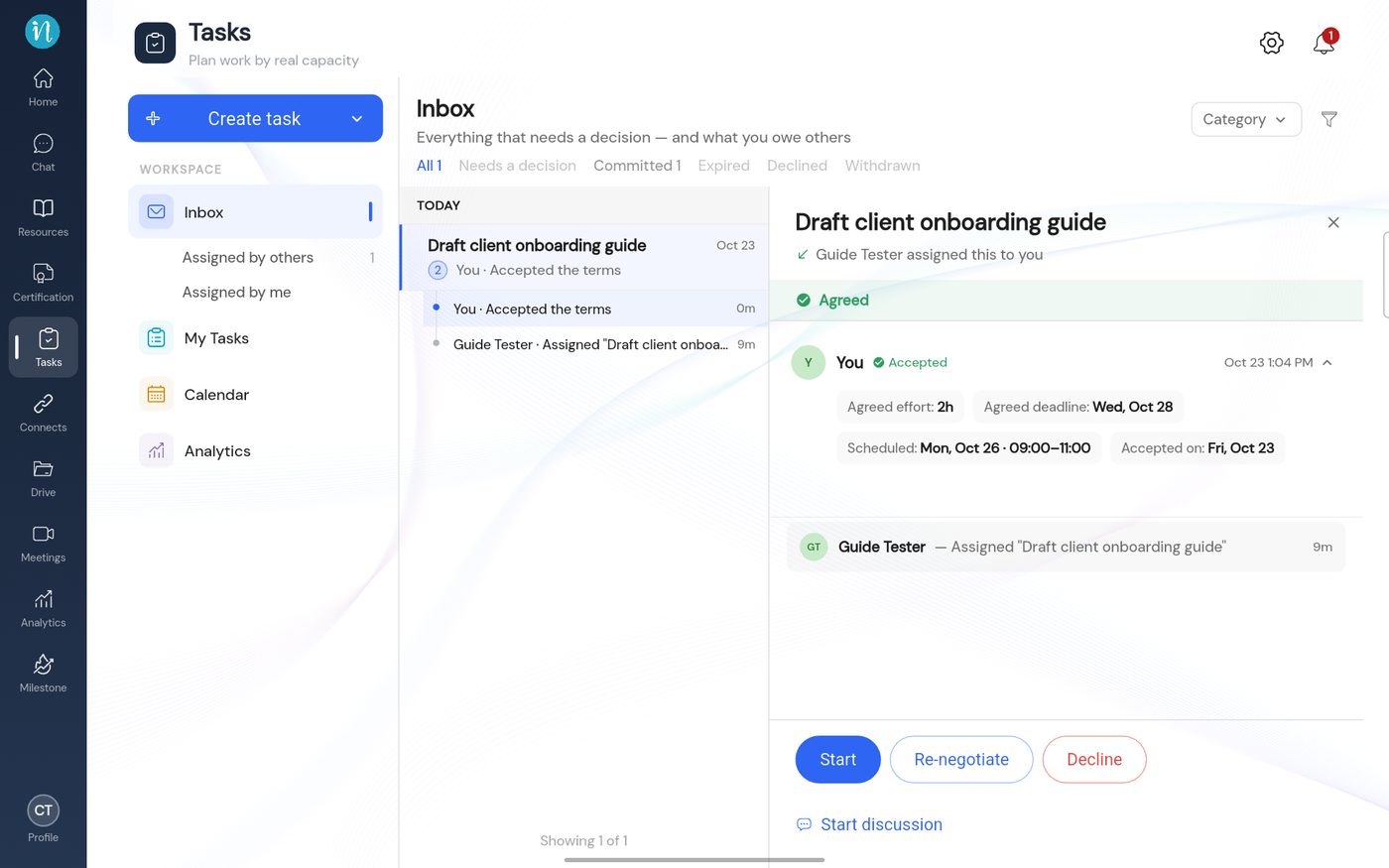 An agreed task
Good to know
- A long task can be spread over several days. Tap more days until the bar is full.
- The days you block count against your free hours, so the next person who assigns you work sees how busy you are.
Last updated 2026-10-23
