
How to assign a task to a partner workspace
Who can use thisMembers and Super Admins
Permissions you need
View tasksCreate tasksAssign tasks to others
Set by your workspace admin. If you cannot do this, ask them for access.This article is written for Member and Super Admin. Use the role switch at the top to change what the menus show.
Once two workspaces are connected as partners, you can give a task to someone in the other workspace. The task is marked External on both sides.
-
Start Assign to someone else as usual. On the Assignee step, open the Assign from list.
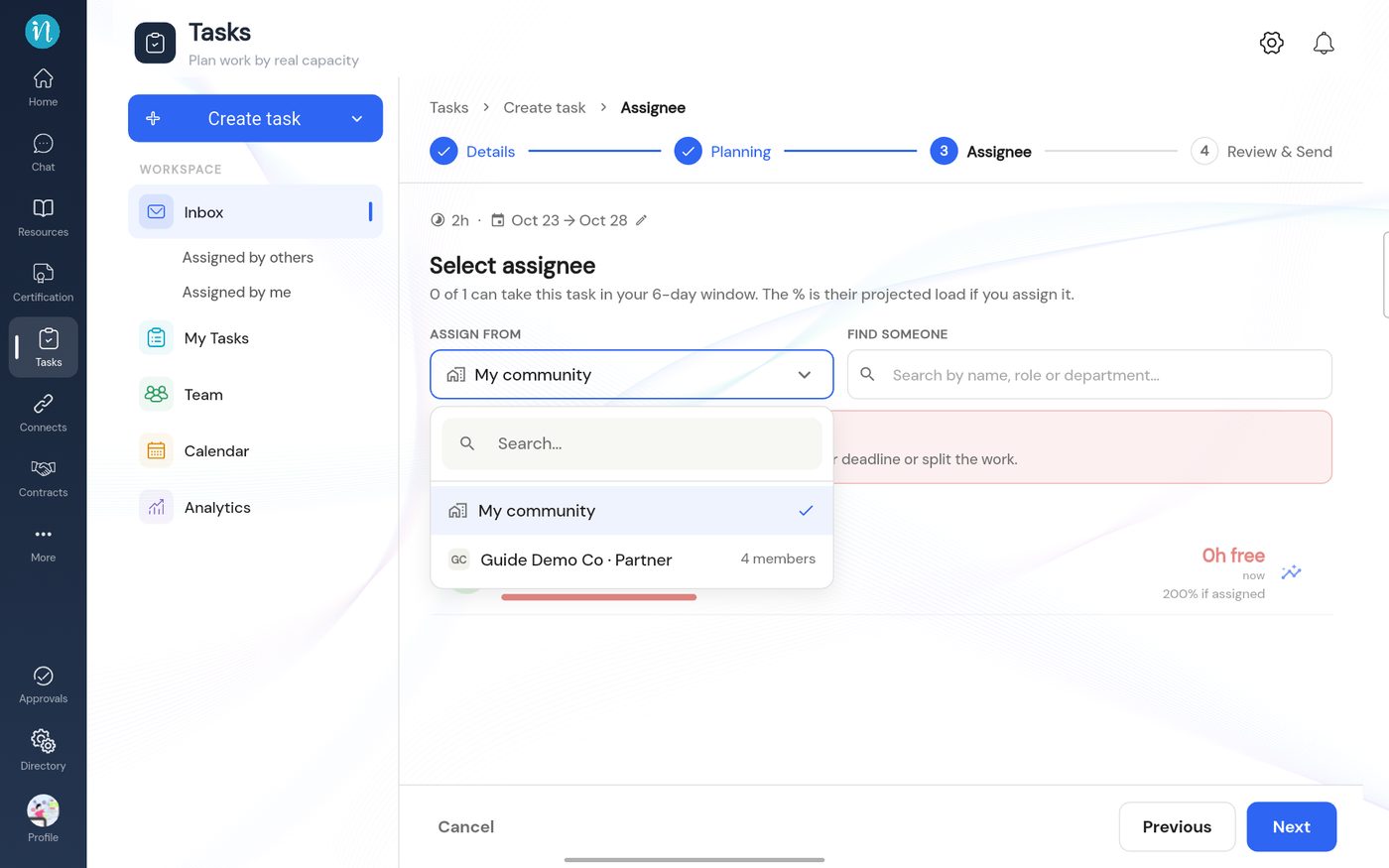
The Assign from list -
Choose the partner workspace. Its members are listed.
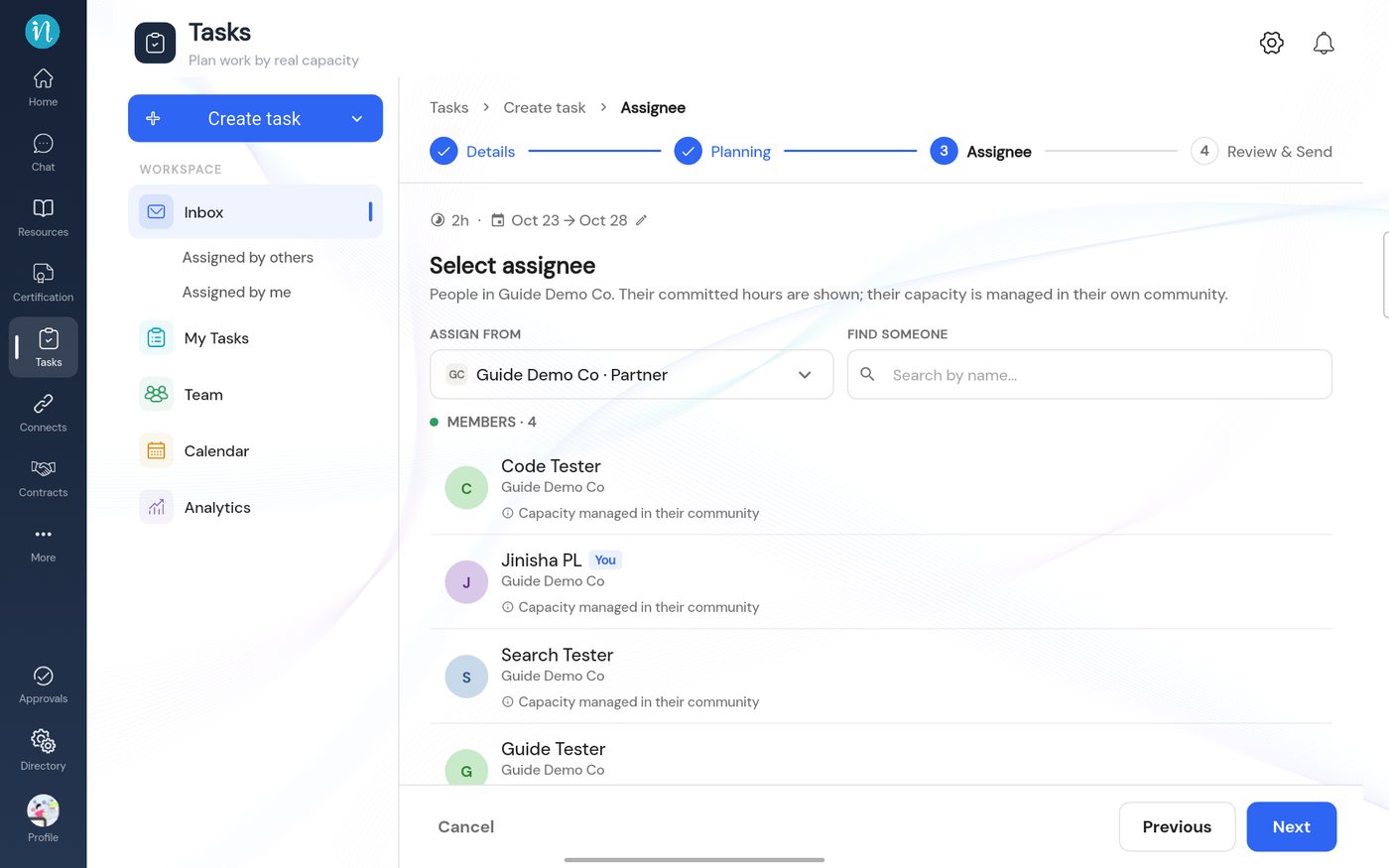
Members of the partner workspace -
Pick a person and go on to Review & Send. It reads Send this proposal to the partner workspace.
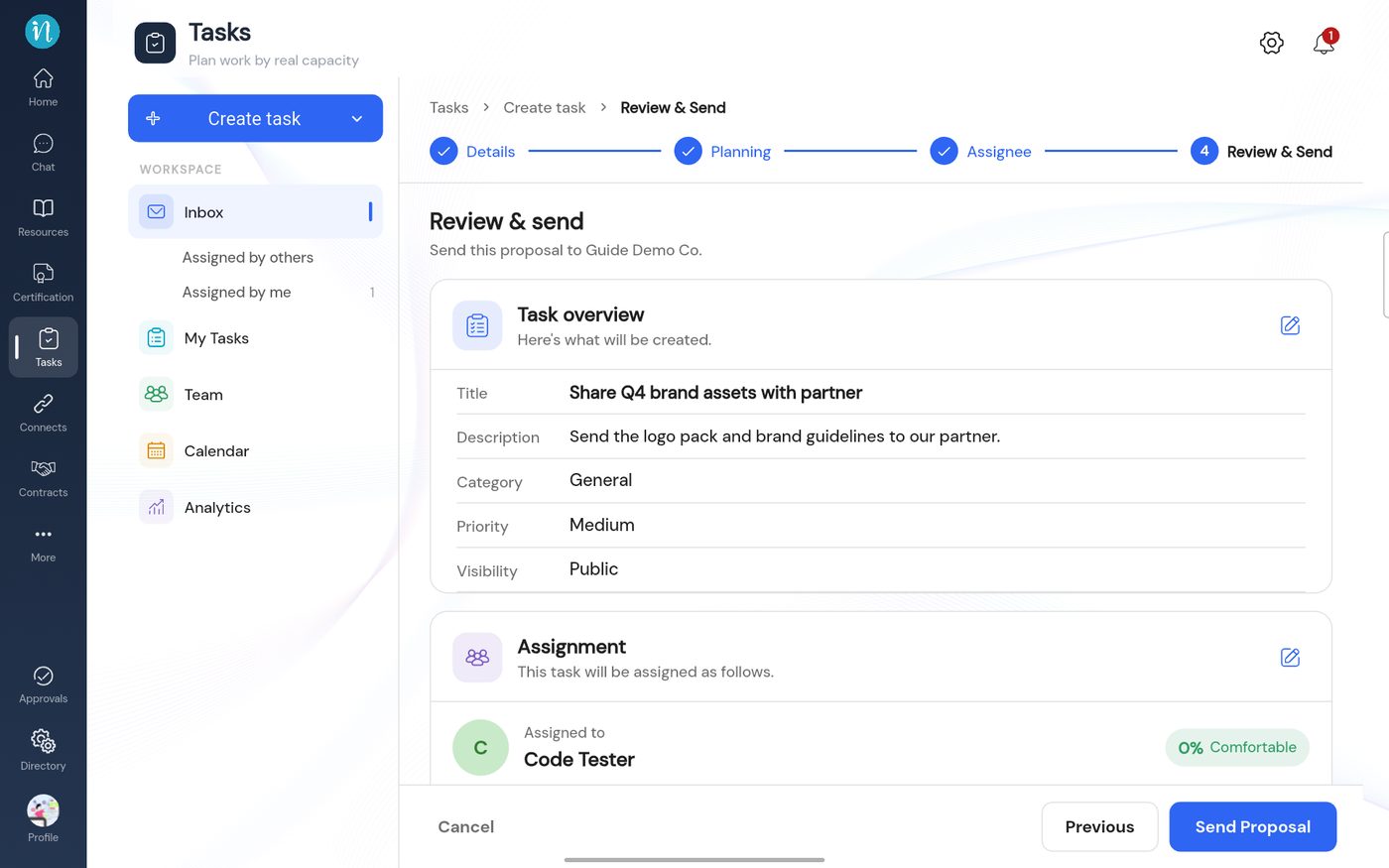
Review a task for a partner -
In your Inbox the thread shows an External badge.
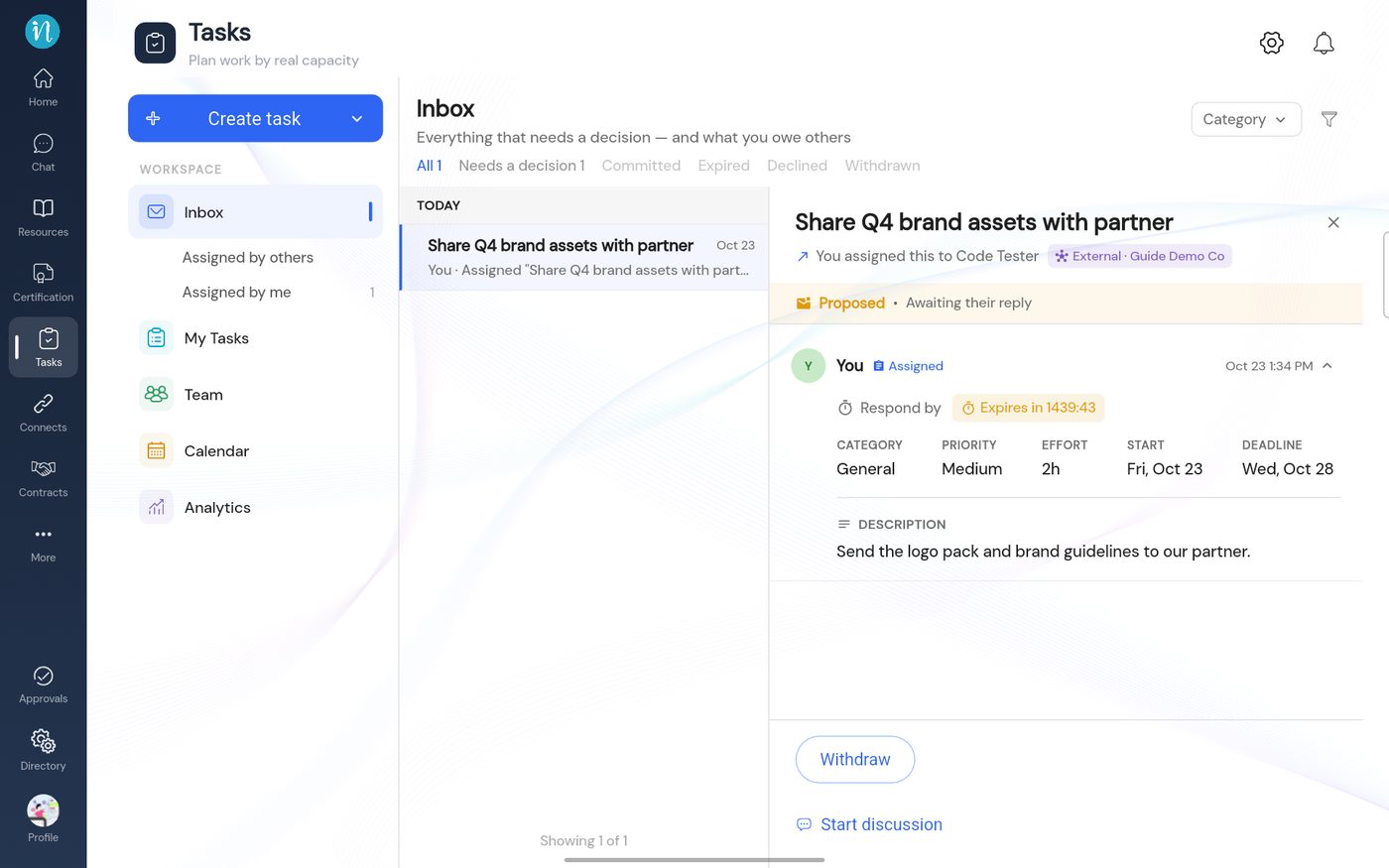
A task proposed to a partner -
The person receives it in their own workspace. They answer exactly as for any task.
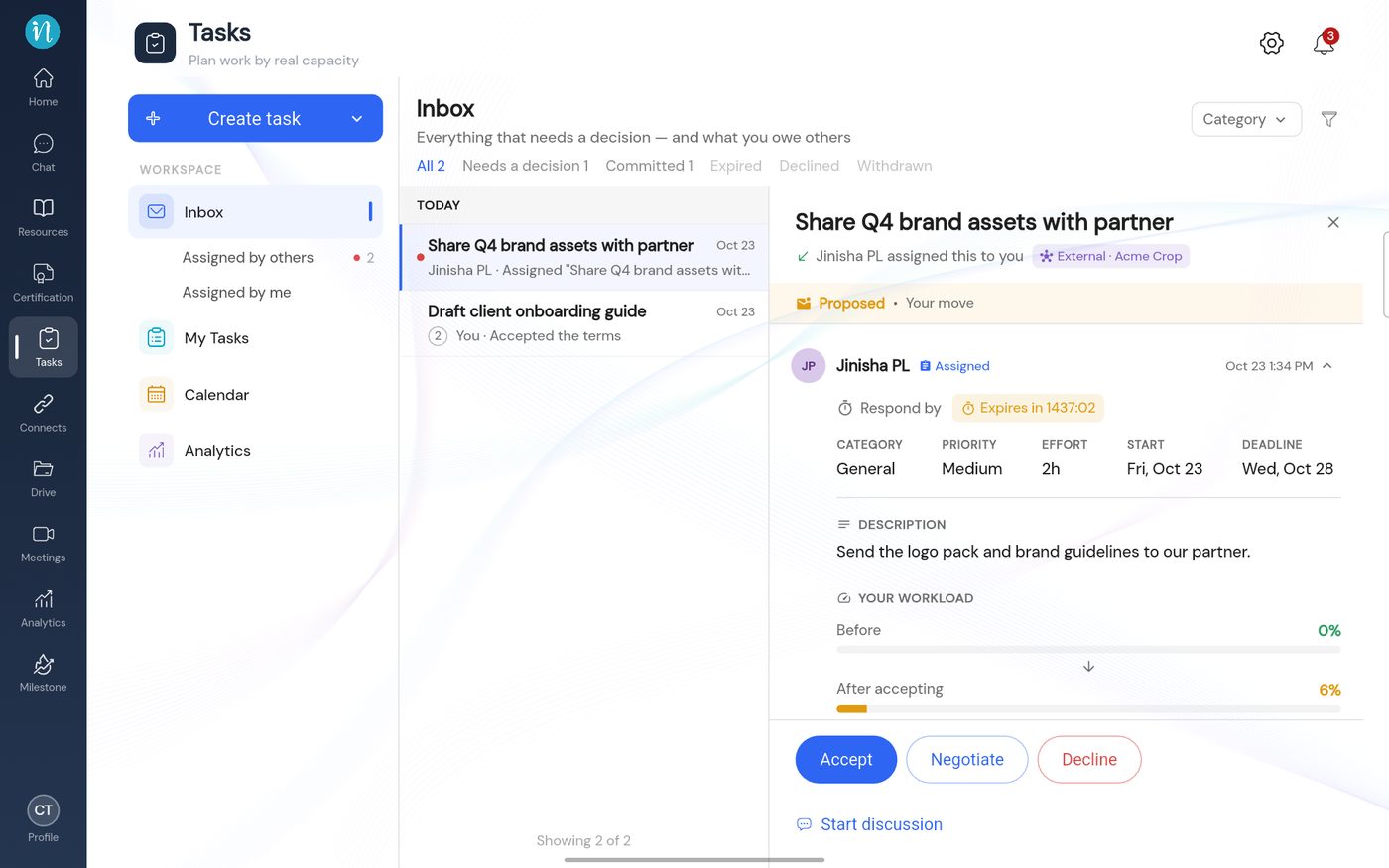
A partner's task as the receiver sees it
After acceptance the task runs through the same steps as any other: accept and schedule, start and complete, then confirm.
Good to know
- Only connected, accepted partners appear in the list.
- The task lives in the partner's workspace, so it counts toward their capacity.
Last updated 2026-10-23