Administration
How to see your team's capacity
Who can use thisSuper Admins, and any role given this permission
Permission you needSee the whole workspace's capacity (Team)
Set by your workspace admin. If you cannot do this, ask them for access. This article is written for Super Admin. Use the role switch at the top to change what the menus show.
The Team view shows everyone's load for the week, so you can see who has room before you assign.
Before you start: you need the View org permission. People without it do not see Team in the left panel.
-
Open Tasks → Team.
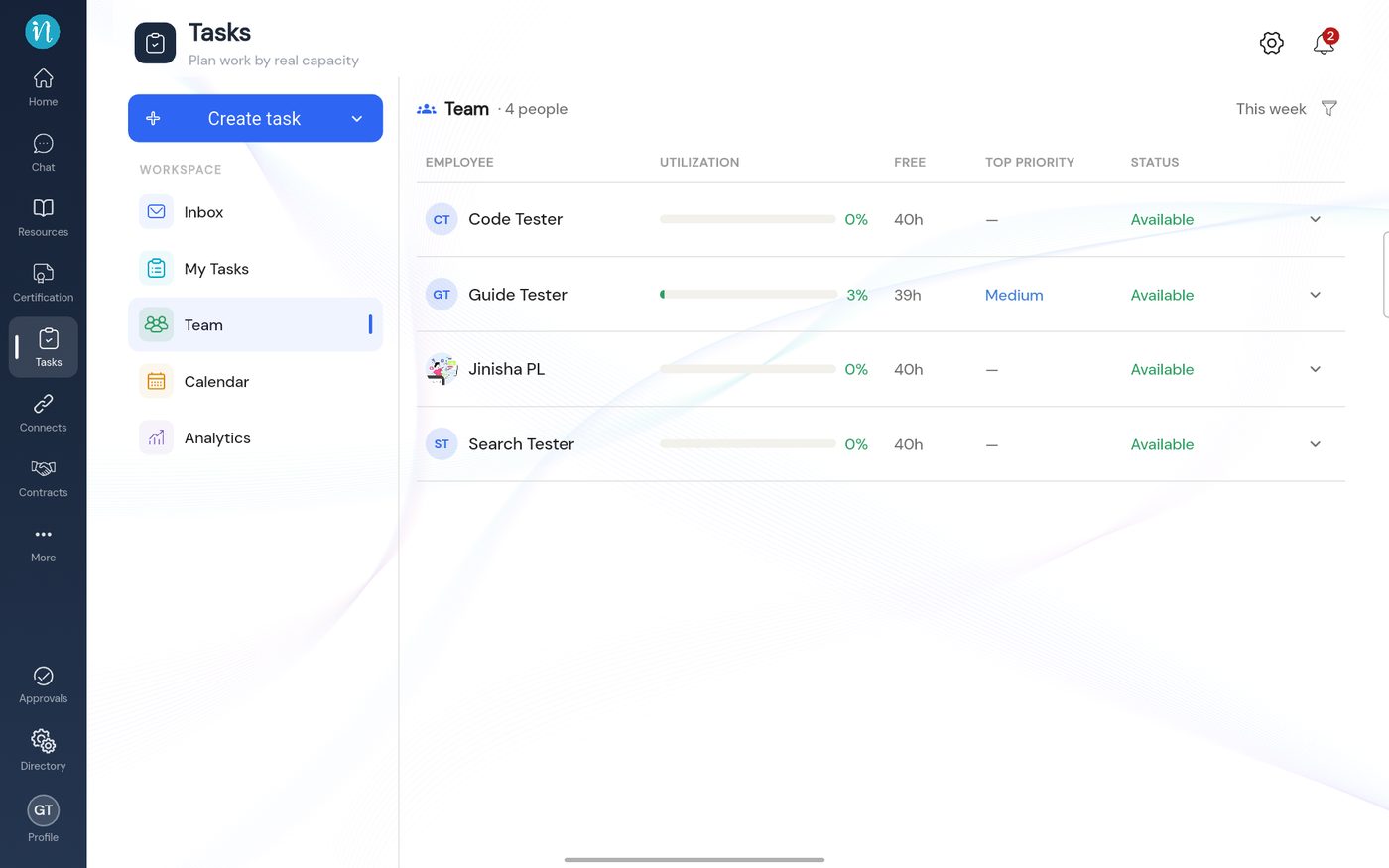 The Team view
-
Tap the arrow beside a person to see where their week goes.
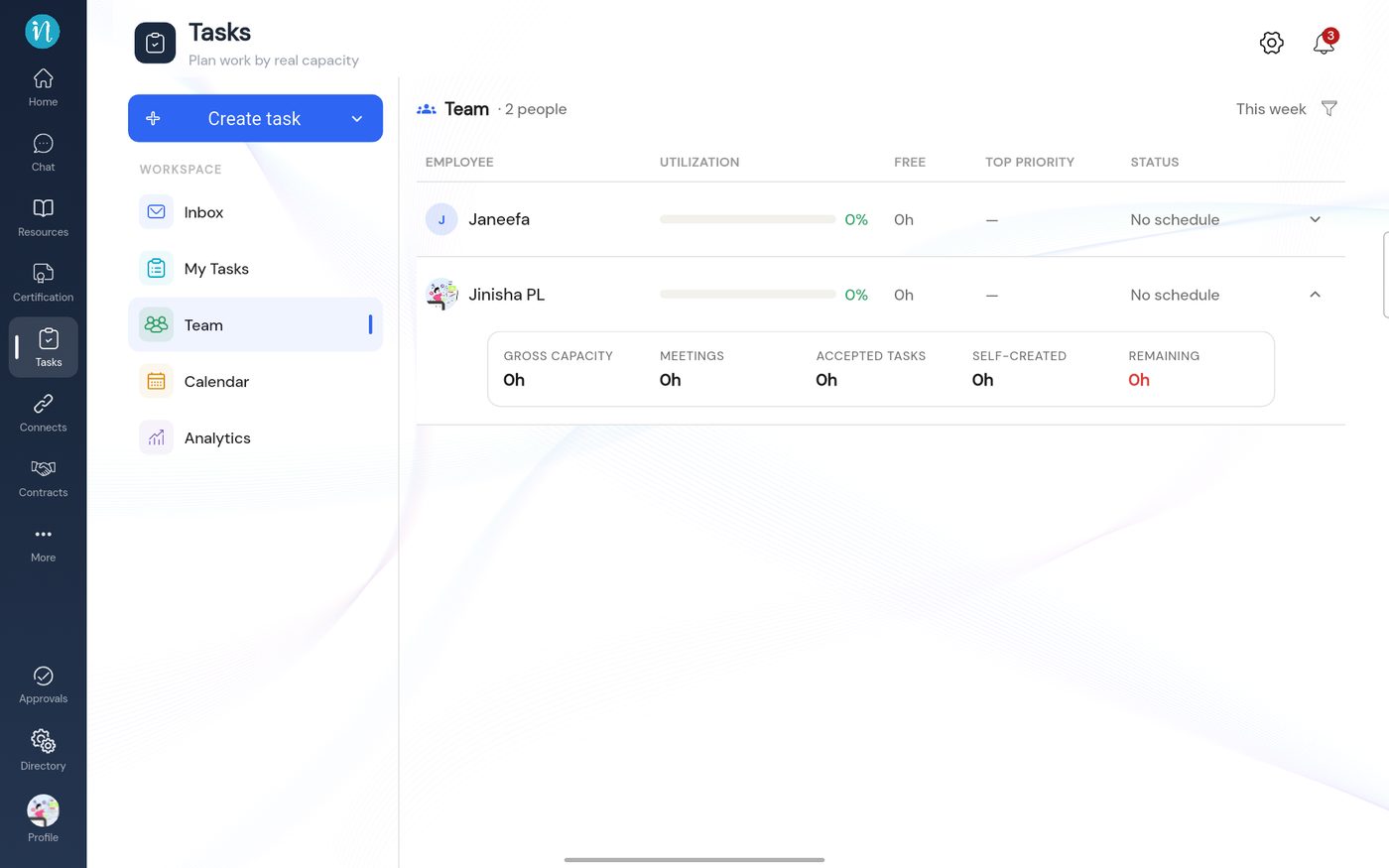 A person's capacity breakdown
-
Tap a person's name to open their own pages: Analytics and Calendar.
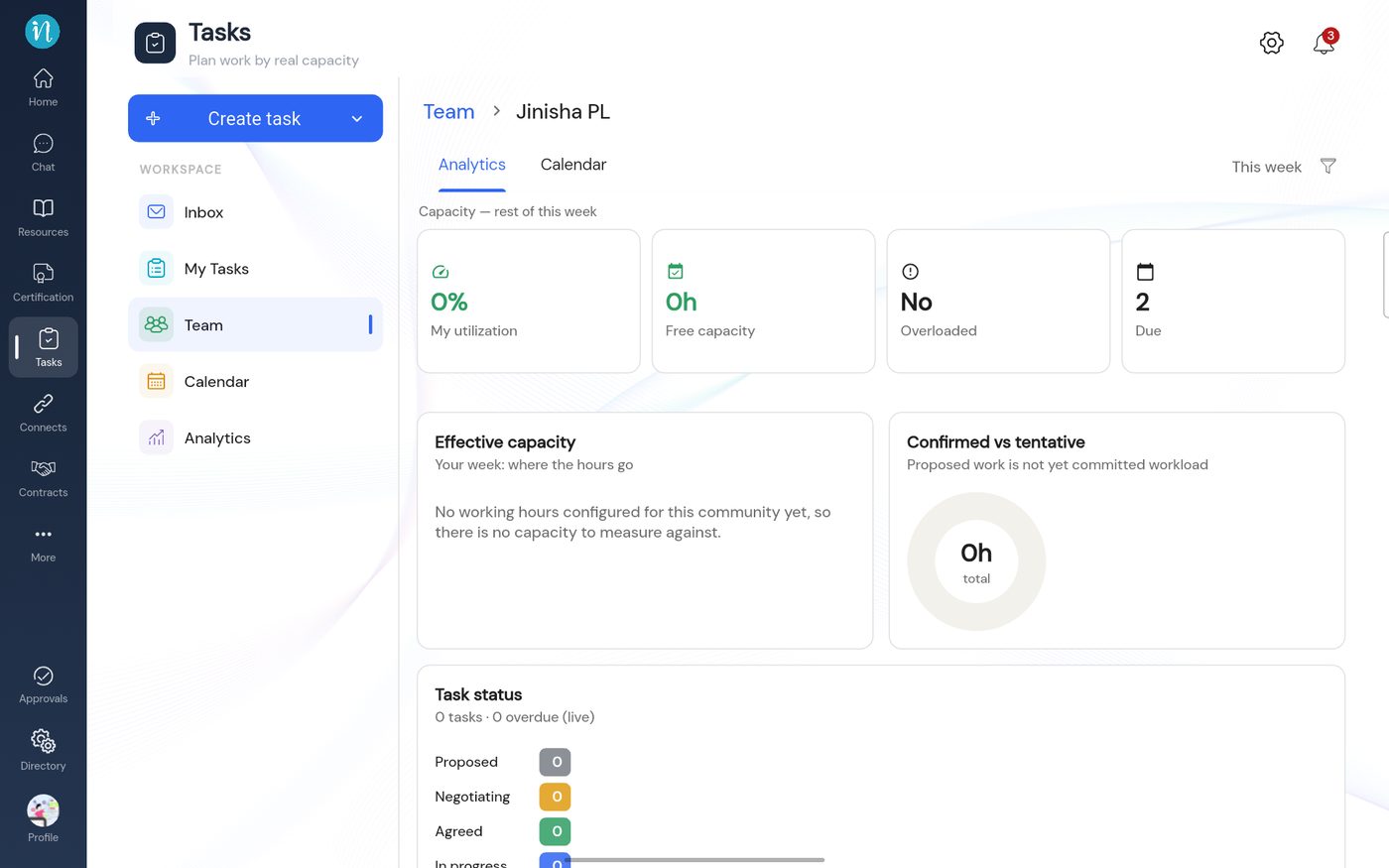 One person's analytics
-
Open the Calendar tab to see their week.
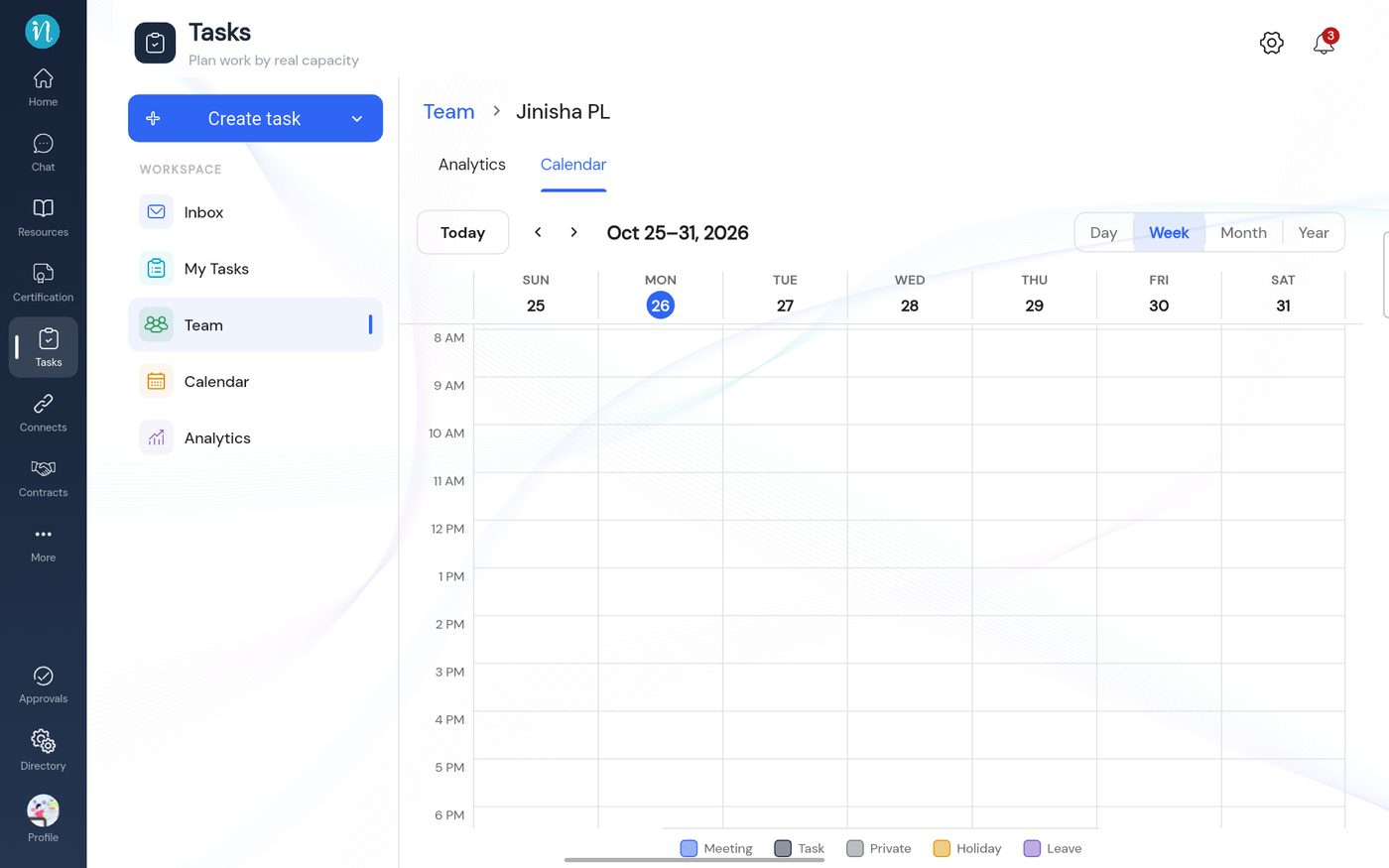 One person's calendar
Good to know
- If a workspace has no working hours, everyone shows No schedule and 0h free. See Set working hours.
Last updated 2026-10-23
