Set by your workspace admin. If you cannot do this, ask them for access.
This article is written for Member and Super Admin. Use the role switch at the top to change what the menus show.
When you pick an assignee, the app compares your task with that person's free hours: working hours, minus meetings, leave and holidays, minus work they already accepted.
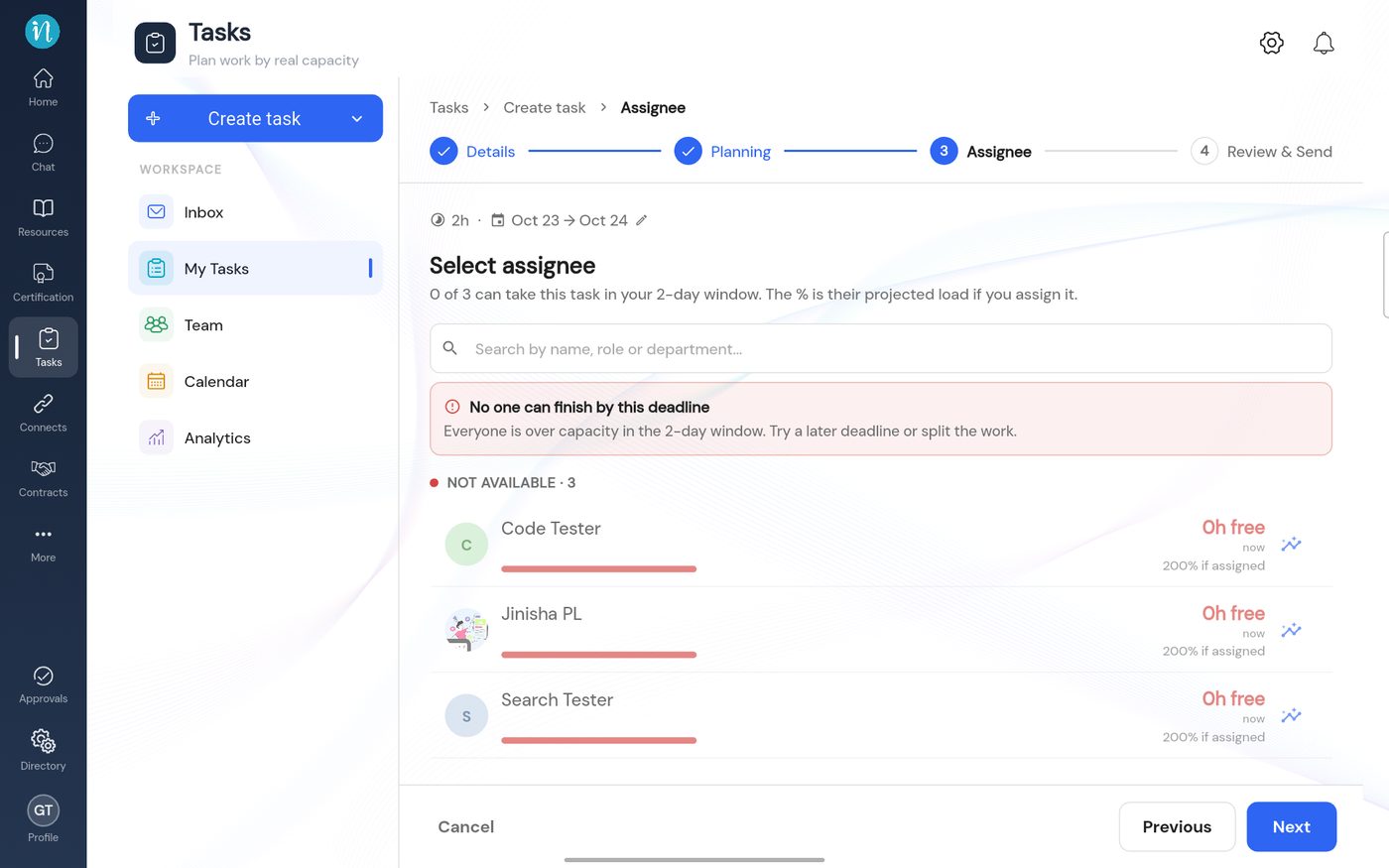
If nobody has enough room, the Assignee step says so.
No one can finish by this deadline
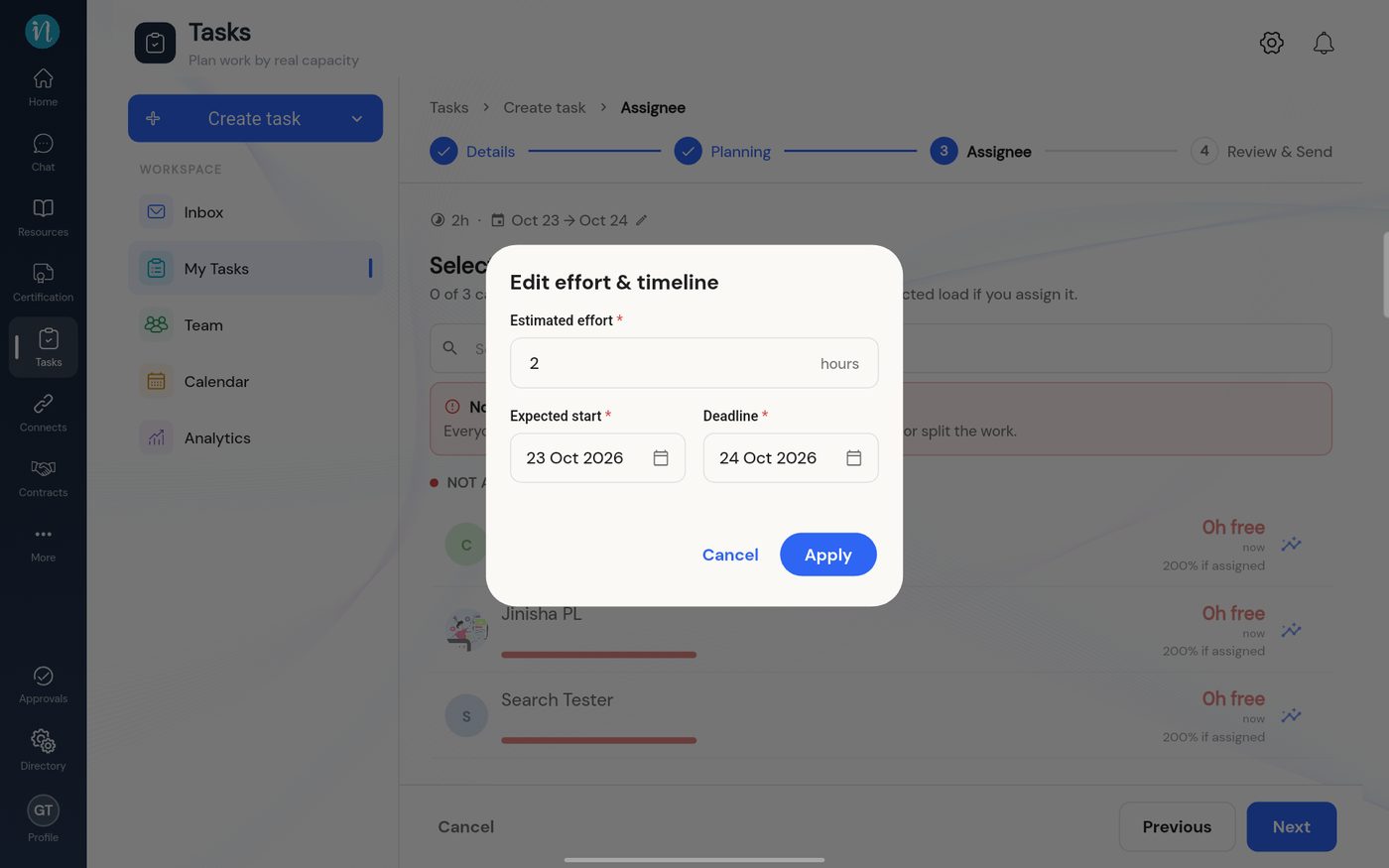
Tap the pencil next to the hours and dates to try a later deadline or fewer hours.
Edit effort and timeline
When it is not about the deadline
If everyone shows 0h free even for a long deadline, the workspace probably has no working hours set. Capacity cannot be worked out without them. A Super Admin fixes this in Set working hours.
Overloading someone on purpose
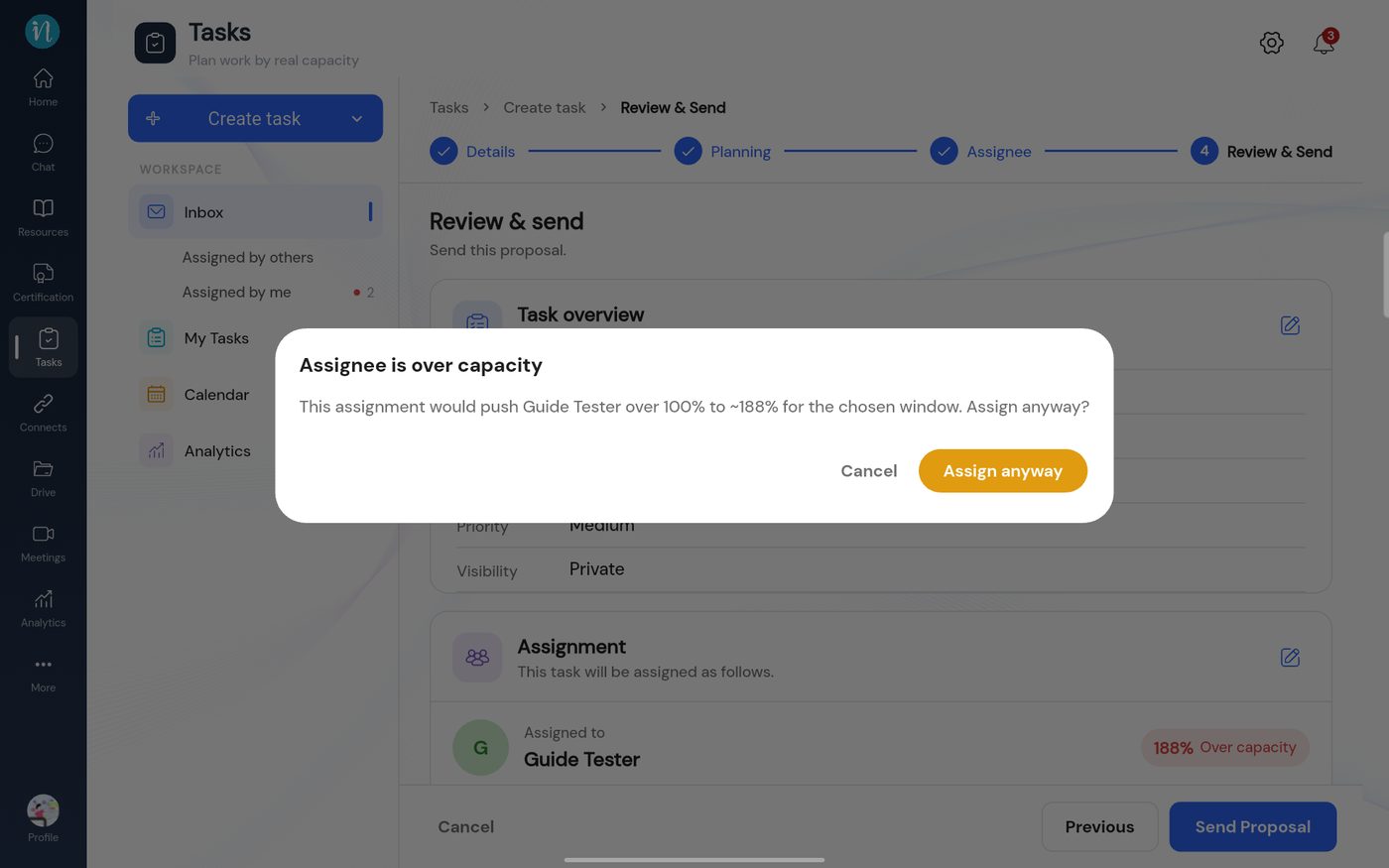
You can still send a task that would take someone past 100%.
Pick someone who shows a red load, then go to Review & send. A warning appears.
Assignee is over capacity
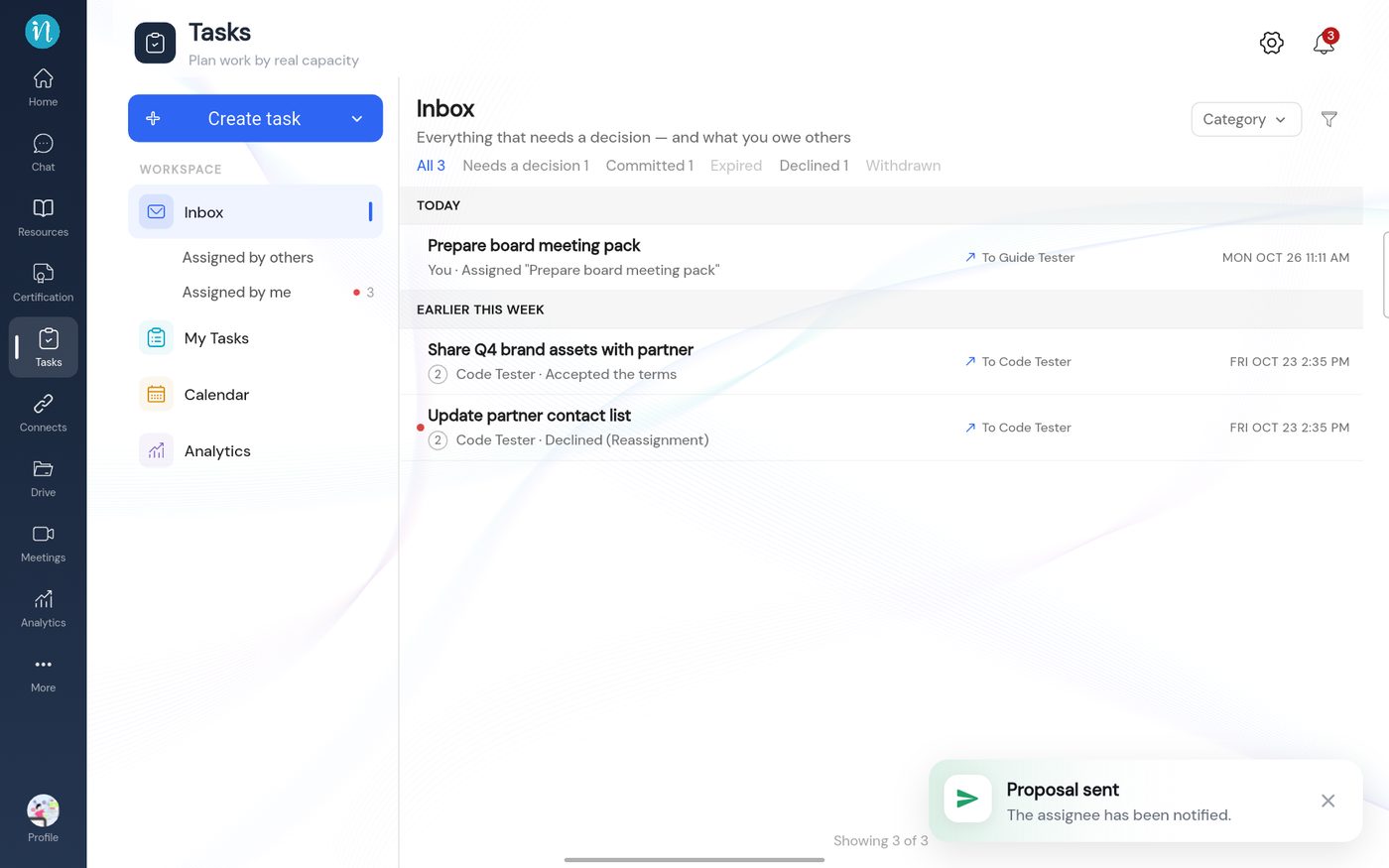
After Assign anyway, the proposal is sent and a confirmation appears.
Proposal sent
Partner workspaces
People in a partner workspace show a note that their capacity is managed in their own workspace, so no capacity check is made for them.