
How to ask for new terms after you accepted
Who can use thisMembers and Super Admins
Permission you need
View tasks
Set by your workspace admin. If you cannot do this, ask them for access.This article is written for Member and Super Admin. Use the role switch at the top to change what the menus show.
If something changes after you agreed, for example the work is bigger than you thought, use Re-negotiate. It works like negotiating a proposal, but on a task that is already agreed or in progress.
-
Open the task in your Inbox. An agreed or in-progress task shows Re-negotiate beside Mark complete. Tap it.
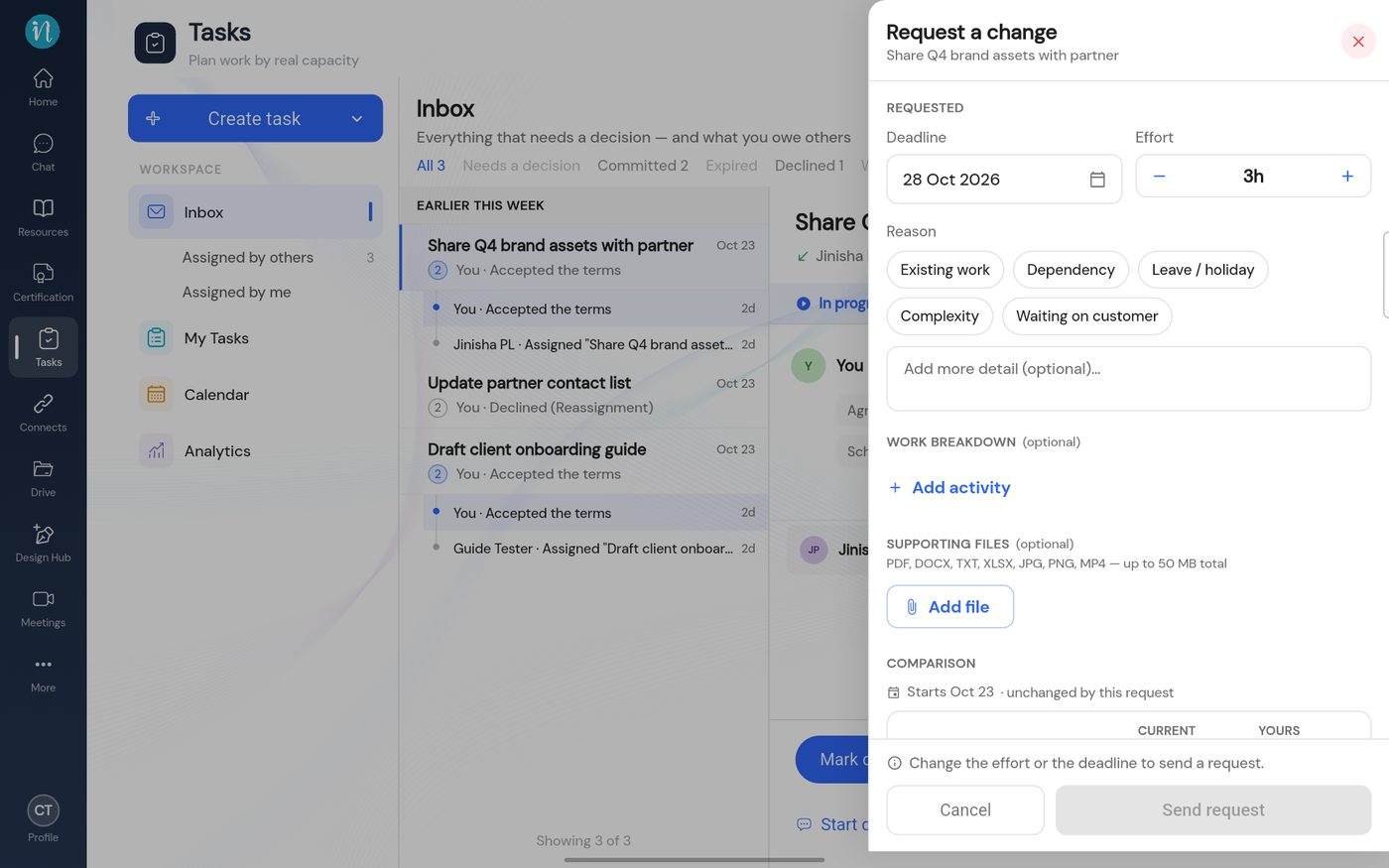
Request a change on a task in progress -
To explain a bigger estimate, tap + Add activity under Work breakdown. Name each piece of work and give its hours.
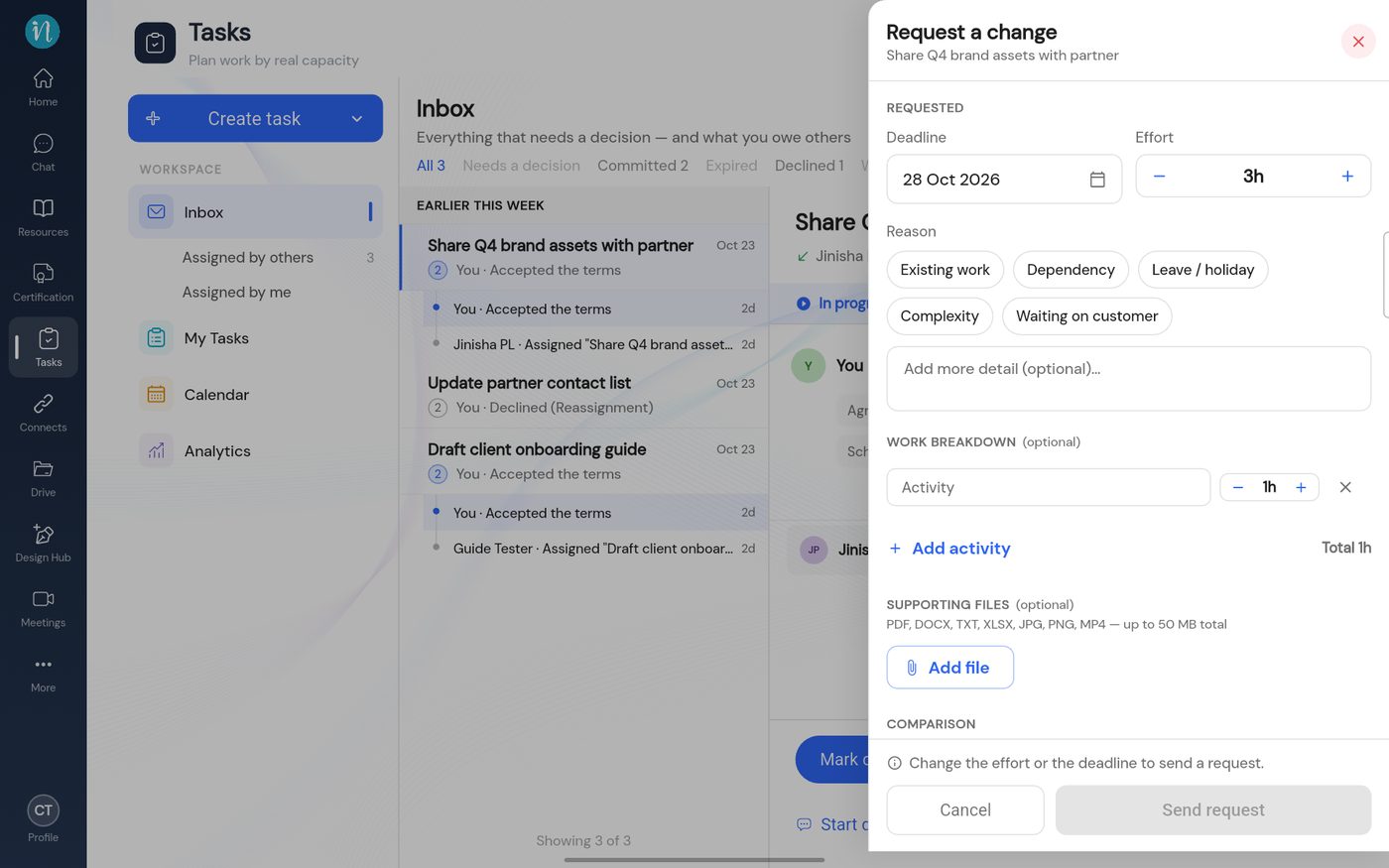
Work breakdown
The person who assigned the task decides. They can accept, counter or withdraw, as in Answer a change request. Until they agree, the task keeps its current terms and its status does not change.
Last updated 2026-10-23