
How to answer a change request
Who can use thisMembers and Super Admins
Permission you need
View tasks
Set by your workspace admin. If you cannot do this, ask them for access.This article is written for Member and Super Admin. Use the role switch at the top to change what the menus show.
When the person you assigned asks for different hours or a different deadline, the task shows Negotiating · Your move in Inbox → Assigned by me.
-
Open the task. You see what they asked for and why.
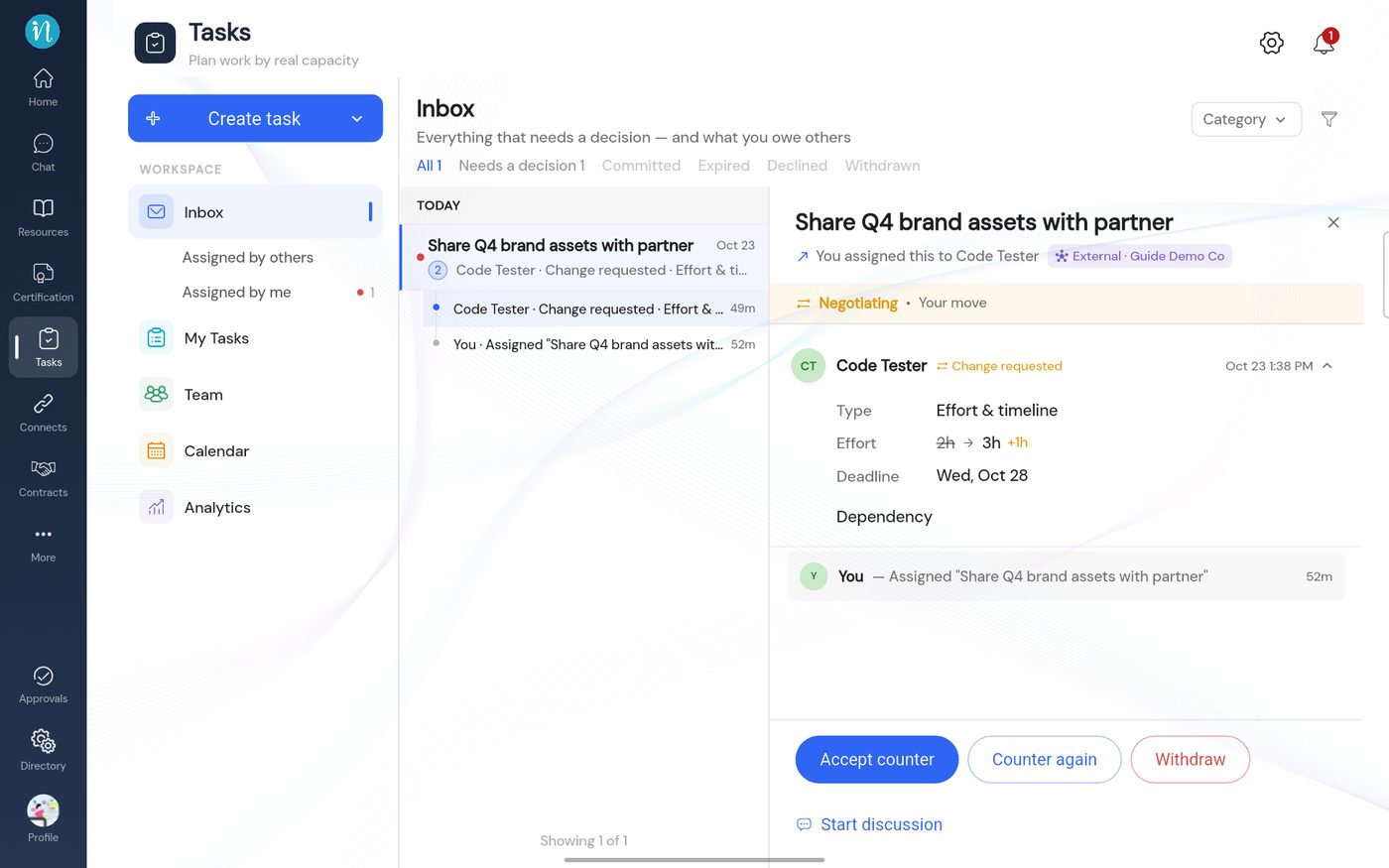
A change request waiting for you -
To propose something different, tap Counter again. The sheet shows what they asked for at the top.
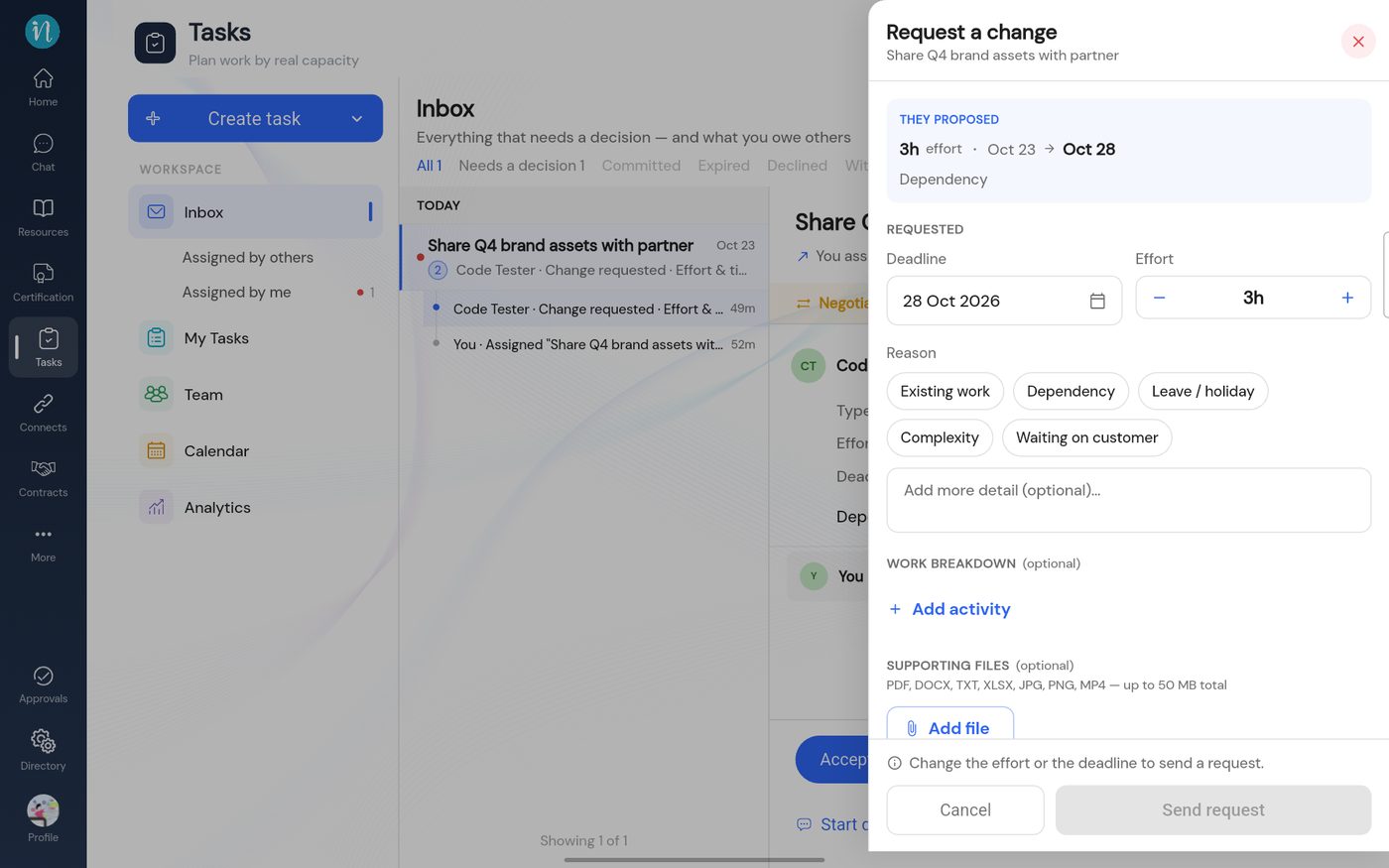
Counter again -
To agree instead, tap Accept counter. The terms are approved and the person is asked to accept the task.
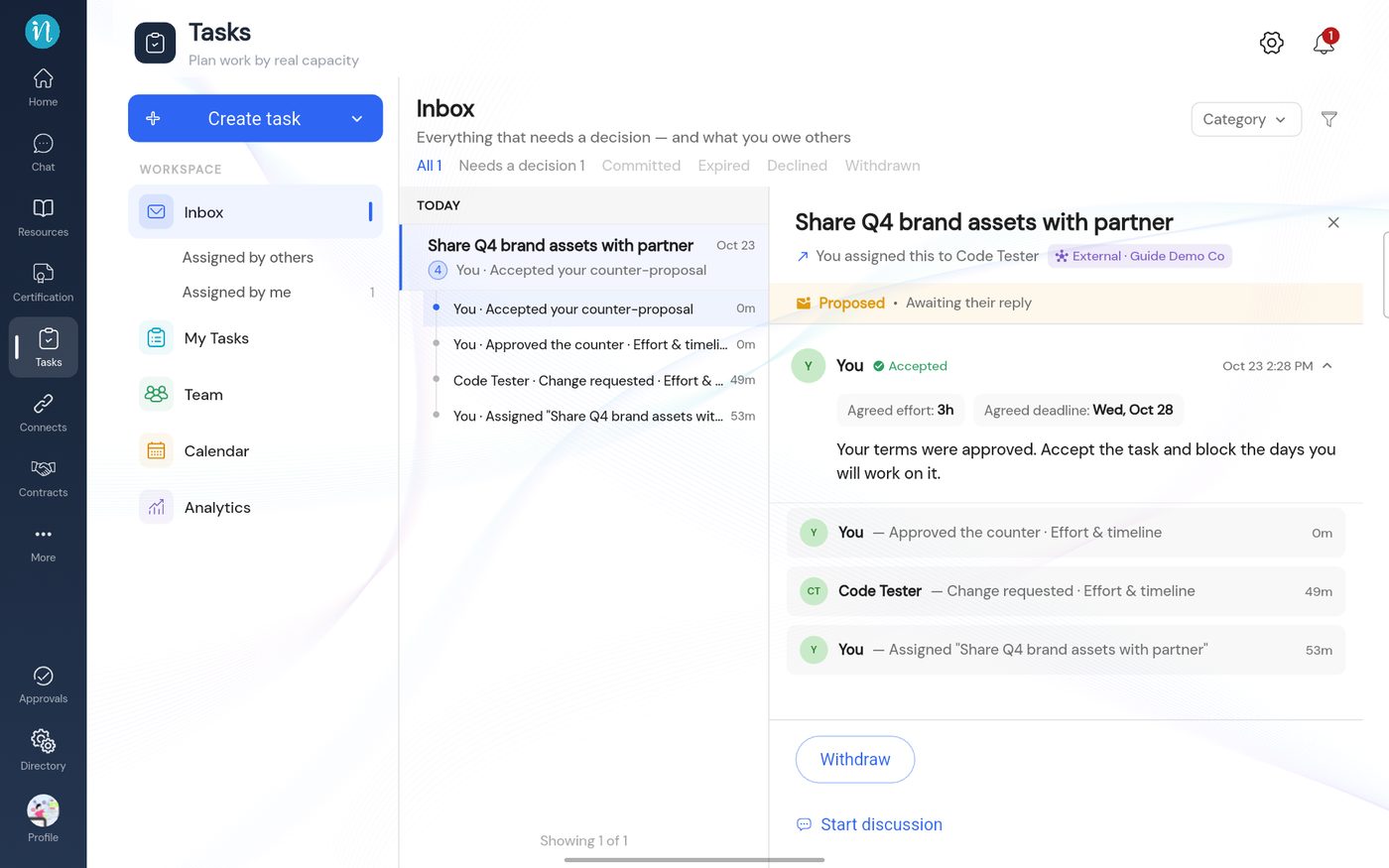
A counter that was accepted
Accepting a counter does not bind the task yet. The person still has to accept and schedule it. See Accept a task and schedule your work.
Last updated 2026-10-23