Set by your workspace admin. If you cannot do this, ask them for access.
This article is written for Member and Super Admin. Use the role switch at the top to change what the menus show.
Three tools at the top right of My Drive help you find things in a long list: Filter, Sort and the grid/list switch. Next to them is Search; see How to search.
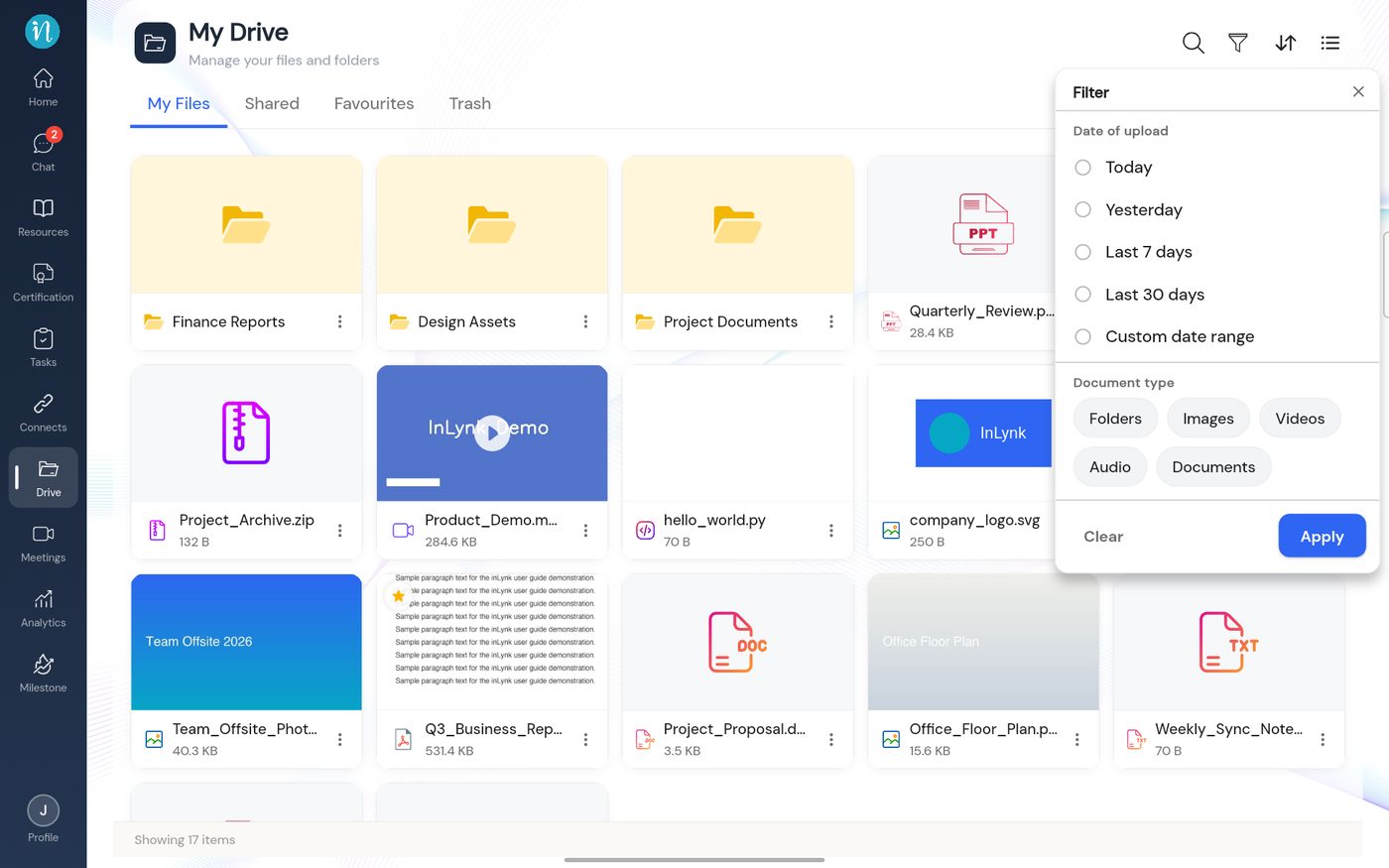
Filter
Tap the filter (funnel) icon. A panel opens under it.
Filter panel
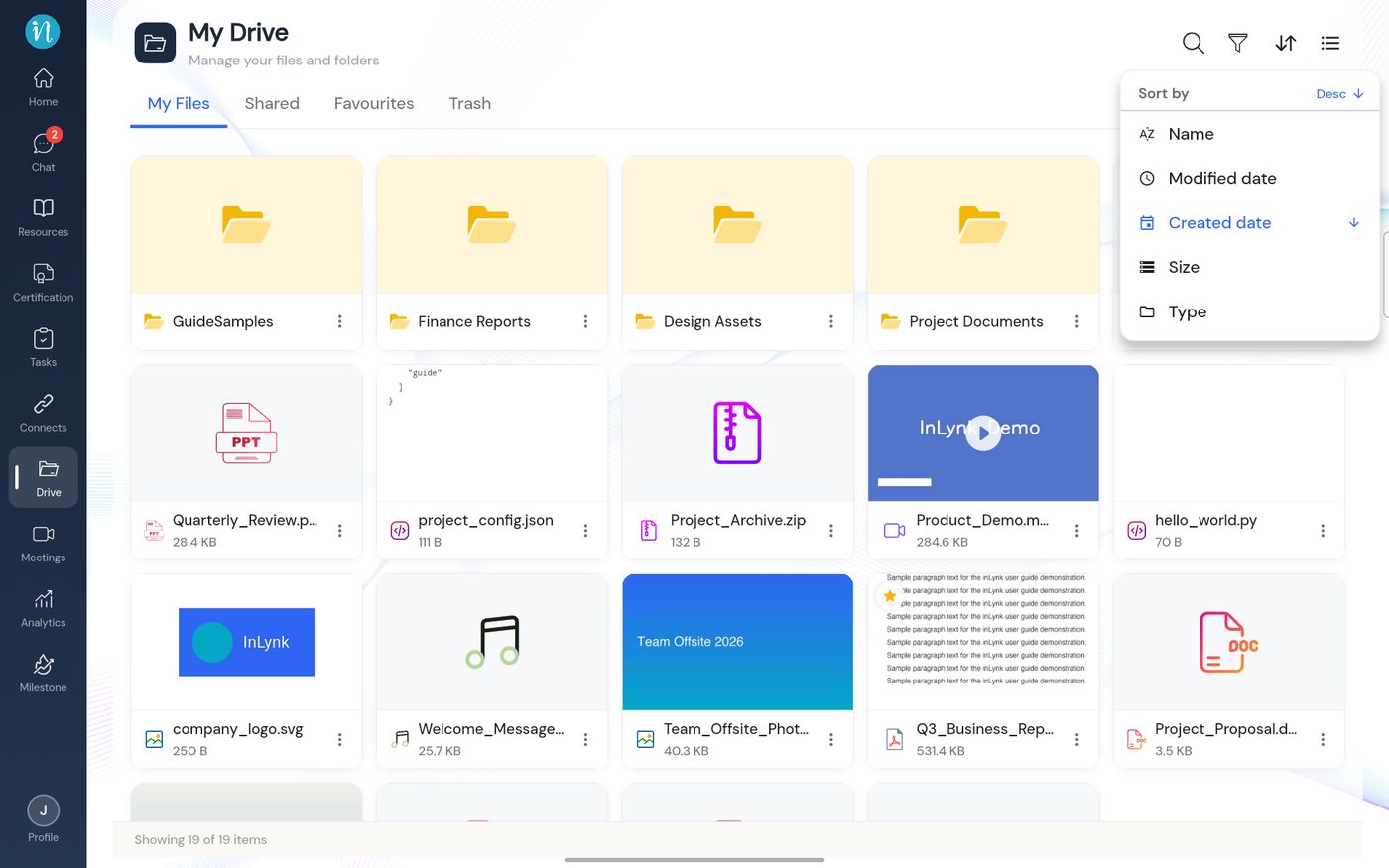
Sort
Tap the sort (up/down arrows) icon.
Sort menu
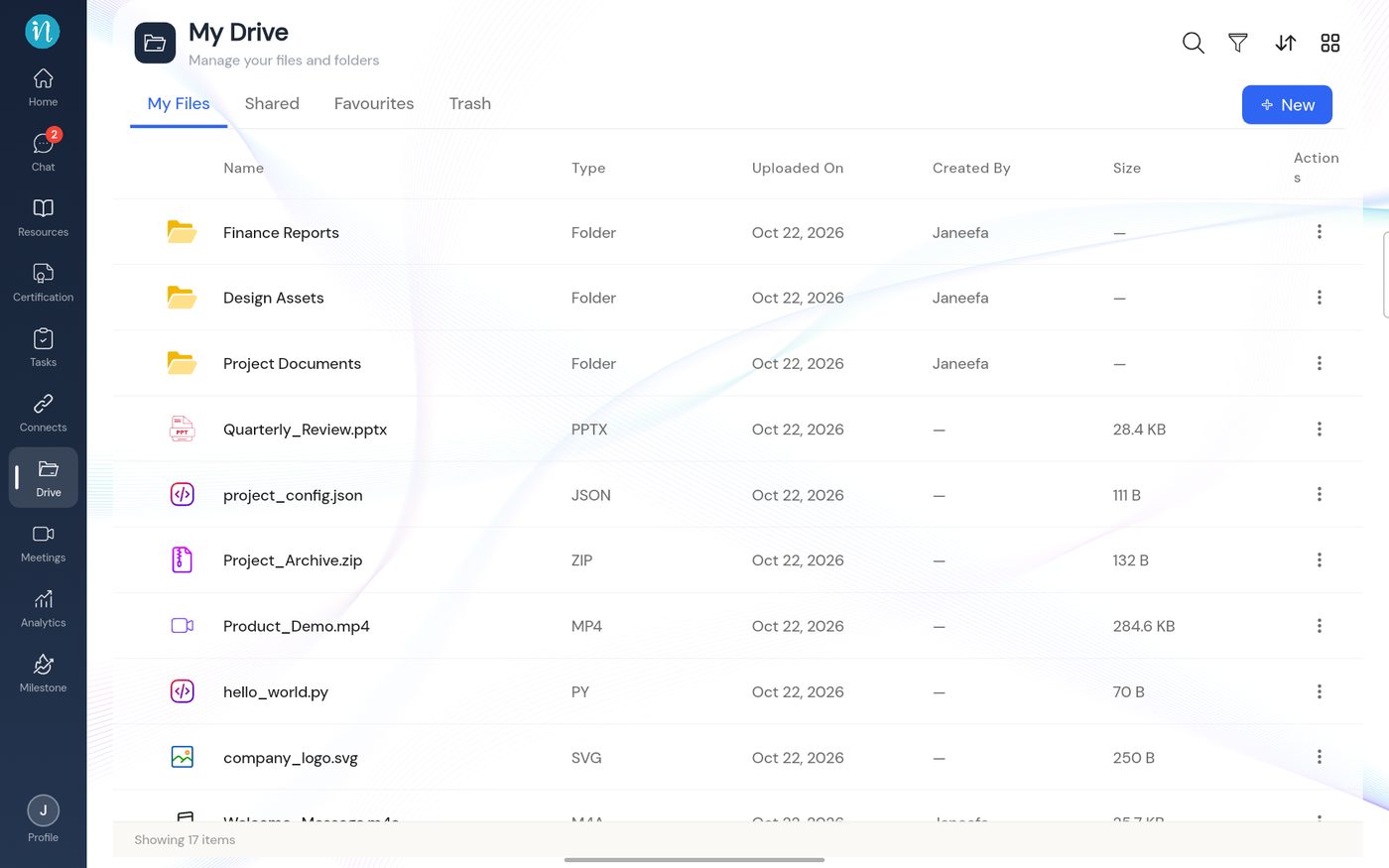
Grid and list view
Tap the grid/list icon (the last of the four tools) to switch between large cards and a table.