
How to select several items
Who can use thisMembers and Super Admins
Permission you need
View files and folders
Set by your workspace admin. If you cannot do this, ask them for access.This article is written for Member and Super Admin. Use the role switch at the top to change what the menus show.
Select several items to act on them together: share, download, move, copy, favourite, zip or delete.
-
Press and hold one file or folder until it is ticked. This switches Drive into selection mode.
-
Tap more items to add them. Tap a selected item again to remove it.
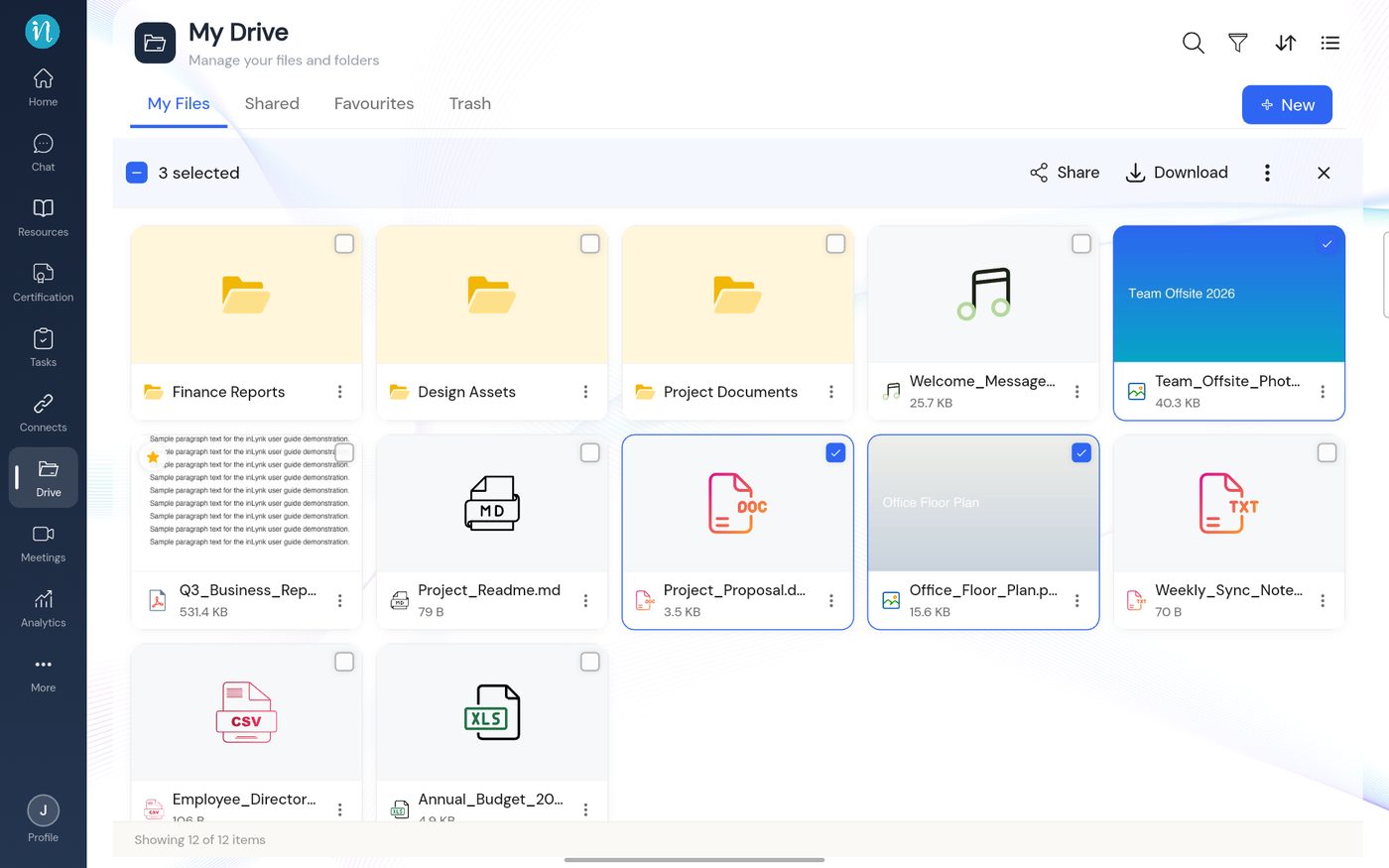
Items selected -
Tap the ⋮ in the top bar for more actions.
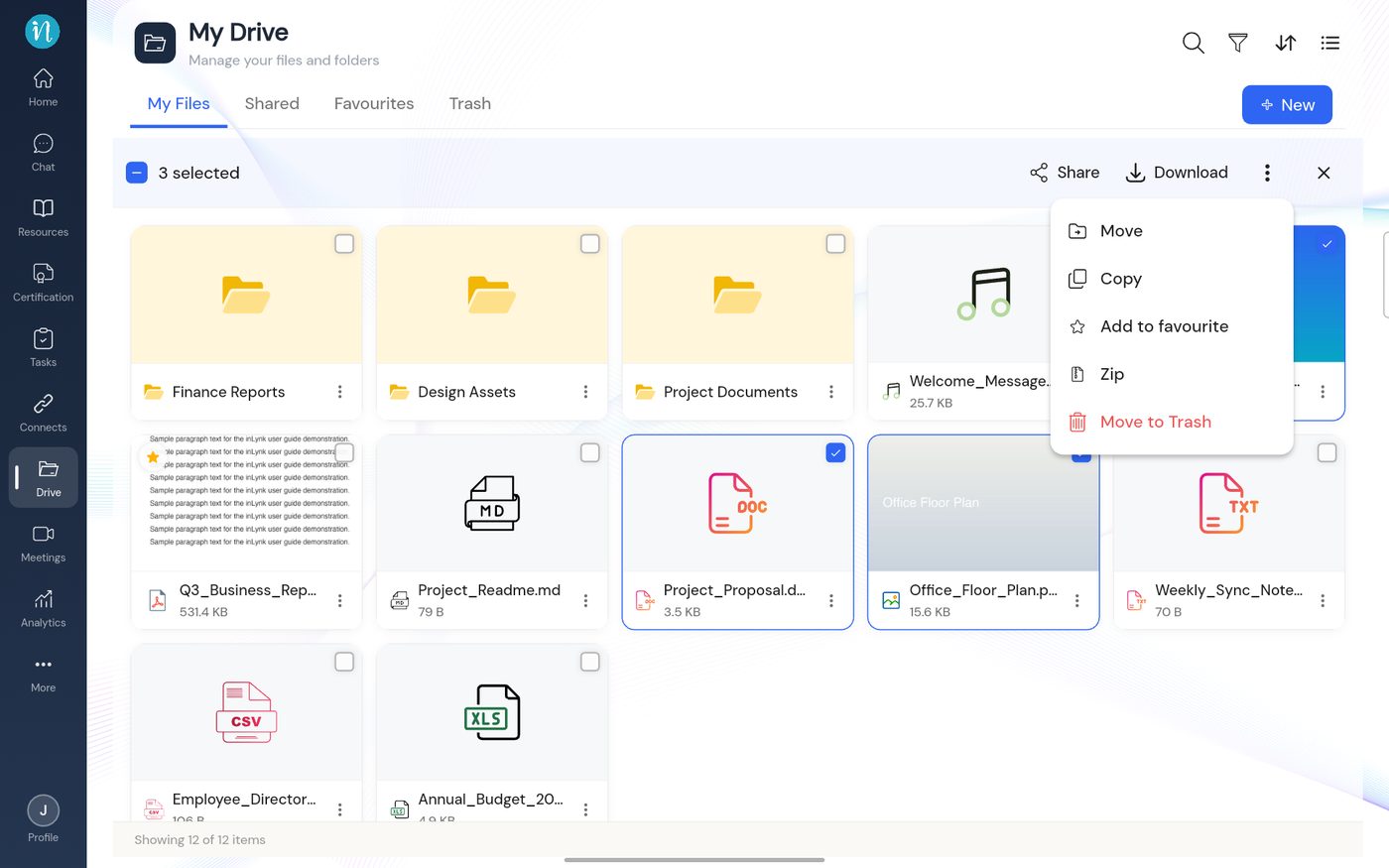
Actions for the selection
Last updated 2026-10-22