Everyday tasks
How to move an item to a folder
Who can use thisMembers and Super Admins
Permission you needRename, move, and update files
Set by your workspace admin. If you cannot do this, ask them for access. This article is written for Member and Super Admin. Use the role switch at the top to change what the menus show.
Move takes a file or folder out of its current folder and puts it in another one. You need the Edit permission.
-
Tap the ⋮ on the item and choose Move.
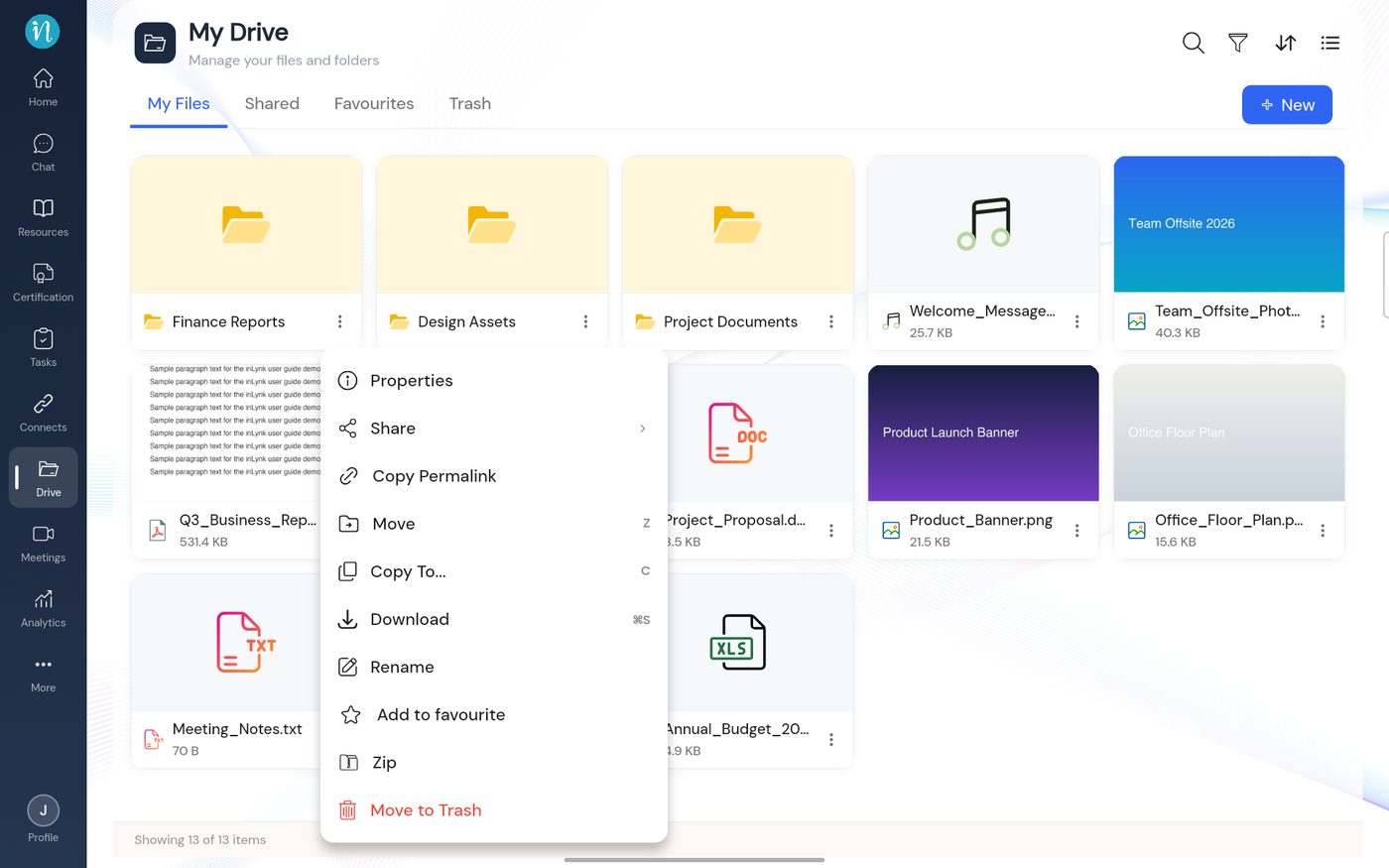 Item menu with Move
-
The Move dialog opens. Look through the folders to find the destination.
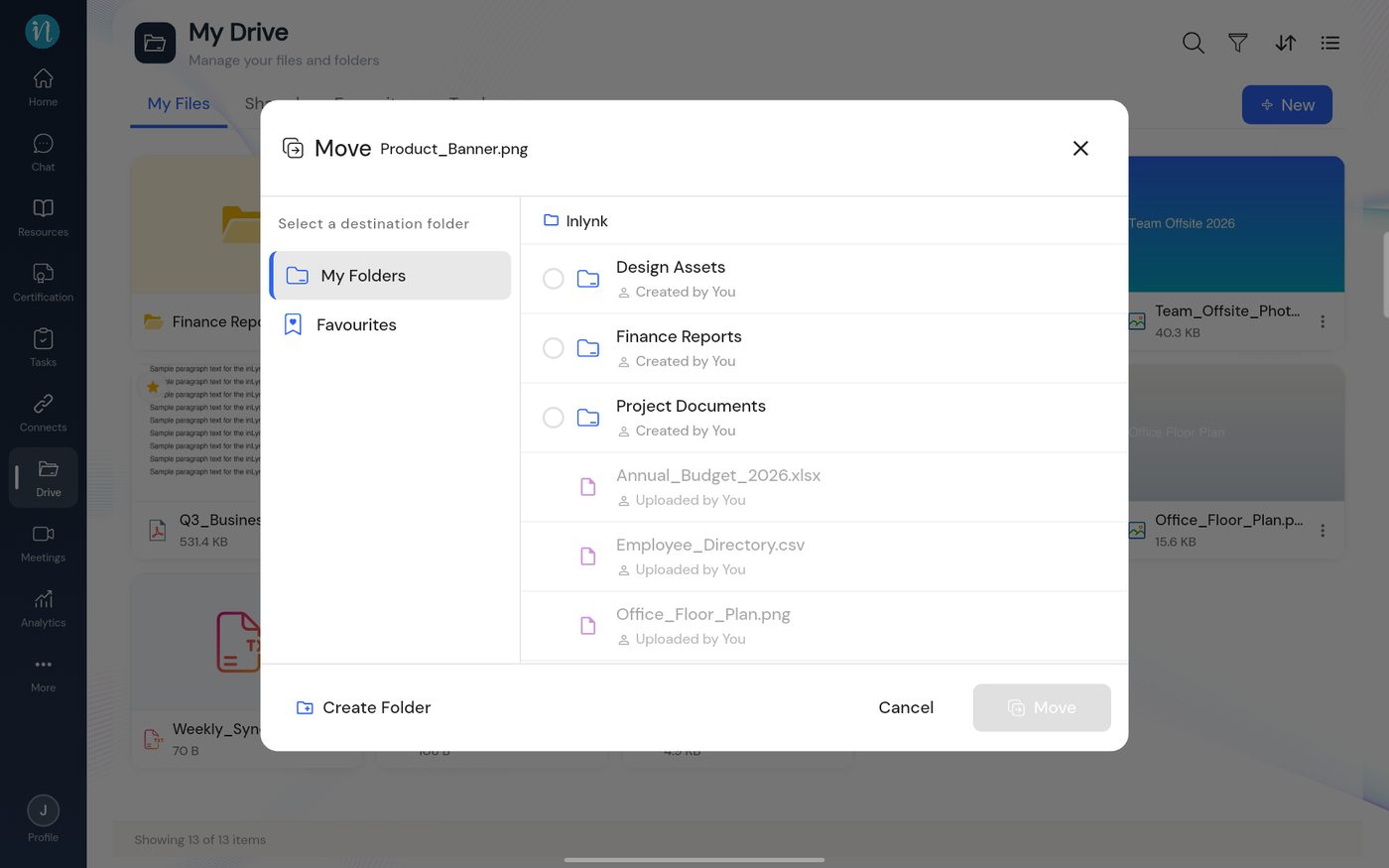 Move dialog
-
Tap the circle beside the destination folder, then tap Move.
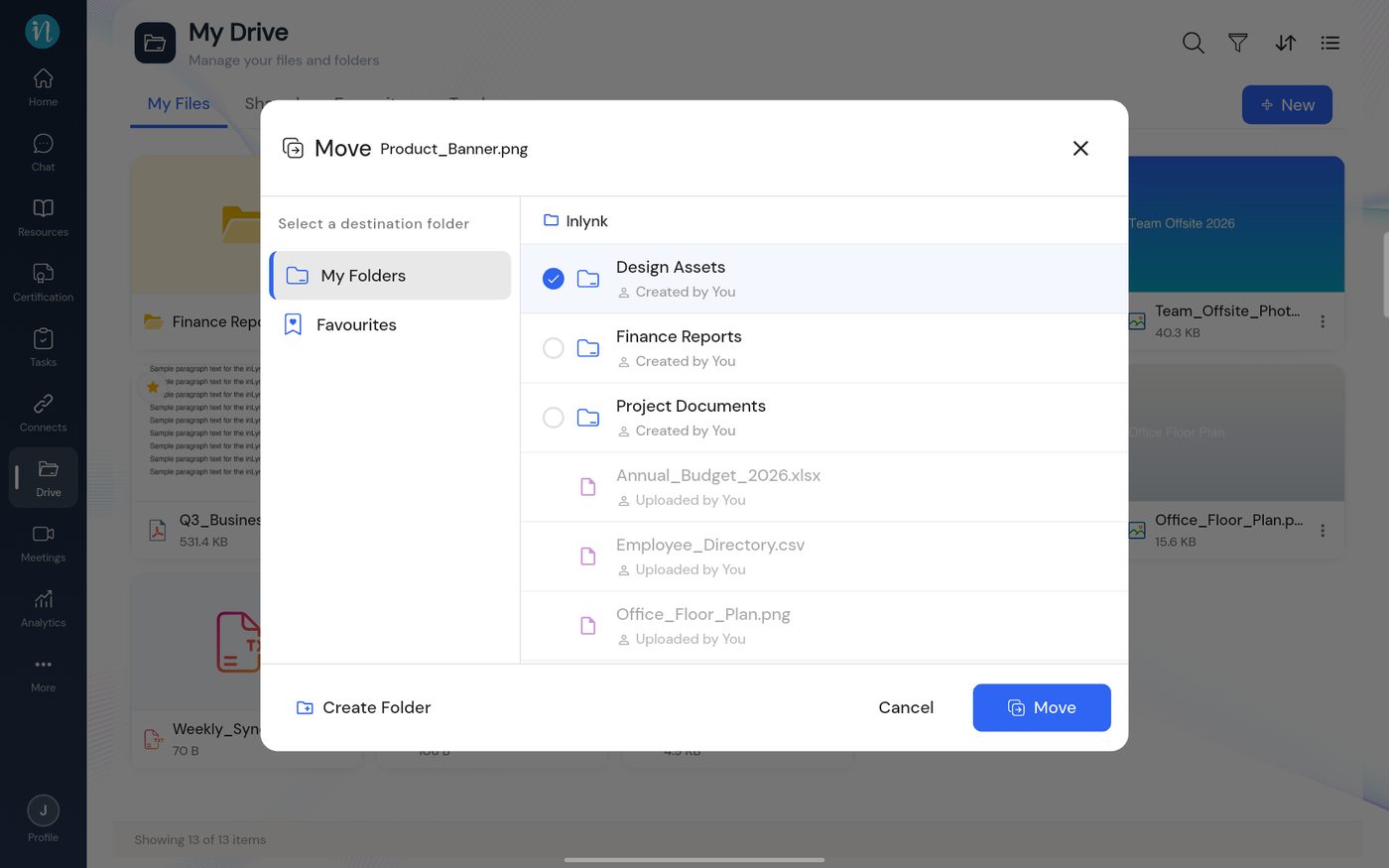 Destination chosen
-
The item leaves the current folder and is now inside the destination. Open that folder to confirm.
Last updated 2026-10-22
