
How to rename an item
Who can use thisMembers and Super Admins
Permission you need
Rename, move, and update files
Set by your workspace admin. If you cannot do this, ask them for access.This article is written for Member and Super Admin. Use the role switch at the top to change what the menus show.
Rename changes the name of a file or folder. You need the Edit permission. The file extension (for example .txt) cannot be changed, so a file always stays the same type.
-
Tap the ⋮ on the item and choose Rename.
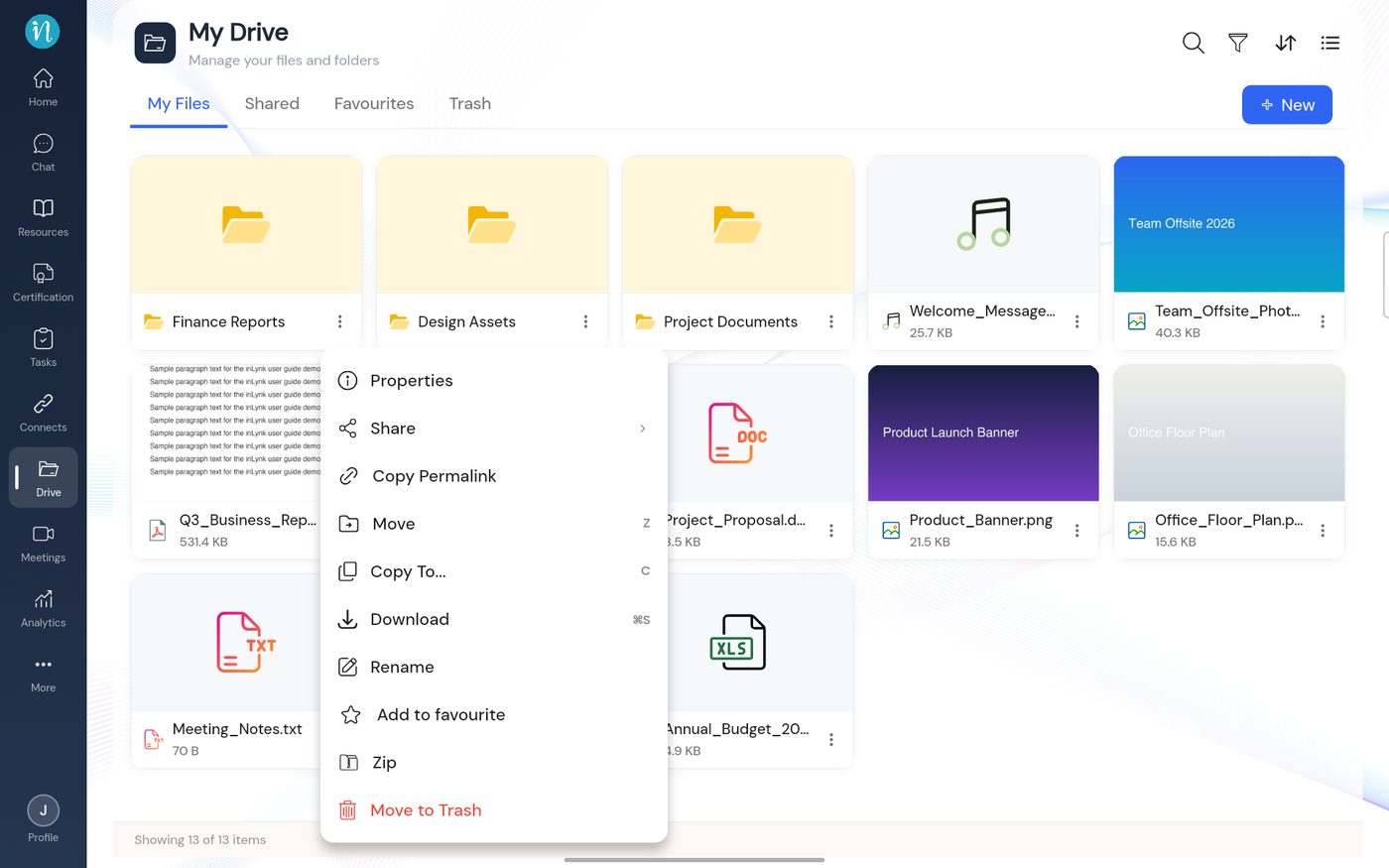
Item menu with Rename -
In the Rename dialog, edit the name and tap Rename.
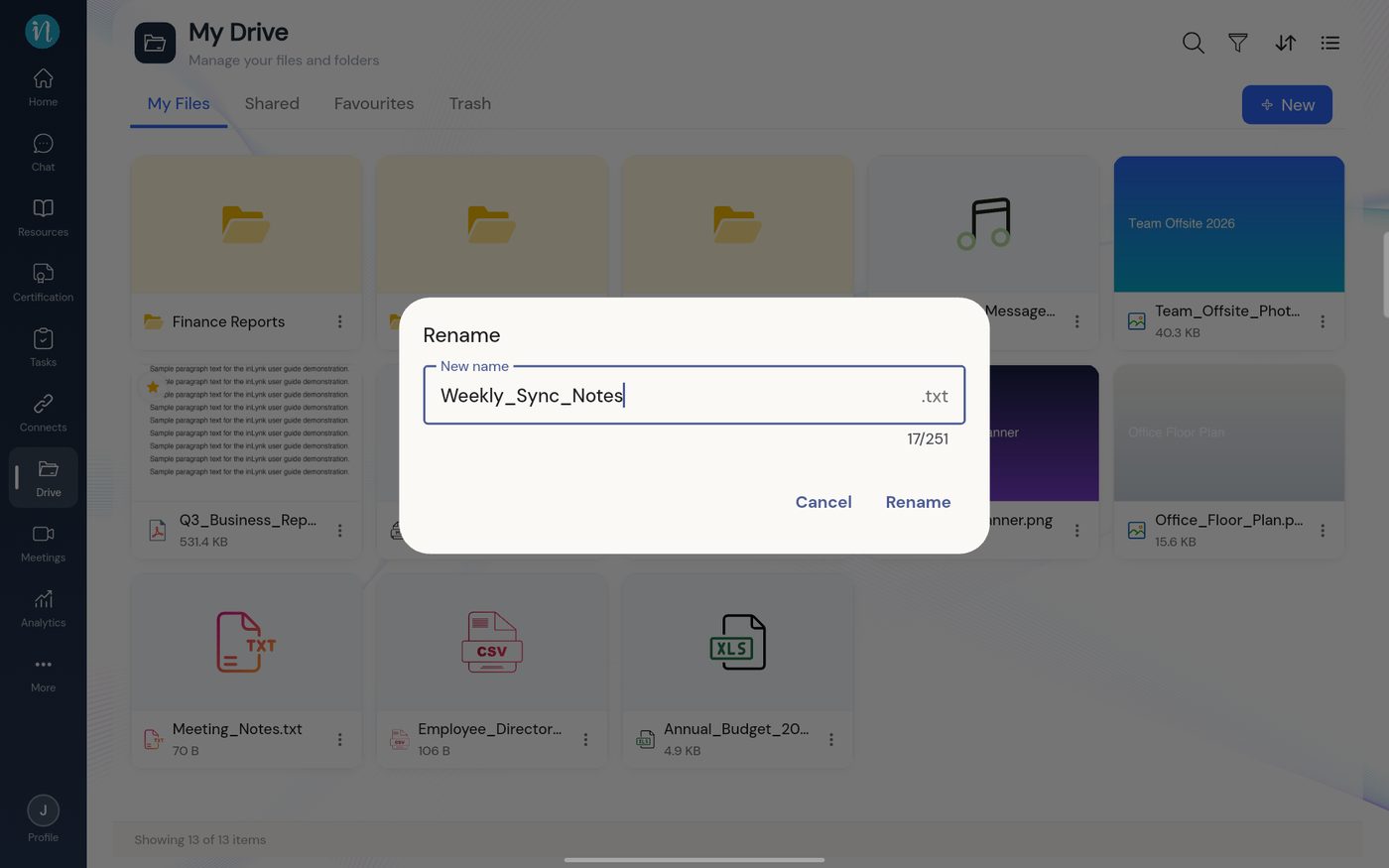
Rename dialog -
The card shows the new name straight away.
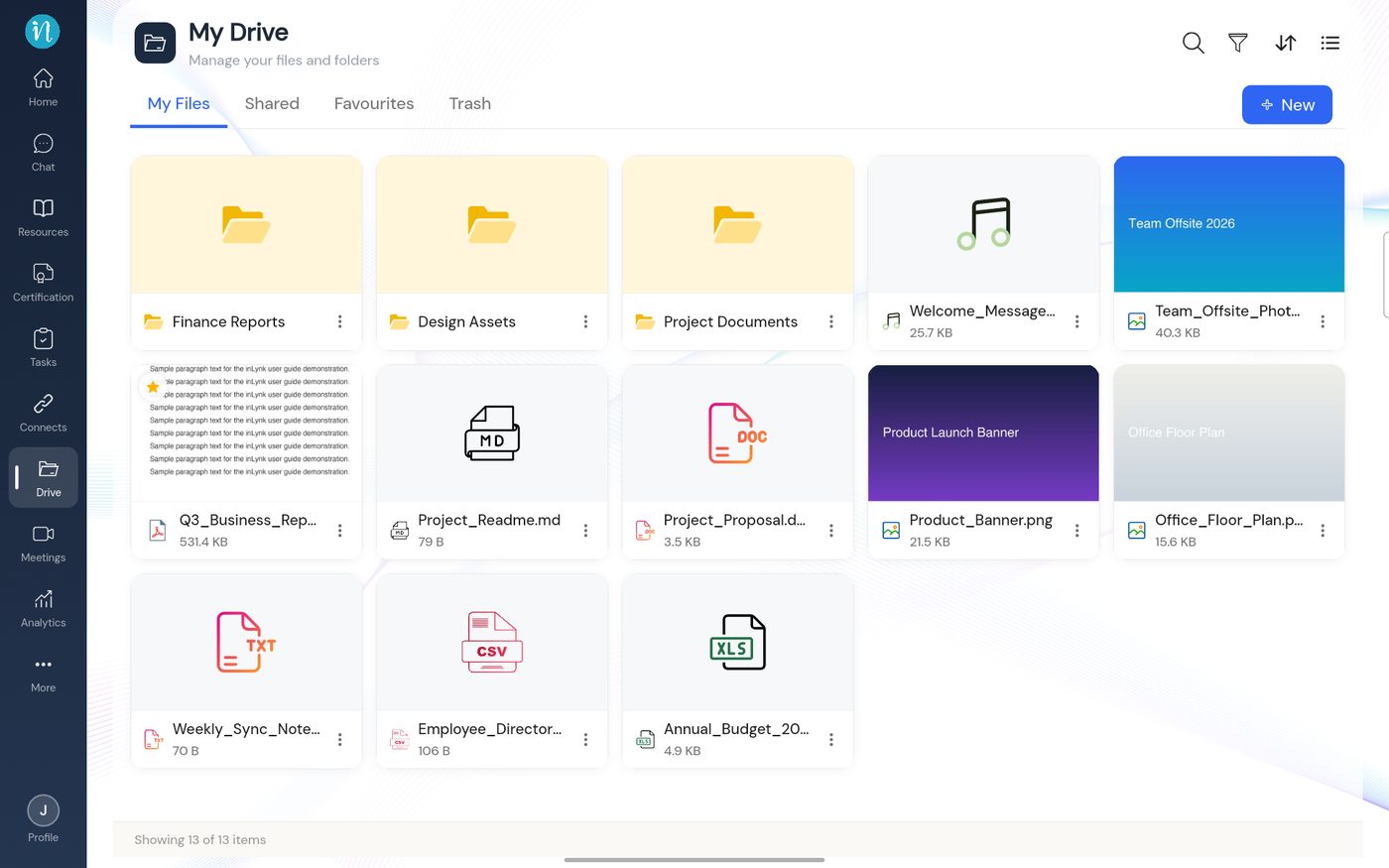
The renamed file
If the name is refused
Names must be unique inside a folder. If another file or folder already has the name you typed, you see A folder or file named … already exists in this location. See that article and Naming rules.
Last updated 2026-10-22