
A file opens as "File Details" with no preview
Who can use thisMembers and Super Admins
Permission you need
View files and folders
Set by your workspace admin. If you cannot do this, ask them for access.This article is written for Member and Super Admin. Use the role switch at the top to change what the menus show.
What you see: instead of the file, you get a File Details card with the title, size and format.
Why: some file types cannot be previewed in Drive. This includes PowerPoint (PPT, PPTX), ZIP and other archives, and any other type not listed in Supported file types.
-
Look at the card that opened.
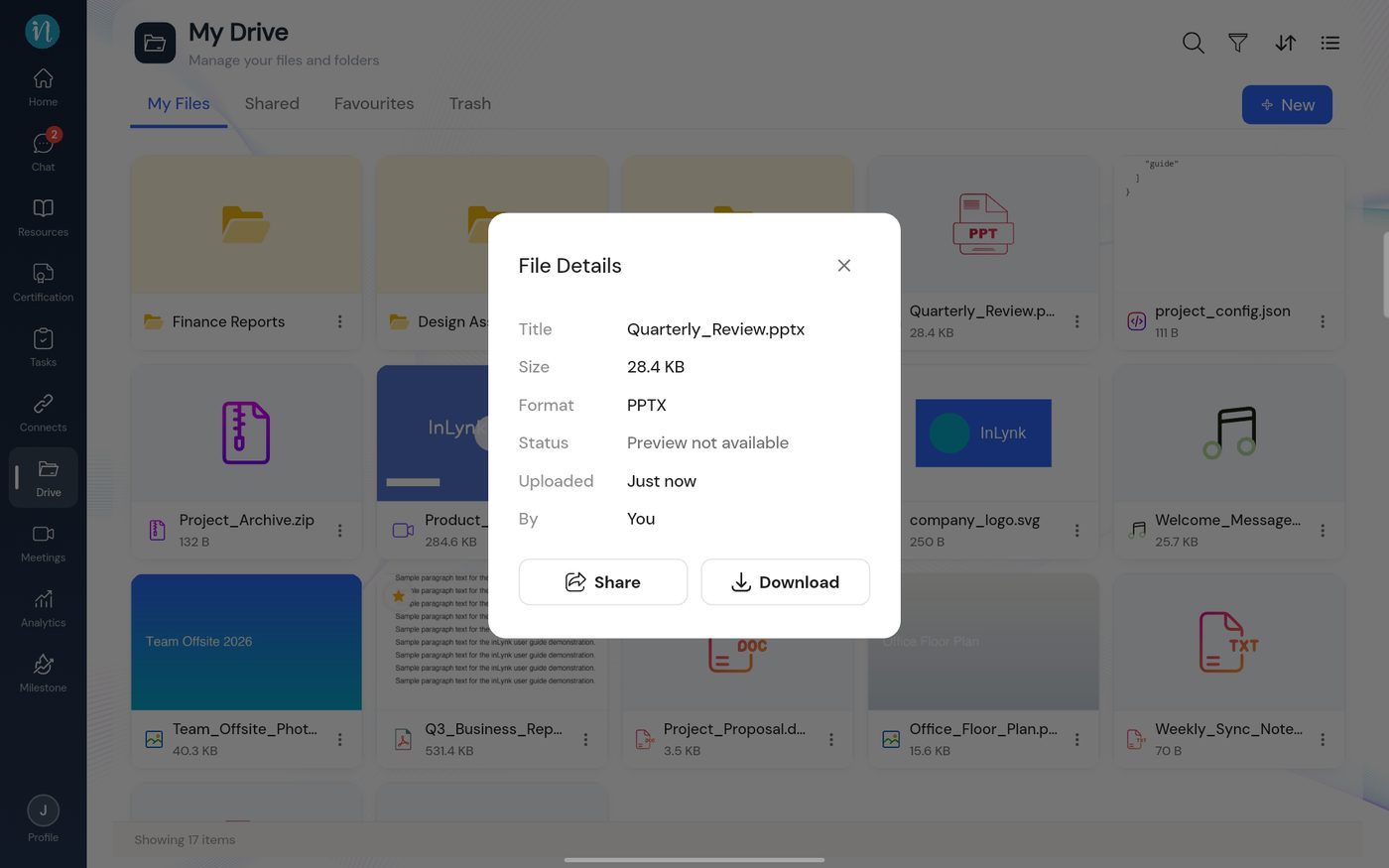
File Details card -
Tap Download to save the file and open it in the right app on your device, or Share to give someone else access.
Nothing is wrong with the file. It is stored safely in Drive; it just has no built-in viewer.
Last updated 2026-10-22