
Showing or hiding Drive in the sidebar
Who can use thisSuper Admins only
This article is written for Super Admin. Use the role switch at the top to change what the menus show.
Menu Access decides whether Drive (and every other module) appears in the sidebar. The Media Drive permissions decide what a person can do once inside. A person needs both.
-
Open Directory and tap Menu Access. You see two lists side by side: Web and Mobile.
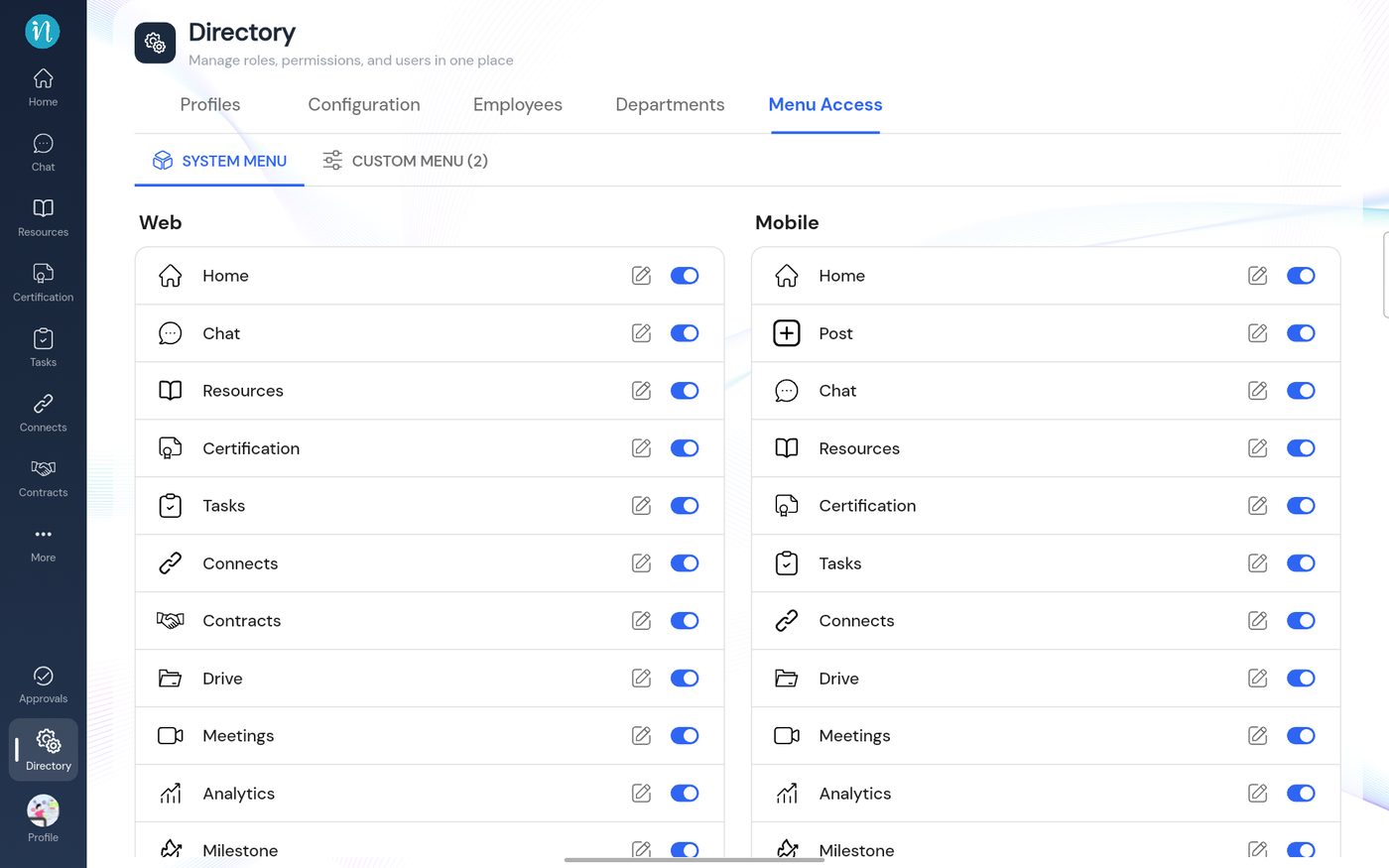
Menu Access -
Find Drive in the list and turn its switch off to hide it from the sidebar, or on to show it again.
Hiding Drive does not delete anyone's files; it only removes the shortcut from the sidebar.
Last updated 2026-10-22