
What Drive is
Who can use thisMembers and Super Admins
Permission you need
View files and folders
Set by your workspace admin. If you cannot do this, ask them for access.This article is written for Member and Super Admin. Use the role switch at the top to change what the menus show.
Drive is the file space in inLynk Business Network. It holds your own files inside the active workspace. You can upload documents, images, video and audio, organise them into folders, preview them without downloading, and share them with colleagues. Everything is per workspace: when you switch workspace you see that workspace's drive.
Where to find it
Drive is in the left-hand sidebar, between Connects and Meetings. On a smaller screen it can sit under More. Tap or click it to open My Drive.
What the page looks like
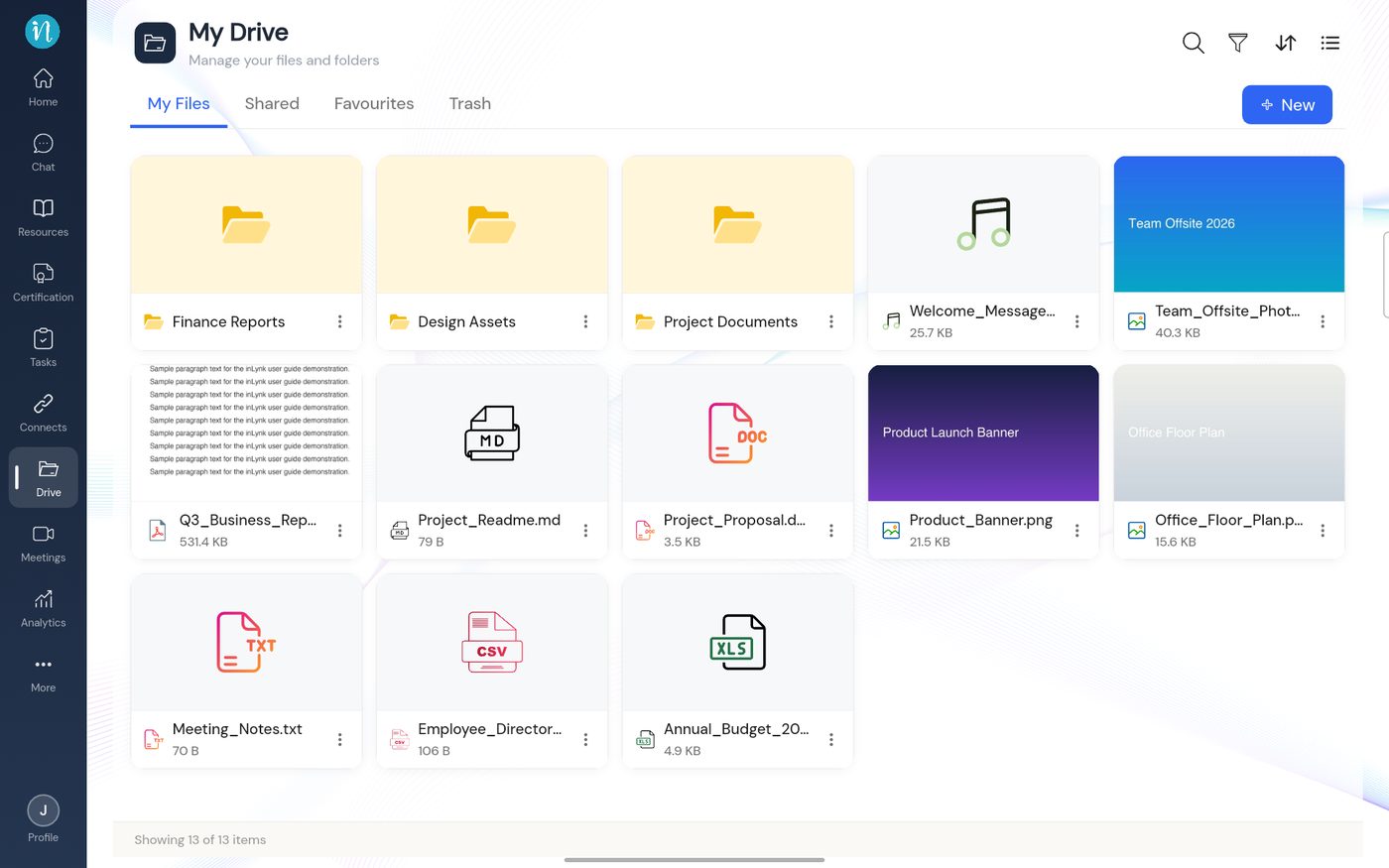
What you can do in Drive
- Create a folder and upload files.
- Open and preview a file without downloading it.
- Search, filter, sort and change the view.
- Rename, move, favourite and see an item's properties.
- Share a file or folder with colleagues.
- Delete, restore and empty Trash.
Last updated 2026-10-22